Translation
SharedMoments includes a built-in Translation Manager - Languages can be added and edited directly from the web interface.
Currently included languages: German and English.
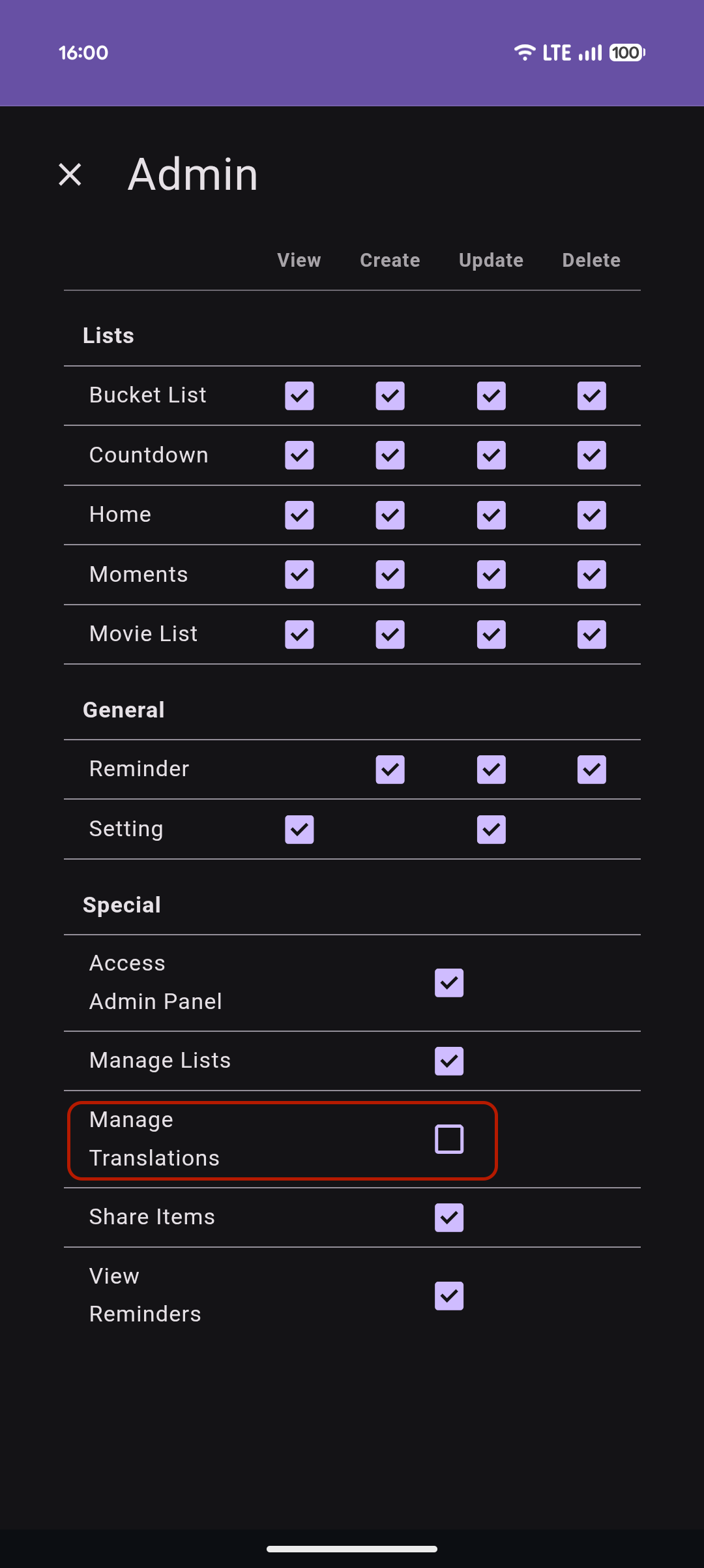
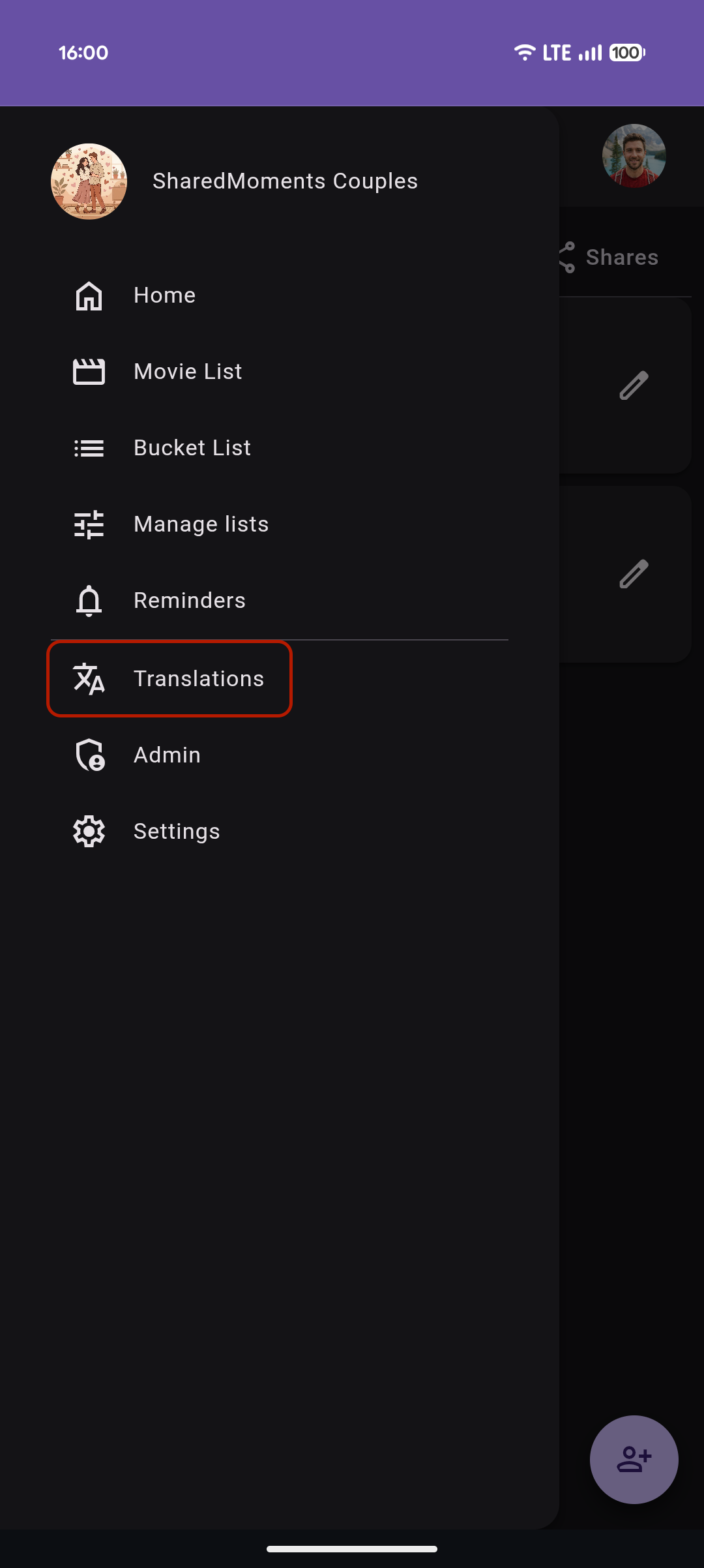
Open the sidebar and select Manage Translations (requires the "Manage Translations" permission).
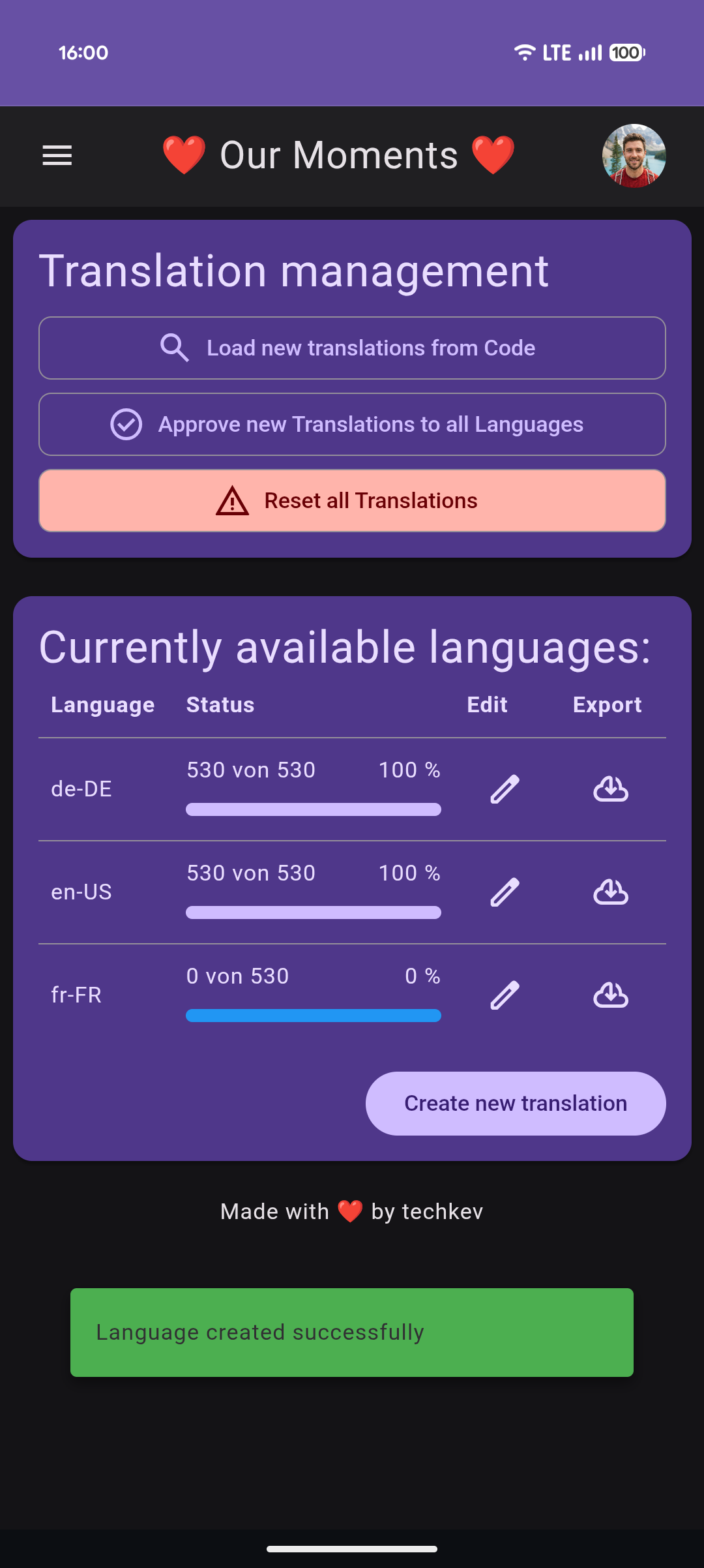
- Click Create new translation in the Translation Manager
- Enter the language code (e.g.
fr-FR,es-ES,pt-BR) - SharedMoments automatically generates all required translation entries for the new language
All entries start empty and can be filled in using the editor.
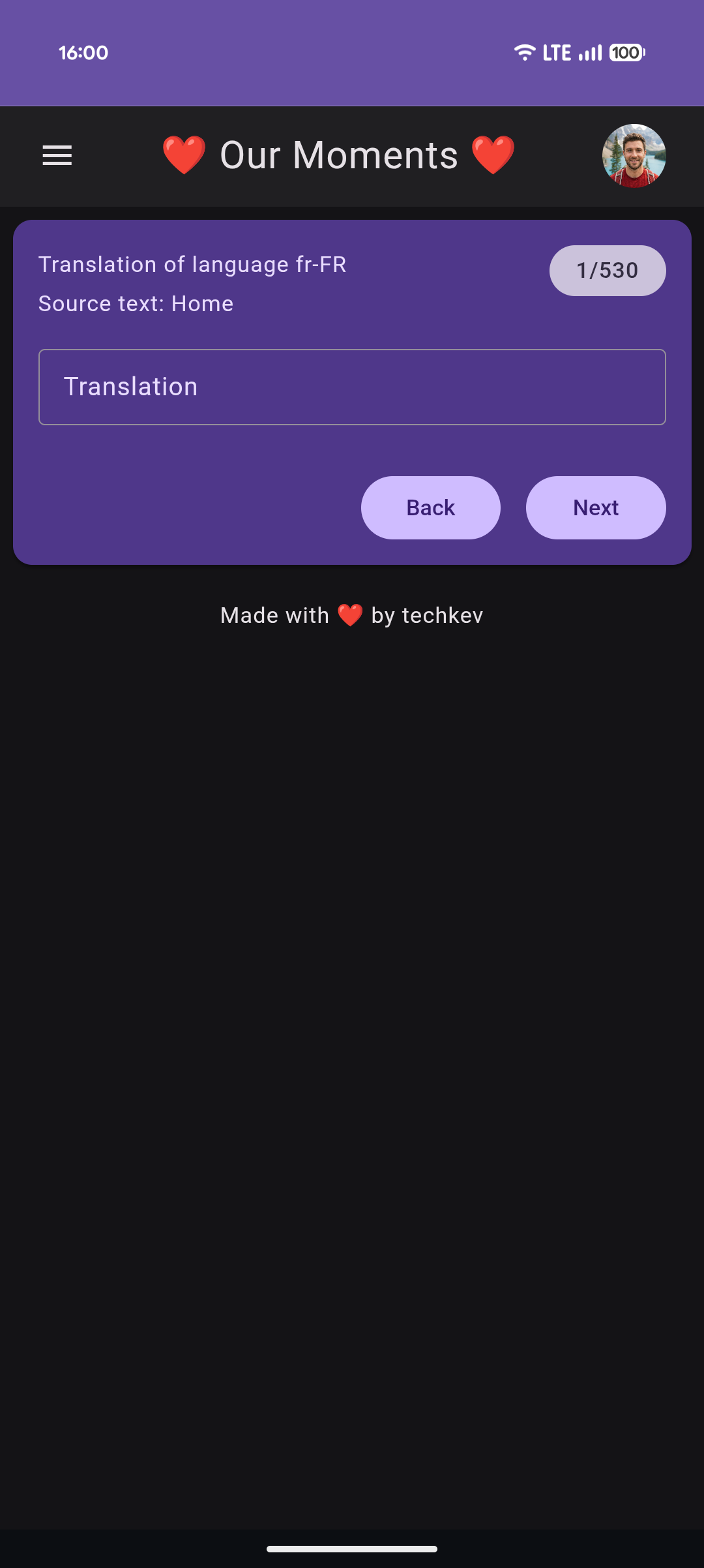
- Select a language from the list
- Edit the translated text for each entry
- Changes are saved and applied immediately
Each entry shows the original text and an optional help text for context.
Use the focus mode to translate entries at a time, making it easier to work through large translation sets.
Once you've finished translating, you can test your work and contribute it back to the project:
- Go to User Settings and change your language to the one you just translated
- Browse the app to verify everything looks correct
- When you're happy with the result, go back to the Translation Manager and click Export to download your translation as a JSON file
- Head over to the SharedMoments GitHub repository and create a Pull Request with your translation file
Your contribution will be reviewed and included in a future release for everyone to use.
Scans the codebase for all translatable texts (marked with _()) and loads them into the English language as base entries.
Takes all newly added English base entries and distributes them to every other language. This creates empty translation entries so translators can fill them in.
Resets a language back to its default state by reloading from the built-in JSON files. This overwrites all manual edits for that language.