






- ✅ Create your own content for the doors - e.g. competitions, reciepts, poems...
- ✅ Offer your customers entertainment during the Advent season.
- ✅ With built-in test mode.
- ✅ Easy setup via an XML file.
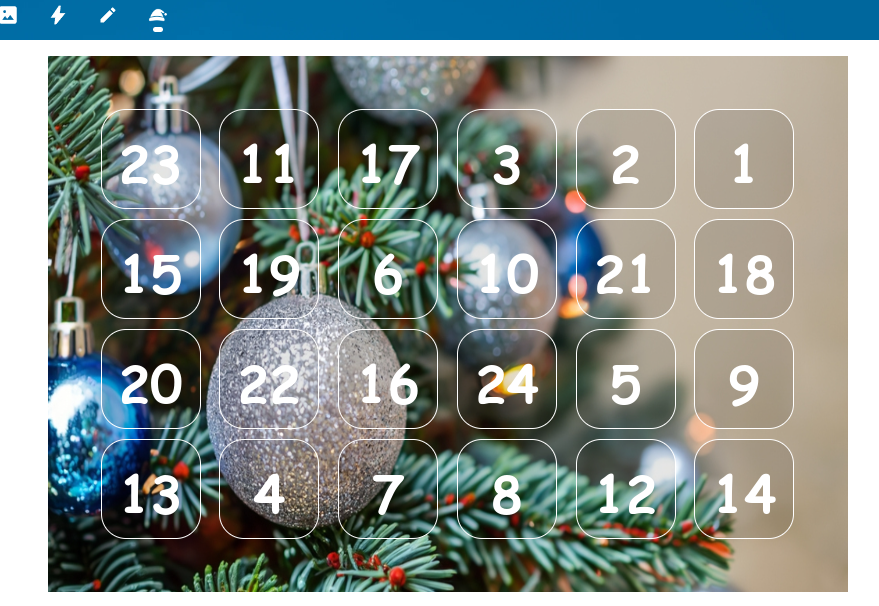
- It is recommended to download or install this app directly from the Nextcloud App store.
- Alternatively you can download the latest santacloud release based on this repository.
To get started follow the instructions to fill the advent calendar's doors with your content.
After installation days_example.xml will be copied to nextcloud-datadirectory/santacloud/days.xml.
You can reach the admin settings for santacloud over the Administration Settings link or with the direct call over YOUR_NEXTCLOUD/settings/admin/santacloud.
Caution
Advises about risks or negative outcomes of certain actions.
DO NOT store images within the apps data or image folder, because they will be deleted on the next app update automatically!!!
Starting with version 1.1.0, a folder named nextcloud-datadirectory/appdata_your-instanceid/santacloud/img will be created to store all images used in the Advent calendar doors. These images will remain unaffected by future app updates and will therefore not be lost.
Example:
An image "imageABC.png" is stored in nextcloud-datadirectory/appdata_your-instanceid/santacloud/img/imageABC.png you can use it in your HTML code this way:
<img src="YOUR-DOMAIN/apps/santacloud/image/imageABC.png" />

<img src="/apps/santacloud/image/imageABC.png" />How to change background image?
From version 1.1.0 onwards, you can upload your preferred background image via the SantaCloud Administrator settings and set it up as a new background with one click.
All of the text is in english?
Maybe your language files are missing.You might want to help translating the app to new languages or report errors in existing translations. So feel free and send me translations.
Very bad translation?
We used the AI-based Google translator to generate language files. Of course, there were limitations to the translation depending on the quality of the AI. If you'd like to help improve your language file, open an issue and report your suggestion for improvement. Thank you- 🌟 Star this repository: This is the easiest way to support SantaCloud and it costs nothing.
- ⭐ Rate and/or 💬 comment on SantaCloud in the Nextcloud AppStore
- 🪲 Report bugs: Report any bugs you find on the issue tracker.
- 📖 Translate: Help translate SantaCloud into your language, if the AI-based Google translator generated language files are poorly translated
- 📝 Contribute: Read and file or comment on an issue and ask for guidance or give advice.