An advanced alerts and pickers with js.
$ npm install react-native-alert-pickers
$ react-native link react-native-alert-pickers
All APXXXPickers or APXXXAlerts aren't support props while config.
For example:
/// Bad use
<APColorPicker mode="hls" ref={r => (this.picker = r)} />

/// Good use
<APColorPicker ref={r => (this.picker = r)} />
| 属性名称(Properties Name) |
值或类型(Values or Types) |
是否必需(Required) |
描述(Description) |
| mode |
"rgb", "rgba"(默认/Default), "rgb-hex", "rgba-hex", "hsl", "hsla" |
NO |
是否以 16 进制显示 |
| cancelButton |
APButton |
NO |
设置取消按钮 |
| selectButton |
APButton |
NO |
设置选择按钮 |
/**
* @param colorPickerConfig: The picker's config
* refrence `Configuration`
*/
show({ colorPickerConfig?: APColorPickerConfig })
// import module
import { APColorPicker } from "react-native-alert-pickers"

// Use
render() {
    return (
      <View style={{ flex: 1, justifyContent: "center" }}>
        <APColorPicker ref={r => (this.picker = r)} />
      </View>
    );
  }

// Show picker
_onShow = () => {
	// Normal
	this.picker.show()
	// Use keyword `global`
	// global.picker.show()

	// maybe you want to show with "hsla", easy...
	// this.picker.show({ mode: "hsla" })
	// also, if you want to set `cancelButton`
	// this.picker.show({ cancelButton: { title: "Oh, Amazing!", font: { color: "skyblue" } } })
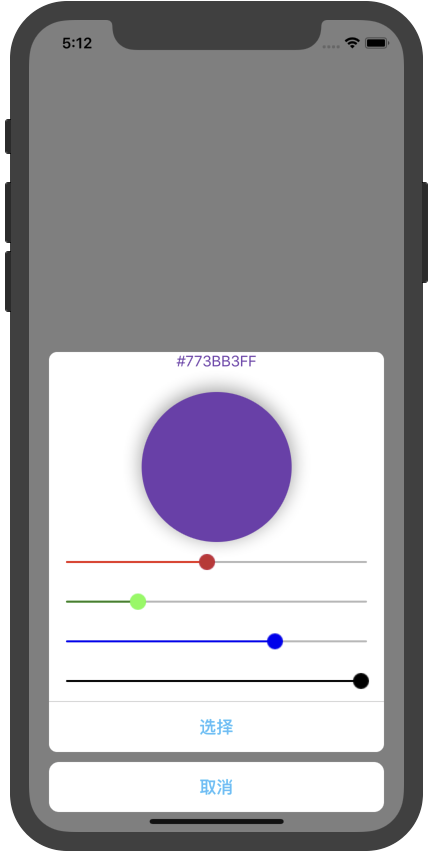
}The mode is "rgba" or "hlsa":
| 属性名称(Properties Name) |
值或类型(Values or Types) |
是否必需(Required) |
描述(Description) |
| cancelButton |
APButton |
NO |
设置取消按钮 |
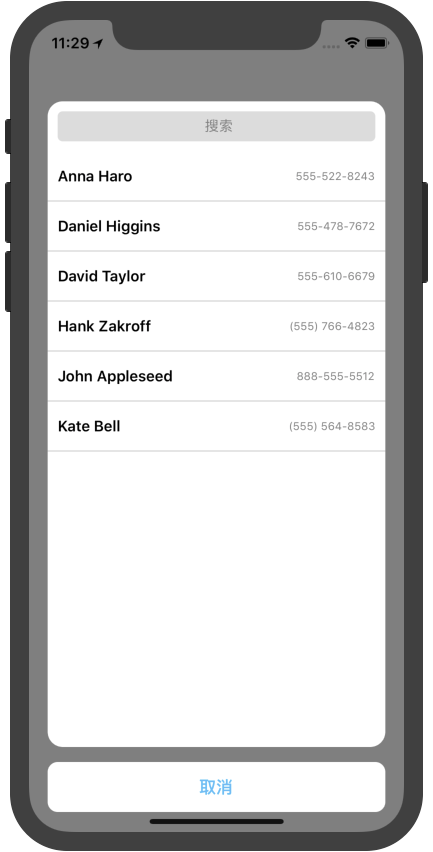
| searchBar |
APSearchBar |
NO |
设置搜索框 |
| onSelected |
({ name: string, phoneNumber: string}) => void |
NO |
回调函数 |
/**
* @param contactPickerConfig: The picker's config
* refrence `Configuration`
*/
show({ contactPickerConfig?: APContactPickerConfig })
// import module
import { APContactPicker } from "react-native-alert-pickers"

// Use
render() {
    return (
      <View style={{ flex: 1, justifyContent: "center" }}>
        <APContactPicker ref={r => (this.picker = r)} />
      </View>
    );
  }

// Show picker
_onShow = () => {
  // Normal
  this.picker.show()
  // Use keyword `global`
  // global.picker.show()

  // add some config
  // this.picker.show({ #your_configuration# })
}
| 属性名称(Properties Name) |
值或类型(Values or Types) |
是否必需(Required) |
描述(Description) |
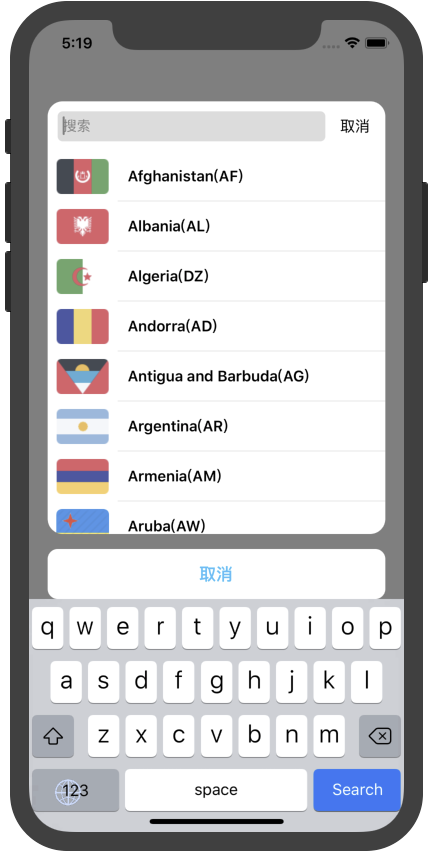
| mode |
"country"(默认/Default), "phoneCode" |
NO |
显示模式 |
| cancelButton |
APButton |
NO |
设置取消按钮 |
| searchBar |
APSearchBar |
NO |
设置搜索框 |
| onSelected |
({ code: string, name: string, dial_code: string }) => void |
NO |
回调函数 |
/**
* @param localePickerConfig: The picker's config
* refrence `Configuration`
*/
show({ localePickerConfig?: APLocalePickerConfig })
// import module
import { APLocalePicker } from "react-native-alert-pickers"

// Use
render() {
    return (
      <View style={{ flex: 1, justifyContent: "center" }}>
        <APLocalePicker ref={r => (this.picker = r)} />
      </View>
    );
  }

// Show picker
_onShow = () => {
  // Normal
  this.picker.show()
  // Use keyword `global`
  // global.picker.show()

  // add some config
  // this.picker.show({ #your_configuration# })
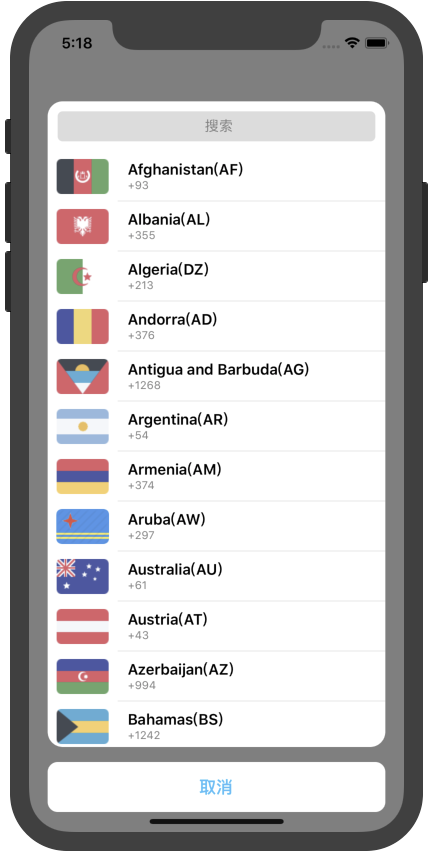
}mode: phoneCode
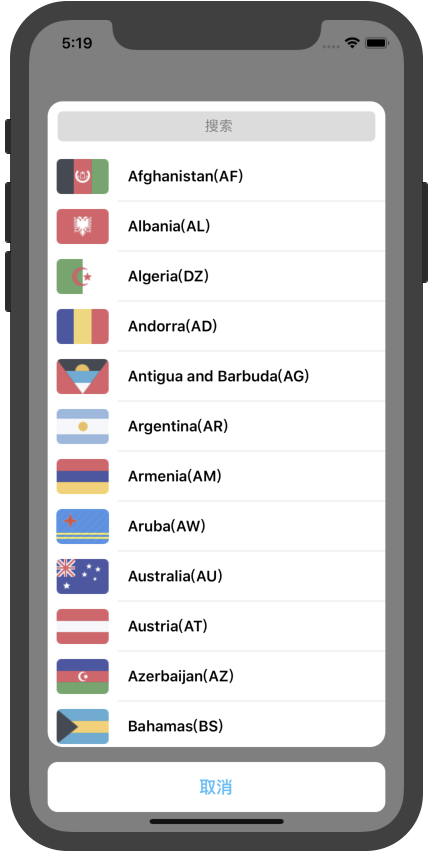
mode: country
| 属性名称(Properties Name) |
值或类型(Values or Types) |
是否必需(Required) |
描述(Description) |
| provider |
"system"(默认/Default), "self" |
NO |
图片提供者 |
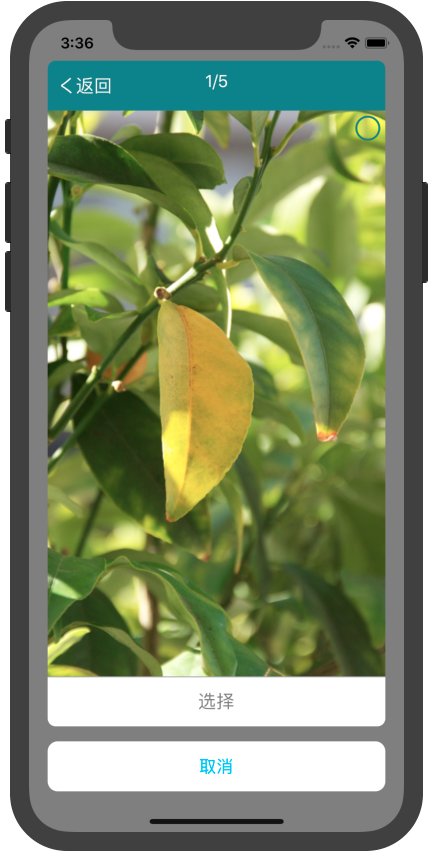
| horizontal |
true/false |
NO |
是否水平展示图片 |
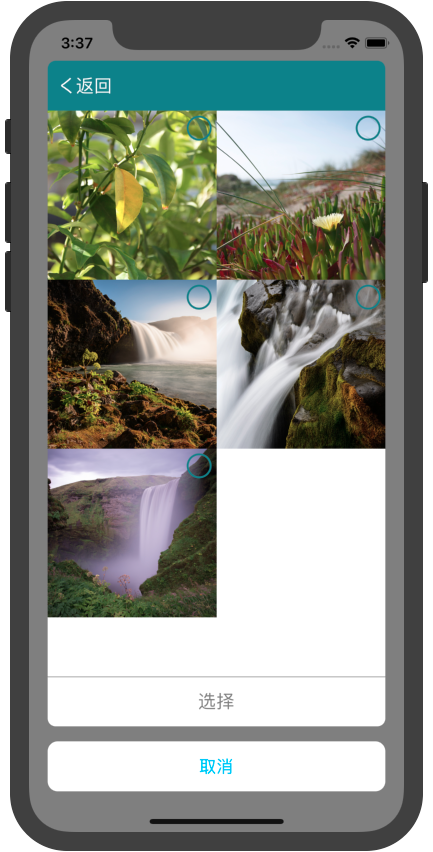
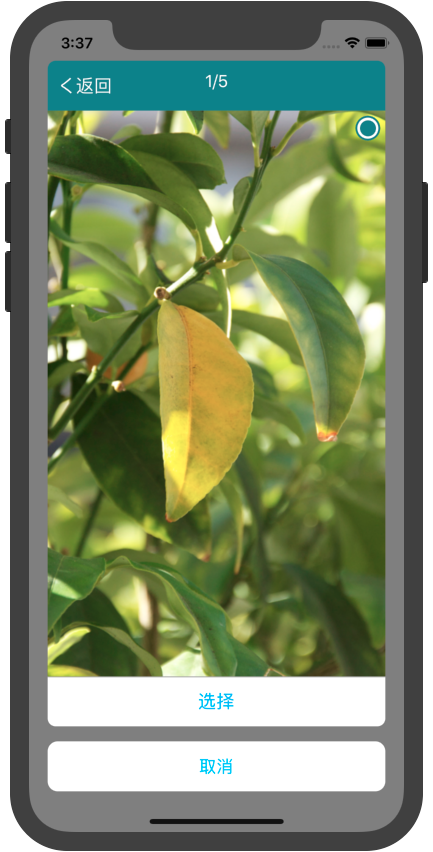
| images |
[image] |
NO |
图片数组,在 provider="self"下赋值 |
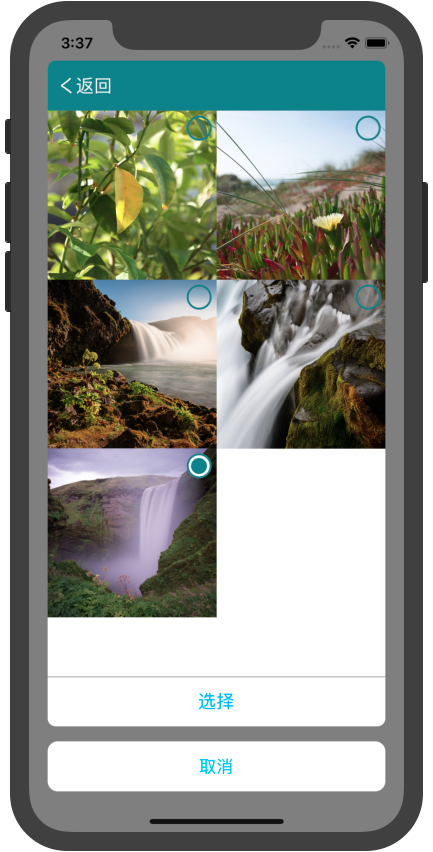
| selectMode |
"single", "multiple" |
NO |
单选或多选 |
| selectTitle |
"选择" |
NO |
选择按钮的标题 |
| cancelTitle |
"取消" |
NO |
取消按钮的标题 |
| onSelected |
(images) => void |
NO |
回调函数,返回选中的图片 |
/**
* @param imagePickerConfig: The picker's config
* refrence `Configuration`
*/
show({ imagePickerConfig?: APImagePickerConfig })
// import module
import { APImagePicker } from "react-native-alert-pickers"

// Use
render() {
    return (
      <View style={{ flex: 1, justifyContent: "center" }}>
        <APImagePicker ref={r => (this.picker = r)} />
      </View>
    );
  }

// Show picker
_onShow = () => {
  // Normal
  this.picker.show()
  // Use keyword `global`
  // global.picker.show()

  // add some config
  // this.picker.show({ #your_configuration# })
}
| 属性名称(Properties Name) |
值或类型(Values or Types) |
是否必需(Required) |
描述(Description) |
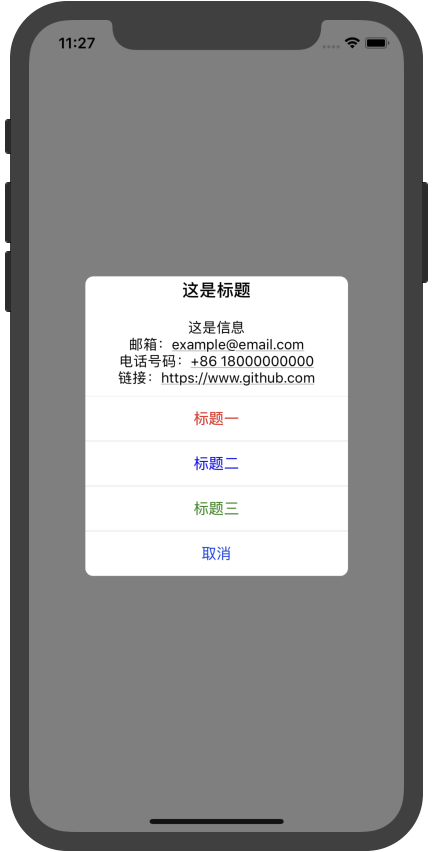
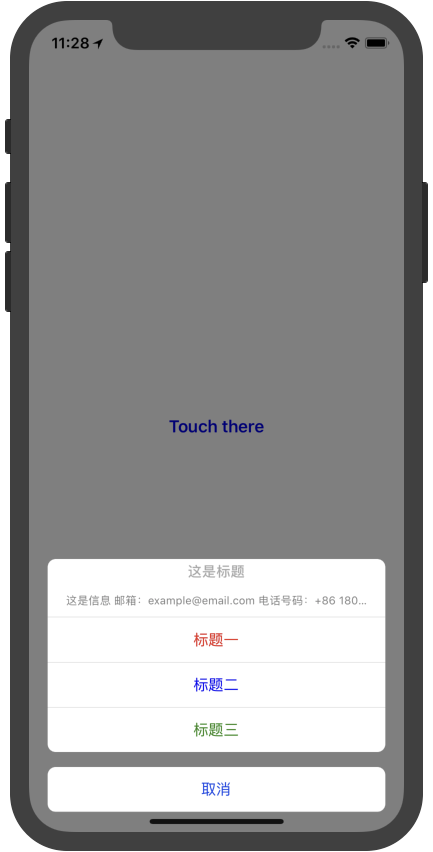
| mode |
"alert"(默认/Default), "action-sheet" |
NO |
提示模式 |
| title |
string |
NO |
提示之标题 |
| message |
string |
NO |
提示之信息 |
| alertButtons |
[APButton] |
NO |
提示之按钮数组 |
| cancelIndex |
0 |
NO |
取消按钮在按钮数组中的下标 |
/**
* @param alertConfig: The picker's config
* refrence `Configuration`
*/
show({ alertConfig?: APAlertConfig })

// Convenience methods
alert({ alertConfig?: APAlertConfig })
actionSheet({ alertConfig?: APAlertCofnig})
// import module
import { APAlert } from "react-native-alert-pickers"

// Use
render() {
    return (
      <View style={{ flex: 1, justifyContent: "center" }}>
        <APAlert ref={r => (this.alert = r)} />
      </View>
    );
  }

// Show picker
_onShow = () => {
  // Normal
  this.alert.show()
  // Use keyword `global`
  // global.alert.show()

  // add some config
  // this.alert.show({ #your_configuration# })
}
| 属性名称(Properties Name) |
值或类型(Values or Types) |
是否必需(Required) |
描述(Description) |
| icon |
APImage |
NO |
图片 |
| title |
string |
NO |
提示之标题 |
| message |
string |
NO |
提示之信息 |
| alertButtons |
[APButton] |
NO |
提示之按钮数组 |
| textFields |
[APTextField] |
NO |
提示之输入框数组 |
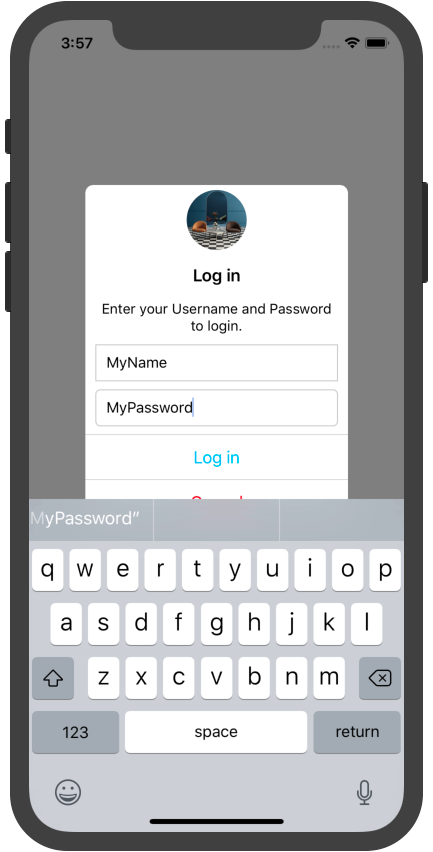
/**
* @param textFieldAlertConfig: The picker's config
* refrence `Configuration`
*/
show({ textFieldAlertConfig?: APTextFieldAlertConfig })

/**
* Animation for your URL request
*/
startAnimating()
stopAnimating()

/**
* @param callback: exec your func when dismissed
*/
dismiss((values: object?) => {})
// import module
import { APTextFieldAlert } from "react-native-alert-pickers"

// Use
render() {
    return (
      <View style={{ flex: 1, justifyContent: "center" }}>
        <APTextFieldAlert ref={r => (this.alert = r)} />
      </View>
    );
  }

// Show picker
_onShow = () => {
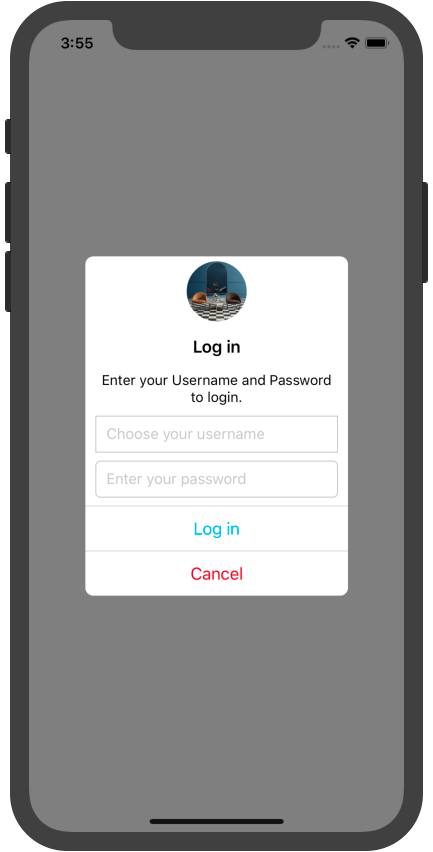
    this.alert.show({
      icon: { source: require("./interior_design_1.jpg") },
      title: "Log in",
      message: "Enter your Username and Password to login.",
      textFields: [
        {
          key: "username",
          config: { placeholder: "Choose your username" },
          borderStyle: { borderRadius: 0 }
        },
        {
          key: "password",
          config: { placeholder: "Enter your password" }
        }
      ],
      alertButtons: [
        { title: "Log in", onPress: () => {
          /// TODO1: your request
          this.alert.startAnimating()
          ...urlRequest
          this.alert.dismiss(values => navigate('authed'))

          /// TODO2: get values only
          this.alert.dismiss(values => console.log(JSON.stringify(values)))
        } },
        { title: "Cancel", font: { color: "red" }, onPress: () => this.alert.dismiss() }
      ]
    })
  }

  // the vals format is associated with textFields key, eg: { username: "", password: "" }
| 属性名称(Properties Name) |
值或类型(Values or Types) |
是否必需(Required) |
描述(Description) |
| color |
"black" |
NO |
字体颜色 |
| fontSize |
17 |
NO |
字体大小 |
| fontWeight |
300 |
NO |
字体粗细 |
| textAlign |
"center", "left", "right" |
NO |
字体排列 |
| 属性名称(Properties Name) |
值或类型(Values or Types) |
是否必需(Required) |
描述(Description) |
| source |
image's source |
NO |
图片资源 |
| style |
image's style |
NO |
图片风格 |
| 属性名称(Properties Name) |
值或类型(Values or Types) |
是否必需(Required) |
描述(Description) |
| font |
APFont |
NO |
按钮之字体设置 |
| title |
string |
NO |
按钮之标题 |
| style |
view's style |
NO |
按钮之 style |
| enable |
true/false |
NO |
按钮之使能(和失能) |
| disabledColor |
"gray" |
NO |
按钮之失能时标题的颜色 |
| activeOpacity |
0.8 |
NO |
按钮之点击透明度 |
| onPress |
(title) => void |
NO |
按钮之点击回调 |
| leftImage |
APImage |
NO |
按钮之左视图 |
| rightImage |
APImage |
NO |
按钮之右视图 |
| 属性名称(Properties Name) |
值或类型(Values or Types) |
是否必需(Required) |
描述(Description) |
| key |
string |
NO |
输入框之 key |
| font |
APFont |
NO |
按钮之字体设置 |
| config |
object |
NO |
输入框的配置 |
| regular |
string |
NO |
正则表达式 |
| leftImage |
APImage |
NO |
输入框之左视图 |
| rightImage |
APImage |
NO |
输入框之右视图 |
| borderStyle |
APBorderStyle |
NO |
输入框之边框设置 |
| 属性名称(Properties Name) |
值或类型(Values or Types) |
是否必需(Required) |
描述(Description) |
| barWidth |
"100%" |
NO |
搜索框宽度 |
| tintColor |
"rgb(220, 220, 220)" |
NO |
搜索框背景色 |
| backgroundColor |
"white" |
NO |
搜索条背景色 |
| textField |
APTextField |
NO |
搜索输入框 |
| cancelTitle |
"取消" |
NO |
取消按钮的标题 |
| 属性名称(Properties Name) |
值或类型(Values or Types) |
是否必需(Required) |
描述(Description) |
| borderWidth |
1 |
NO |
边框宽度 |
| borderColor |
"black" |
NO |
边框颜色 |
| borderRadius |
0 |
NO |
边框四角弧度 |