Turn NOPTIS GIDs into something you can actually read.
A NOPTIS GID may look like a long string of numbers, but every part of it has a meaning.
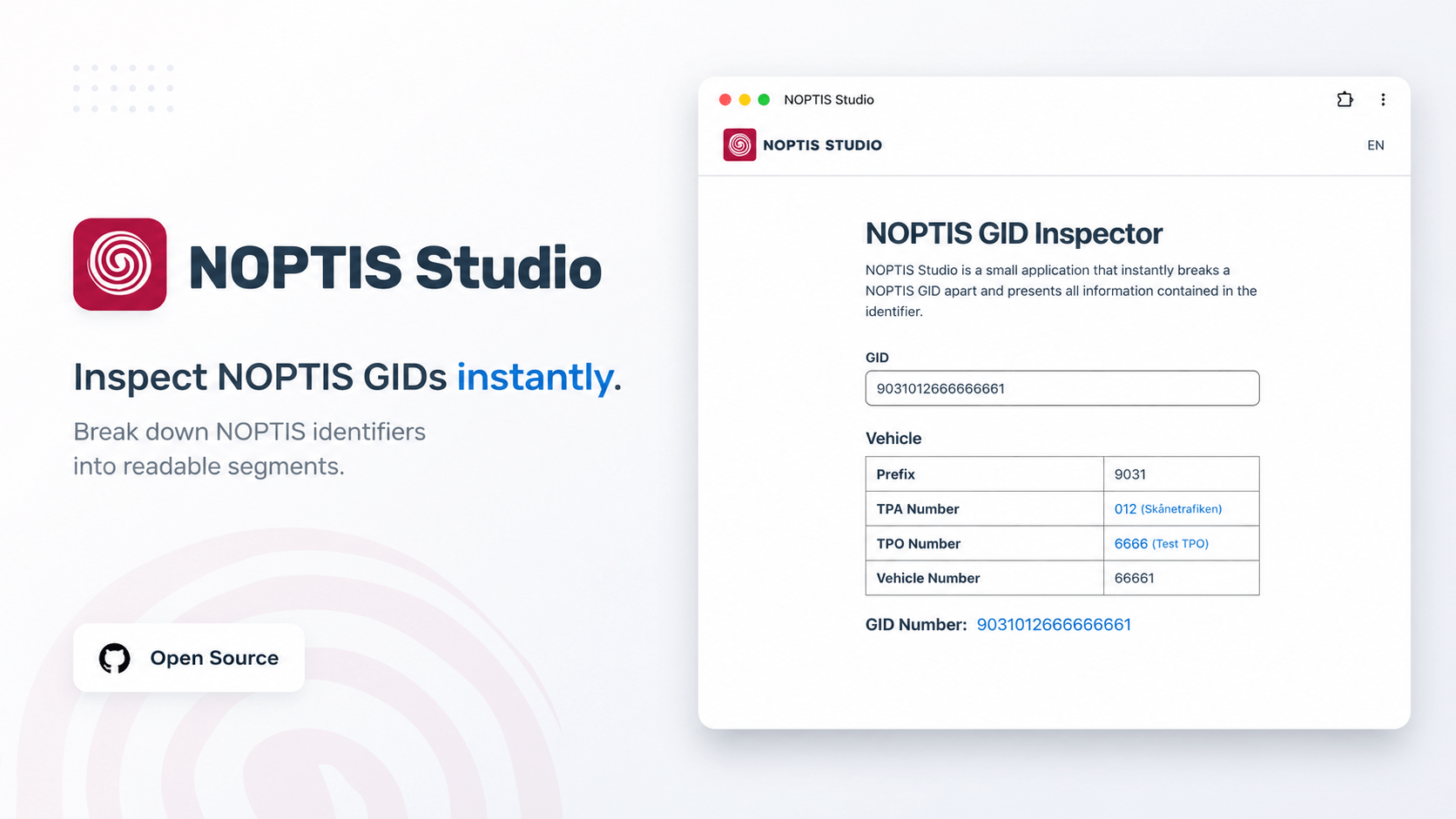
NOPTIS Studio reveals that structure instantly. Paste a GID and get a clear breakdown of its type, segments, and values, without manually counting characters or searching through documentation.
Whether you are troubleshooting a vehicle, checking a journey, validating a stop, or simply trying to understand an unfamiliar identifier, NOPTIS Studio gives you the answer at a glance.
NOPTIS Studio provides live inspection of NOPTIS GIDs directly in the browser.
- Detects the GID type from its prefix
- Breaks the identifier into named segments
- Displays the meaning and value of each segment
- Validates the expected structure and segment lengths
- Supports English and Swedish
- Lets you add familiar names to identifiers such as TPA and TPO numbers
- Keeps those names locally on your device
There is no account to create and no data needs to be uploaded to a server. Enter a GID, inspect it, and continue with your work.
NOPTIS Studio is a Progressive Web App. You can install it from the browser and open it from your desktop, Start menu, Dock, taskbar, or phone home screen without first navigating to the website.
Installing it is optional, but it makes the tool much quicker to reach when you regularly work with NOPTIS identifiers.
- Open NOPTIS Studio in Chrome.
- Click the install icon in the address bar, when shown.
- Choose Install.
When the icon is not visible, open the Chrome menu and look for Install NOPTIS Studio or Cast, save and share → Install page as app. The exact wording can vary between Chrome versions.
- Open NOPTIS Studio in Edge.
- Open the Settings and more menu (
…). - Select Apps → Install NOPTIS Studio.
- Choose where Edge should place shortcuts, such as the taskbar, Start menu, or desktop.
On recent versions of macOS:
- Open NOPTIS Studio in Safari.
- Choose File → Add to Dock.
- Confirm the name and select Add.
NOPTIS Studio will then appear in the Dock and Applications like a regular app.
- Open NOPTIS Studio in Safari.
- Tap the Share button.
- Select Add to Home Screen.
- Tap Add.
The app will open from its own icon without the normal Safari interface.
- Open NOPTIS Studio in Chrome.
- Open the browser menu (
⋮). - Select Install app or Add to Home screen.
- Confirm the installation.
The available wording depends on the browser and Android version.
NOPTIS Studio is open source, and reports from people who work with real identifiers are valuable. A GID layout may be incorrect, a label may be unclear, a translation may need adjustment, or an identifier may behave differently from what the application expects.
Please create an issue on GitHub and include:
- The GID or GID type involved, when it is safe to share
- What NOPTIS Studio displayed
- What you expected it to display
- Your browser and device, when the problem appears platform-specific
Feature suggestions are also welcome through the issue tracker.
The GIDs you inspect and the custom names you save remain in your browser. NOPTIS Studio does not require an account and is intended to be a simple tool you can open and use immediately.
NOPTIS Studio is available under the MIT License. The source code, current issues, and project history are available in this repository.