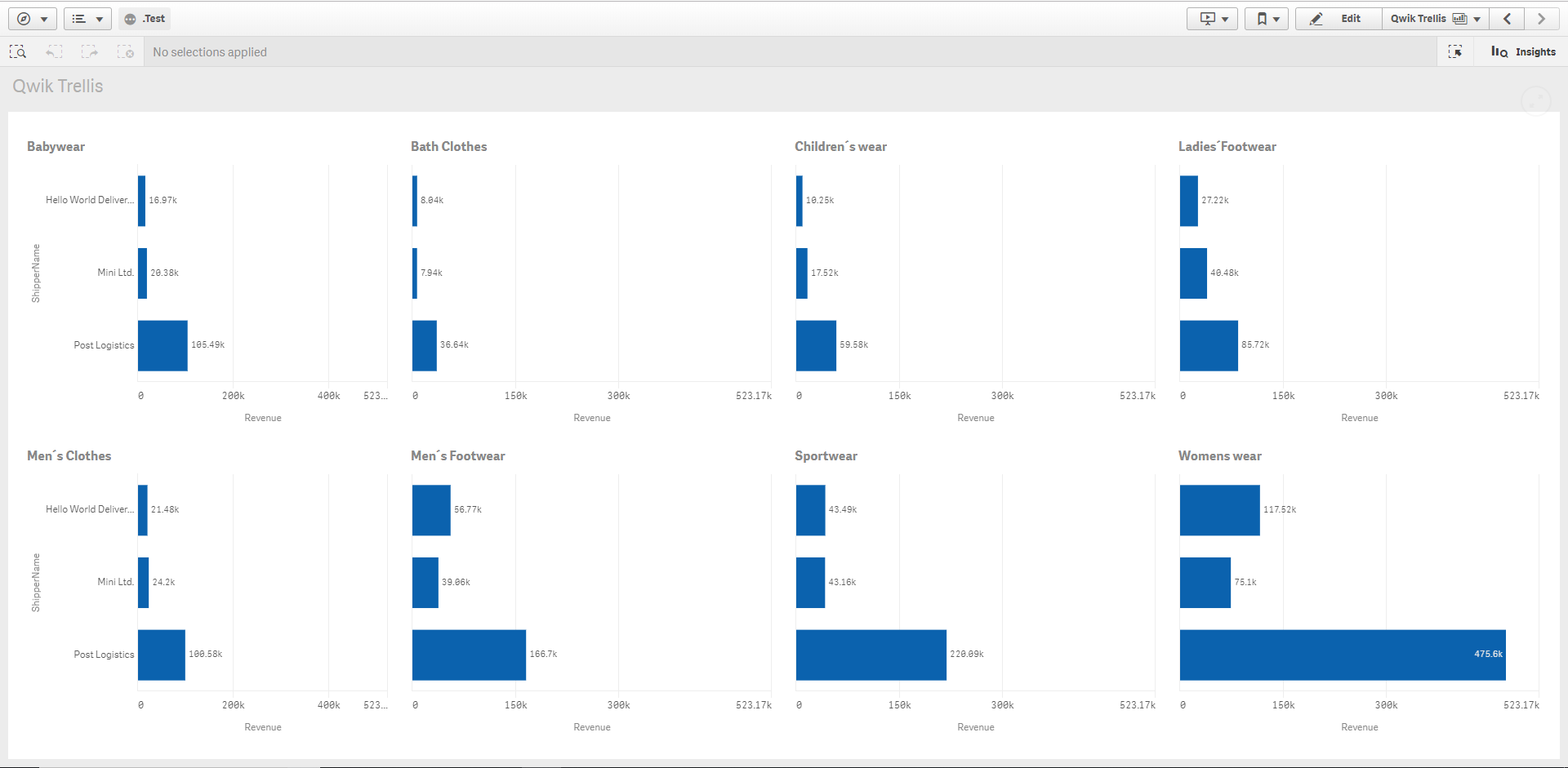
Qwik Trellis is a Qlik Sense extension which allows you to create a trellis chart object based on an existing master vizulisation.
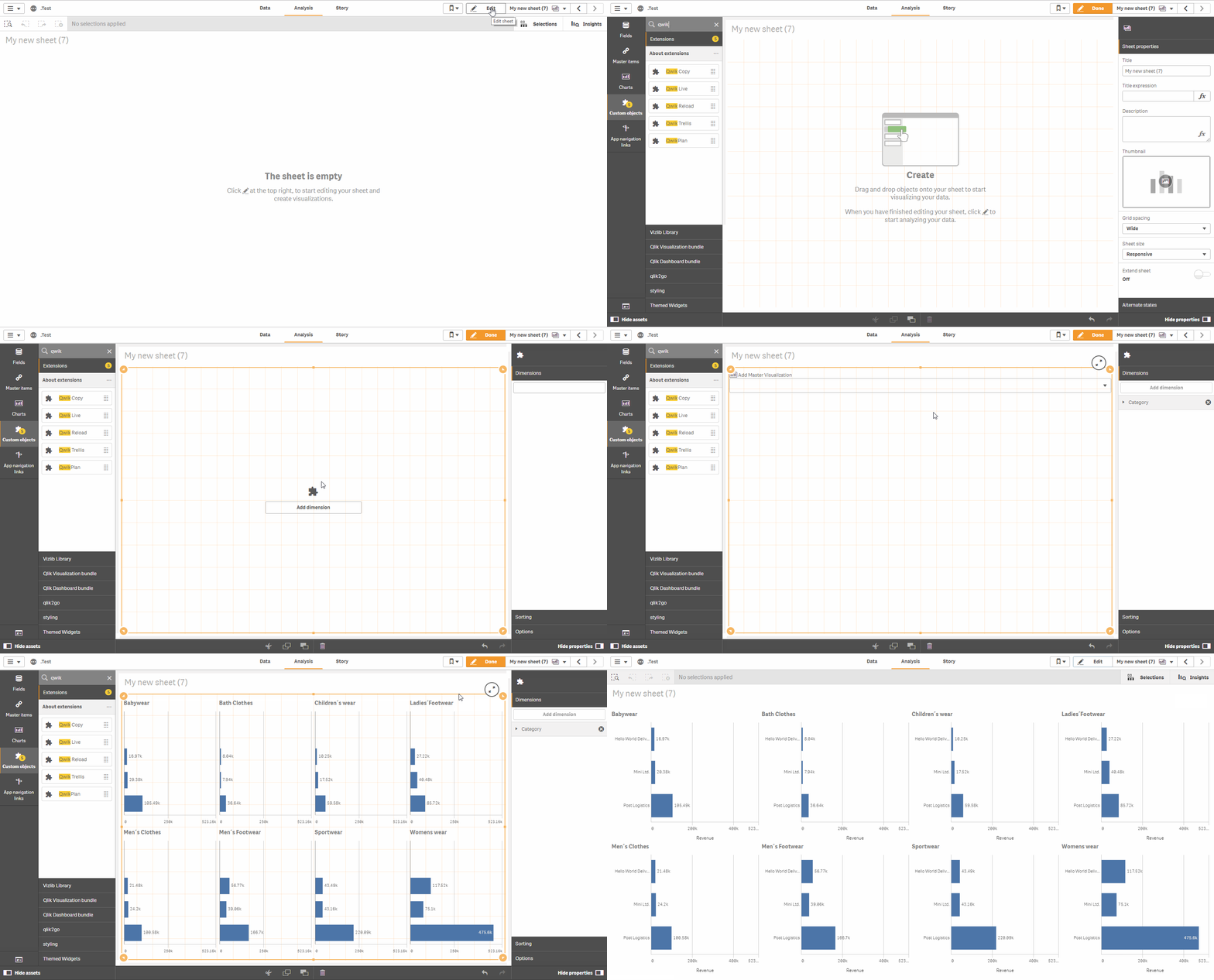
This extension code requires building using webpack. You can NOT download the repo and directly install. To get the correct approved version download from the releases page (file: qwik-trellis.zip) and install directly into Qlik Sense.
Only developers need to use webpack
- Added slide/mobile mode
- Added limit to number of charts which can be created
- Added support for objects which are not measure based
- Issue with Qlik Sense Desktop Client fixed
- Usability improvements
- Ability to sort trellis charts using standard qlik sorting properties
- IE11 Support added
- Performance improvements and bug fixes
- Updated build process
- Ability to automatically set the same range for all charts
- Ability to hide measure labels on one side only
- Performance improvements and bug fixes
- Ability to create Trellis chart based on master item and 1 dimension
- Ability to hide dimension labels on one side only
- Ability to force all dimensions to be shown
- Advanced mode which allows full flexibility of how formulas are handled in the end trellis objects
Qwik Trellis will try to automatically inject the correct set analysis into your formula, however if you need more flexibility then there is an advanced mode available. When advanced mode is turned on, Qwik Trellis will automatically replace all placeholders found within all formulas in the master item vizulisation with the following values:
| Placeholders | Values |
|---|---|
| $(vDim) | Dimension Name |
| $(vDimValue) | Dimension Value |
| $(vDimSet) | [Dimension Name]={'Dimension Value'}, |
| $(vDimSetFull) | {<[Dimension Name]={'Dimension Value'}>} |