Local, real-time visibility into your AI coding sessions — computed entirely on your machine. PromptConduit is a growing set of in-editor surfaces over the same local data your AI assistant already produces:
- Realtime token cost —
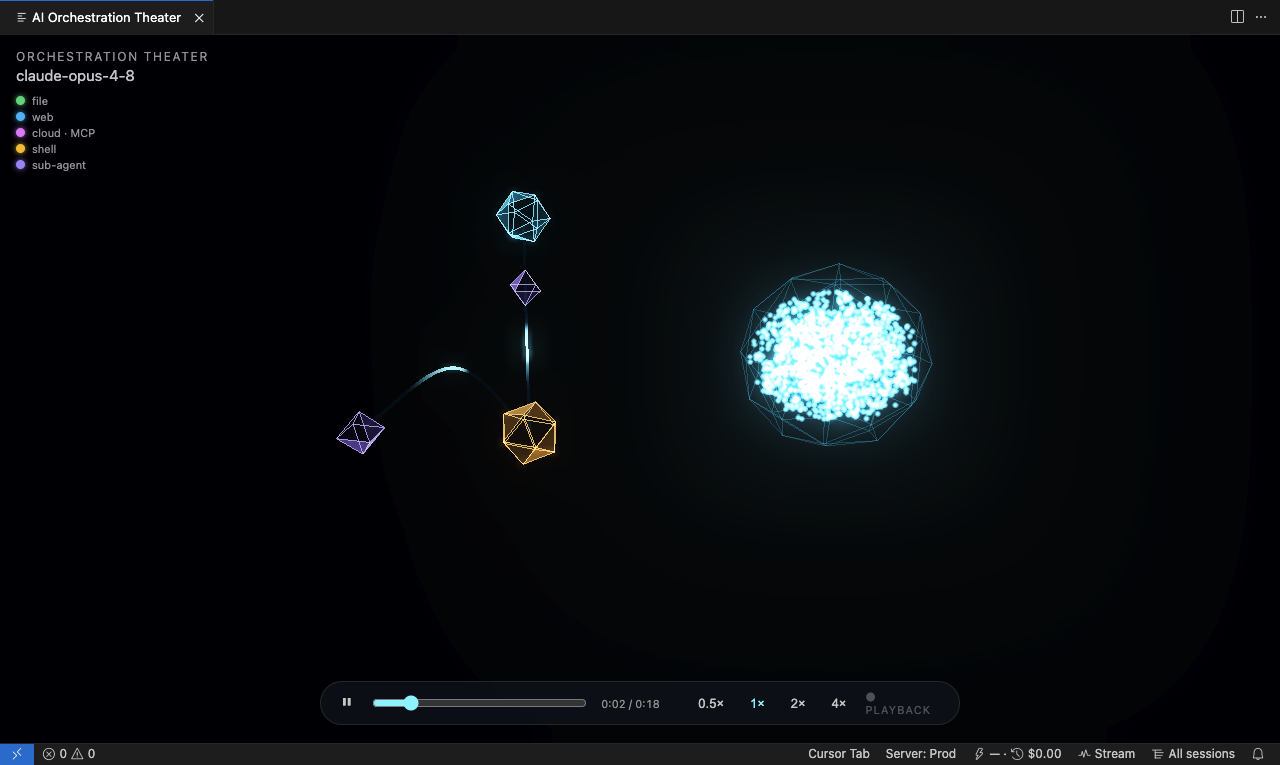
⚡ <request cost> · 🕘 <session cost>in the status bar, with a click-through AI Cost Breakdown panel. - Orchestration Theater — a 3D replay of how your agents actually work: sub-agents spawning, tool calls reaching out to fetch URLs / read-write files / hit cloud APIs, with hover cards linking the GitHub issue and PR behind each node. Run "PromptConduit: Show Orchestration Theater" from the command palette.
Everything reads the local event log (~/.promptconduit/events.jsonl); none of
your code or prompts leave your device.
Cursor — open the Extensions pane (⇧⌘X / Ctrl+Shift+X), search
"PromptConduit", and click Install. Cursor installs from
Open VSX.
VS Code — a Marketplace listing is on the way. Until then, build the .vsix
locally (see Publishing) and install it with
code --install-extension promptconduit-<version>.vsix.
The extension drives the promptconduit CLI, so install that too — see
Requirements.
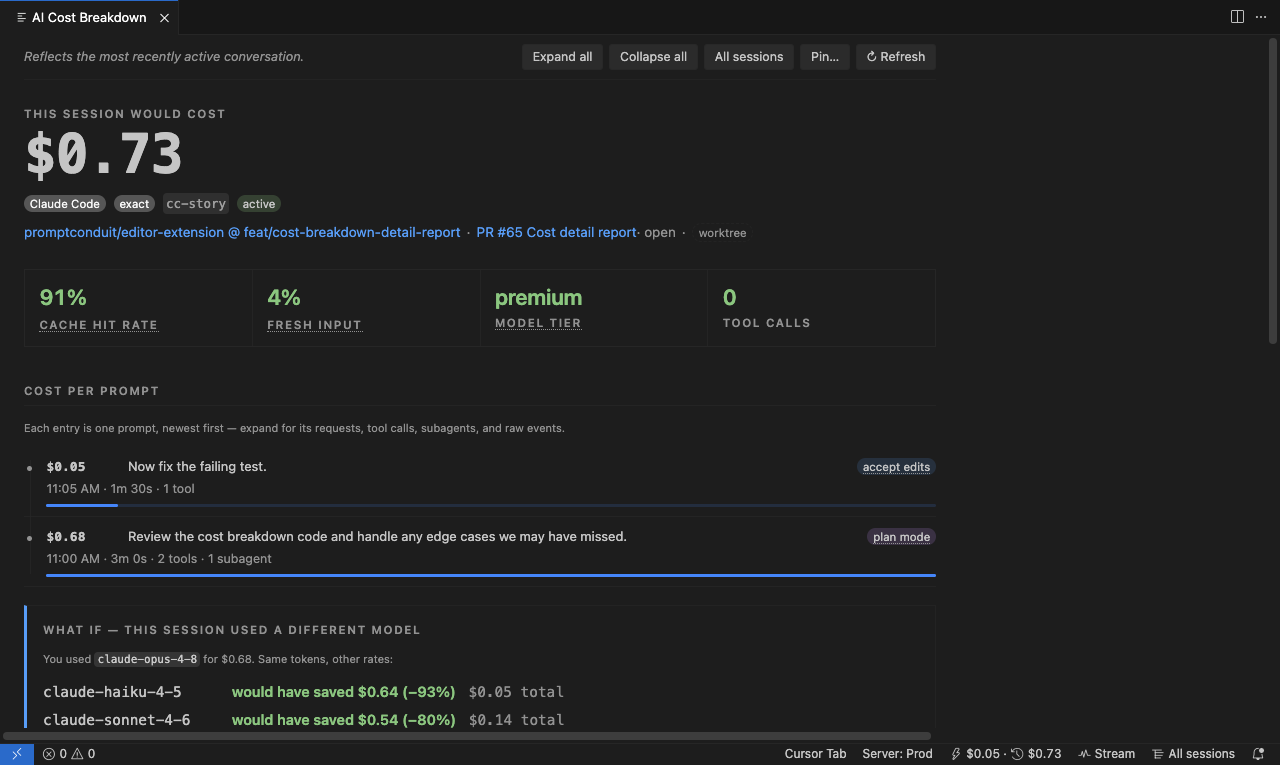
AI Cost Breakdown — a per-prompt ledger with cache/tier signals and a "what if" model comparison.
Orchestration Theater — a 3D replay of sub-agents spawning and tool calls fanning out.
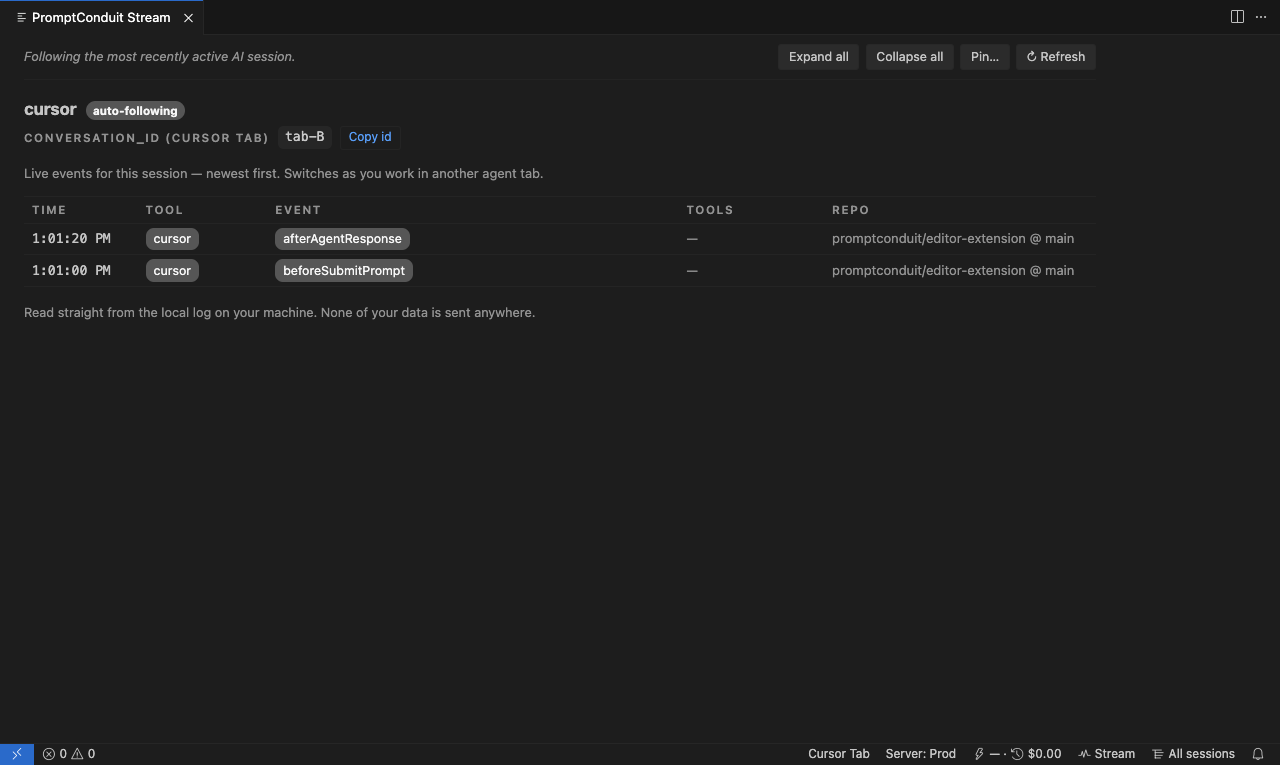
Stream — a live event feed that follows your most-recently-active AI session.
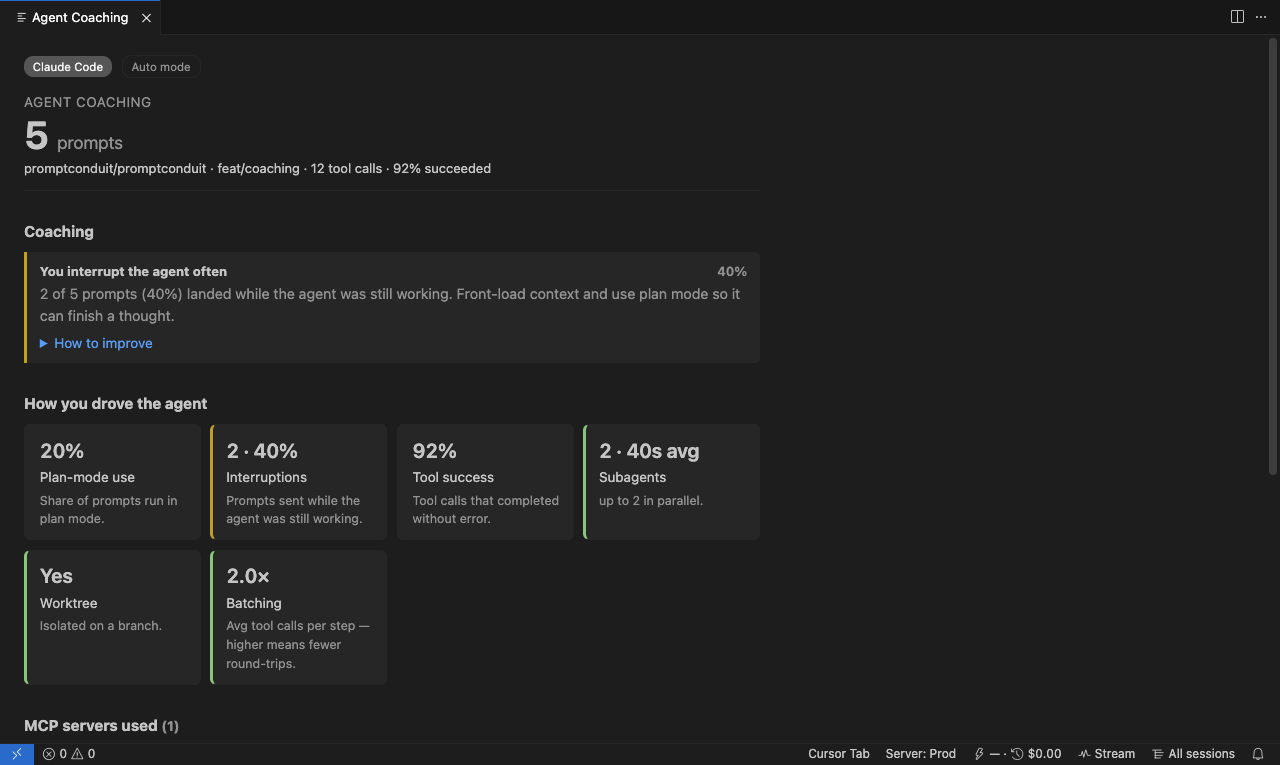
Agent Coaching — an offline report on how you drive the agent (interruptions, plan-mode use, tool success, subagents).
The bottom-right status bar shows ⚡ <request cost> · 🕘 <session cost>. Click
it for the AI Cost Breakdown panel.
The breakdown is an estimate of what your session would cost at pay-as-you-go API rates — "this is what the same tokens would bill à la carte if you weren't on a subscription." It's also an educational tool for spending fewer tokens:
- Cost per prompt — every request as a row with a relative-cost bar, so the expensive prompts stand out. Click one for its token split and cache stats.
- What's driving your cost — a color-coded readout of cache-hit rate, fresh-input share, model tier, and tool-call volume.
- Make it cheaper — actionable tips, each linking the official docs for the technique (prompt caching, model choice, batching).
- Reading these numbers — edge cases (unpriced models, estimated vs. exact counts, subscription-vs-API) explained, each with a concrete fix.
- Learn more — the official Claude and Cursor cost docs, tool-aware: the active assistant's links come first, but both are always shown.
Works for Claude Code and Cursor.
The extension spawns the promptconduit CLI (promptconduit cost watch --json)
scoped to your workspace and renders the cost records it streams on stdout. The
CLI reads local AI transcripts, prices each turn against a bundled rate table,
and writes nothing to any server. See cli/internal/cost for the engine.
- Claude Code — exact token counts straight from the transcript (today).
- Cursor native agent — estimate + reconcile (a later milestone).
Install the CLI:
curl -fsSL https://promptconduit.dev/install | bashIf it isn't on your PATH, set promptconduit.cost.binaryPath.
| Setting | Default | Description |
|---|---|---|
promptconduit.cost.enabled |
true |
Show the status-bar cost item. |
promptconduit.cost.binaryPath |
"" |
Override the CLI path (auto-detected otherwise). |
npm install
npm run compile        # or: npm run watch
Press F5 in VS Code / Cursor to launch an Extension Development Host, open a folder where you run Claude Code, and watch the status bar update as you work.
Targets: Open VSX (for Cursor) and the VS Code Marketplace.
One-time setup:
- Push this directory to its own GitHub repo (the
repositoryfield inpackage.jsonpoints atpromptconduit/editor-extension). - Create access tokens and add them as repo secrets:
OVSX_TOKEN— Open VSX token from https://open-vsx.org (namespace must exist:npx ovsx create-namespace promptconduit).VSCE_PAT— VS Code Marketplace PAT from https://marketplace.visualstudio.com/manage (create thepromptconduitpublisher first).
Release: bump version in package.json, commit, then tag — the Publish
workflow does the rest:
git tag v0.1.0 && git push origin v0.1.0Or publish locally:
npm run package        # builds promptconduit-<version>.vsix
npm run publish:ovsx   # needs OVSX_TOKEN in env or `ovsx login`
npm run publish:vsce   # needs `vsce login promptconduit`