




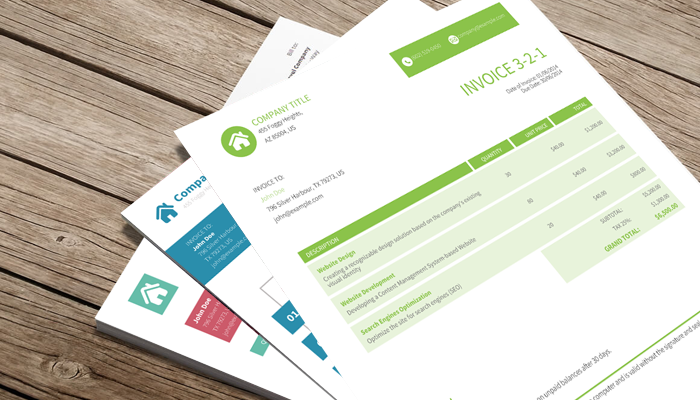
PlutoPrint is a lightweight and easy-to-use Node.js library for generating high-quality PDFs and images directly from HTML or XML content. It is based on PlutoBook's robust rendering engine and provides a simple API to convert your HTML into crisp PDF documents or vibrant image files. This makes it ideal for reports, invoices, or visual snapshots.
| Invoices | Tickets |
|---|---|
 |
 |
npm install plutoprintPlutoPrint relies on PlutoBook, the native rendering engine. On Windows and Linux with 64-bit Intel/AMD (x86_64) systems, prebuilt PlutoBook binaries are included with the package, so no additional setup is needed.
On macOS, you need to install PlutoBook separately using Homebrew:
brew update
brew install plutobook
npm install plutoprint
For other CPU architectures or if you are building from source, PlutoBook must be installed manually. Please follow the installation guide for detailed instructions on dependencies and building from source.
If PlutoBook is installed in a custom location, you can specify its paths by setting these environment variables before installing PlutoPrint:
PLUTOBOOK_INC— Path to the directory containing PlutoBook header files.PLUTOBOOK_LIB— Path to the PlutoBook library file or linker flags.
Example using direct paths:
export PLUTOBOOK_INC="/path/to/plutobook/include"
export PLUTOBOOK_LIB="/path/to/libplutobook.so"
npm install plutoprint
Example using linker flags:
export PLUTOBOOK_INC="/path/to/plutobook/include"
export PLUTOBOOK_LIB="-L/path/to/plutobook/lib -lplutobook"
npm install plutoprintconst { createBook } = require('plutoprint');
const book = createBook({ size: 'a3' });
book.loadHtml('<h1>Hello World</h1>');
book.writeToPdf('hello.pdf');const { createBook } = require('plutoprint');
// Create a new book with A4 size
const book = createBook({ size: 'a4' });
// Load HTML content from URL
book.loadUrl('https://www.gutenberg.org/files/11/11-h/11-h.htm');
// Export the entire document to PDF
book.writeToPdf('hello.pdf');
// Export pages 2 to 15 (inclusive) in order
book.writeToPdf('hello-range.pdf', { pageStart: 2, pageEnd: 15 });
// Export pages 15 to 2 (inclusive) in reverse order
book.writeToPdf('hello-reverse.pdf', { pageStart: 15, pageEnd: 2, pageStep: -1 });
// Export the entire document to a PDF buffer
const allPagesBuffer = book.writeToPdfBuffer();
console.log(`Generated entire document PDF buffer: ${allPagesBuffer.length} bytes`);
// Export only page 1 to a PDF buffer
const pageOneBuffer = book.writeToPdfBuffer({ pageStart: 1, pageEnd: 1 });
console.log(`Generated page 1 PDF buffer: ${pageOneBuffer.length} bytes`);const { createBook } = require('plutoprint');
// Create a new book with custom dimensions
const book = createBook({ width: '1280px', height: '720px', media: 'screen' });
// Load HTML content from URL
book.loadUrl('https://example.com');
// Outputs an image at the document’s natural size
book.writeToPng("hello.png");
// Outputs a 320px wide image with auto-scaled height
book.writeToPng("hello-width.png", { width: 320 });
// Outputs a 240px tall image with auto-scaled width
book.writeToPng("hello-height.png", { height: 240 });
// Outputs an 800×200 pixels image (may stretch/squish content)
book.writeToPng("hello-fixed.png", { width: 800, height: 200 });
// Outputs a 4K resolution image (3840×2160) to a buffer
const pngBuffer4k = book.writeToPngBuffer({ width: 3840, height: 2160 });
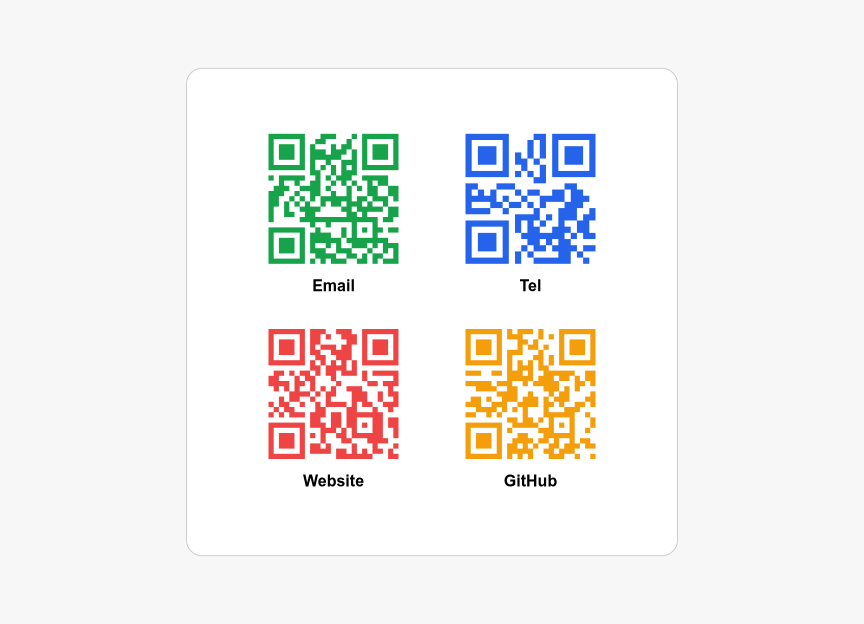
console.log(`Generated 4K PNG buffer: ${pngBuffer4k.length} bytes`);Quick example of using -pluto-qrcode(<string>[, <color>]) to create QR codes with optional colors.
const { createBook } = require('plutoprint');

const HTML_CONTENT = `
<table>
  <tr>
    <th class="email">Email</th>
    <th class="tel">Tel</th>
  </tr>
  <tr>
    <th class="website">Website</th>
    <th class="github">GitHub</th>
  </tr>
</table>
`;

const USER_STYLE = `
body {
  margin: 0;
  height: 100vh;
  display: flex;
  justify-content: center;
  align-items: center;
  background: #f7f7f7;
  font: 16px Arial;
}

table {
  border-spacing: 2rem;
  background: #fff;
  padding: 2rem;
  border: 1px solid #ccc;
  border-radius: 16px;
}

th::before {
  display: block;
  width: 130px;
  height: 130px;
  margin: 0 auto 0.8rem;
}

.email::before   { content: -pluto-qrcode('mailto:contact@example.com', #16a34a); }
.tel::before     { content: -pluto-qrcode('tel:+1234567890', #2563eb); }
.website::before { content: -pluto-qrcode('https://example.com', #ef4444); }
.github::before  { content: -pluto-qrcode('https://github.com/plutoprint', #f59e0b); }
`;

const book = createBook({ width: '864px', height: '624px', margin: 0 });
book.loadHtml(HTML_CONTENT, { userStyle: USER_STYLE });
book.writeToPng("qrcard.png");
book.writeToPdf("qrcard.pdf");
Expected output:
This document describes the public API exposed by the library. All APIs are synchronous unless otherwise stated.
Predefined identifiers representing common paper sizes.
export type SizeType =
  | 'a3'
  | 'a4'
  | 'a5'
  | 'b4'
  | 'b5'
  | 'letter'
  | 'legal'
| 'ledger';| Name | Size |
|---|---|
a3 |
297mm x 420mm |
a4 |
210mm x 297mm |
a5 |
148mm x 210mm |
b4 |
250mm x 353mm |
b5 |
176mm x 250mm |
letter |
8.5in x 11in |
legal |
8.5in x 14in |
ledger |
11in x 17in |
Predefined identifiers representing media types used for CSS @media queries.
export type MediaType = 'print' | 'screen';A length value specified either as a number in points (1/72 inch) or as a string with a unit.
export type LengthType = number | string;Options used when creating a Book instance.
export interface BookOptions {
    size?: SizeType;
    media?: MediaType;
    width?: LengthType;
    height?: LengthType;
    margin?: LengthType;
    marginTop?: LengthType;
    marginRight?: LengthType;
    marginBottom?: LengthType;
    marginLeft?: LengthType;
    title?: string;
    subject?: string;
    author?: string;
    keywords?: string;
    creator?: string;
    creationDate?: Date;
    modificationDate?: Date;
}| Property | Type | Default | Description |
|---|---|---|---|
size |
SizeType |
a4 |
Specifies the page size. |
media |
MediaType |
print |
Specifies the media type. |
width |
LengthType |
Specifies the page width. | |
height |
LengthType |
Specifies the page height. | |
margin |
LengthType |
72pt |
Specifies the page margin for all sides. |
marginTop |
LengthType |
Specifies the top page margin. | |
marginRight |
LengthType |
Specifies the right page margin. | |
marginBottom |
LengthType |
Specifies the bottom page margin. | |
marginLeft |
LengthType |
Specifies the left page margin. | |
title |
string |
Set PDF document title. | |
subject |
string |
Set PDF document subject. | |
author |
string |
Set PDF document author. | |
keywords |
string |
Set PDF document keywords. | |
creator |
string |
Set PDF document creator. | |
creationDate |
Date |
Set PDF document creation date. | |
modificationDate |
Date |
Set PDF document last modification date. |
Base options shared by all load methods.
export interface LoadOptions {
  userStyle?: string;
  userScript?: string;
}| Property | Type | Default | Description |
|---|---|---|---|
userStyle |
string |
Specifies the user-defined CSS style to apply after content is loaded. | |
userScript |
string |
Specifies the user-defined JavaScript to run after content is loaded. |
Options for loading text-based content, extending LoadOptions.
export interface LoadContentOptions extends LoadOptions {
  baseUrl?: string;
}| Property | Type | Default | Description |
|---|---|---|---|
baseUrl |
string |
Specifies the base URL used to resolve relative URLs within the content. |
Options for loading raw data buffers, extending LoadContentOptions.
export interface LoadDataOptions extends LoadContentOptions {
  mimeType?: string;
  textEncoding?: string;
}| Property | Type | Default | Description |
|---|---|---|---|
mimeType |
string |
Specifies the MIME type of the data being loaded. | |
textEncoding |
string |
Specifies the text encoding to use when interpreting the data. |
Options for exporting a book to PDF.
export interface WritePdfOptions {
  pageStart?: number;
  pageEnd?: number;
  pageStep?: number;
}| Property | Type | Default | Description |
|---|---|---|---|
pageStart |
number |
MIN_PAGE_COUNT |
Specifies the first page to export (inclusive). |
pageEnd |
number |
MAX_PAGE_COUNT |
Specifies the last page to export (inclusive). |
pageStep |
number |
1 |
Specifies the step between pages to export. |
Options for exporting a book to PNG images.
export interface WritePngOptions {
  width?: number;
  height?: number;
}| Property | Type | Default | Description |
|---|---|---|---|
width |
number |
Specifies the output image width in pixels. | |
height |
number |
Specifies the output image height in pixels. |
Represents a document that can be rendered, paged, and exported to PDF or PNG.
Creates a new Book instance.
Book(options?: BookOptions);| Parameter | Type | Description |
|---|---|---|
options |
BookOptions |
Optional settings used to configure the book. |
readonly pageCount: number;
readonly documentWidth: number;
readonly documentHeight: number;
readonly viewportWidth: number;
readonly viewportHeight: number;| Property | Type | Modifiers | Description |
|---|---|---|---|
pageCount |
number |
readonly |
The number of pages in the document. |
documentWidth |
number |
readonly |
The width of the document in pixels. |
documentHeight |
number |
readonly |
The height of the document in pixels. |
viewportWidth |
number |
readonly |
The width of the viewport in pixels. |
viewportHeight |
number |
readonly |
The height of the viewport in pixels. |
Loads the document from the specified URL.
loadUrl(url: string, options?: LoadOptions): this;| Parameter | Type | Description |
|---|---|---|
url |
string |
The URL to load. |
options |
LoadOptions |
Optional settings to apply when loading the content. |
Returns
| Type | Description |
|---|---|
this |
The current Book instance, allowing method chaining. |
Loads the document from the specified HTML content.
loadHtml(content: string, options?: LoadContentOptions): this;| Parameter | Type | Description |
|---|---|---|
content |
string |
The HTML content to load. |
options |
LoadContentOptions |
Optional settings to apply when loading the content. |
Returns
| Type | Description |
|---|---|
this |
The current Book instance, allowing method chaining. |
Loads the document from the specified XML content.
loadXml(content: string, options?: LoadContentOptions): this;| Parameter | Type | Description |
|---|---|---|
content |
string |
The XML content to load. |
options |
LoadContentOptions |
Optional settings to apply when loading the content. |
Returns
| Type | Description |
|---|---|
this |
The current Book instance, allowing method chaining. |
Loads the document from the specified raw data buffer.
loadData(buffer: Buffer, options?: LoadDataOptions): this;| Parameter | Type | Description |
|---|---|---|
buffer |
Buffer |
The raw data buffer to load. |
options |
LoadDataOptions |
Optional settings to apply when loading the data. |
Returns
| Type | Description |
|---|---|
this |
The current Book instance, allowing method chaining. |
Loads the document from the specified image data buffer.
loadImage(buffer: Buffer, options?: LoadDataOptions): this;| Parameter | Type | Description |
|---|---|---|
buffer |
Buffer |
The image data buffer to load. |
options |
LoadDataOptions |
Optional settings to apply when loading the data. |
Returns
| Type | Description |
|---|---|
this |
The current Book instance, allowing method chaining. |
Writes the document to a PDF file.
writeToPdf(path: string, options?: WritePdfOptions): void;| Parameter | Type | Description |
|---|---|---|
path |
string |
The file path where the PDF will be saved. |
options |
WritePdfOptions |
Optional settings to control PDF output, such as page range and step. |
Writes the document to a PDF buffer.
writeToPdfBuffer(options?: WritePdfOptions): Buffer;| Parameter | Type | Description |
|---|---|---|
options |
WritePdfOptions |
Optional settings to control PDF output, such as page range and step. |
Returns
| Type | Description |
|---|---|
Buffer |
A buffer containing the generated PDF data. |
Writes the document to a PNG file.
writeToPng(path: string, options?: WritePngOptions): void;| Parameter | Type | Description |
|---|---|---|
path |
string |
The file path where the PNG image will be saved. |
options |
WritePngOptions |
Optional settings to control the PNG output, such as width and height. |
Writes the document to a PNG buffer.
writeToPngBuffer(options?: WritePngOptions): Buffer;| Parameter | Type | Description |
|---|---|---|
options |
WritePngOptions |
Optional settings to control the PNG output, such as width and height. |
Returns
| Type | Description |
|---|---|
Buffer |
A buffer containing the generated PNG data. |
Creates and returns a new Book instance.
export function createBook(options?: BookOptions): Book;| Parameter | Type | Description |
|---|---|---|
options |
BookOptions |
Optional settings to configure the new Book instance. |
Returns
| Type | Description |
|---|---|
Book |
A new Book instance configured with the provided options. |
export const plutobookVersion: string;
export const plutobookBuildInfo: string;| Property | Type | Description |
|---|---|---|
plutobookVersion |
string |
The PlutoBook version as a string in the format 'major.minor.micro'. |
plutobookBuildInfo |
string |
The PlutoBook build information, including build date, platform, and compiler details. |
export const MIN_PAGE_COUNT: number;
export const MAX_PAGE_COUNT: number;| Property | Type | Description |
|---|---|---|
MIN_PAGE_COUNT |
number |
Defines an index that is guaranteed to be less than any valid page count. |
MAX_PAGE_COUNT |
number |
Defines an index that is guaranteed to be greater than any valid page count. |
export const UNITS_PT: number;
export const UNITS_PC: number;
export const UNITS_IN: number;
export const UNITS_CM: number;
export const UNITS_MM: number;
export const UNITS_PX: number;| Property | Type | Description |
|---|---|---|
UNITS_PT |
number |
The conversion factor for points (1 pt). |
UNITS_PC |
number |
The conversion factor for picas (12 pt). |
UNITS_IN |
number |
The conversion factor for inches (72 pt). |
UNITS_CM |
number |
The conversion factor for centimeters (72 / 2.54 pt). |
UNITS_MM |
number |
The conversion factor for millimeters (72 / 25.4 pt). |
UNITS_PX |
number |
The conversion factor for pixels (72 / 96 pt). |
PlutoPrint is licensed under the MIT License, allowing for both personal and commercial use.