A Table Schema builder, BYOS (Bring Your Own Store) state management, and a set of pre-built components for building powerful, filterable data-tables with React.
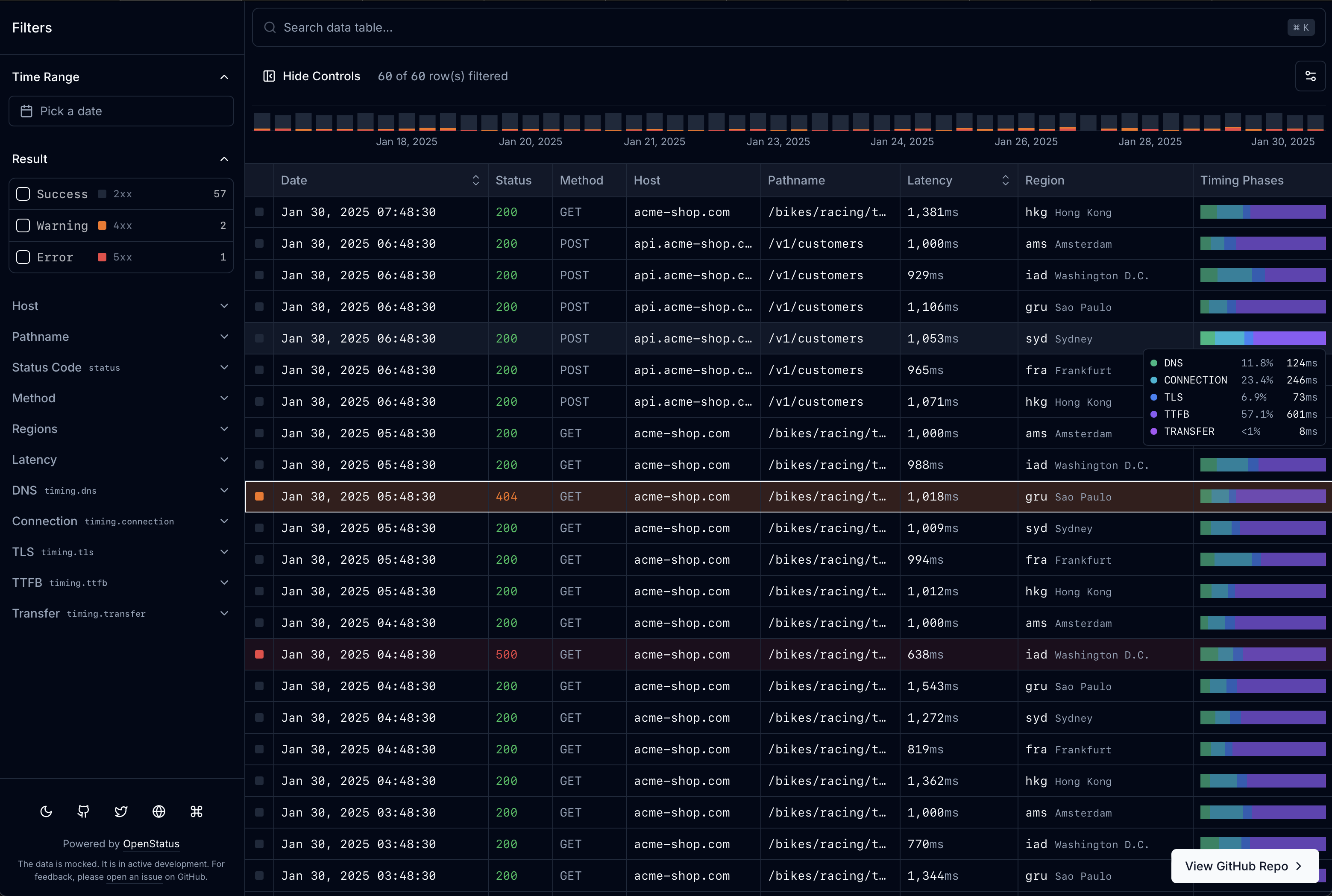
Visit data-table.openstatus.dev to learn more. Read the Docs for full documentation.
Install blocks via the shadcn registry:
npx shadcn@latest add https://data-table.openstatus.dev/r/data-table.json| Block | Install URL | What it adds |
|---|---|---|
data-table |
.../r/data-table.json |
Core: table engine, store, 4 filter types, memory adapter |
data-table-filter-command |
.../r/data-table-filter-command.json |
Command palette with history + keyboard shortcuts |
data-table-cell |
.../r/data-table-cell.json |
8 cell renderers (text, code, badge, boolean, number, status-code, level-indicator, timestamp) |
data-table-sheet |
.../r/data-table-sheet.json |
Row detail side panel |
data-table-nuqs |
.../r/data-table-nuqs.json |
nuqs URL state adapter |
data-table-zustand |
.../r/data-table-zustand.json |
zustand state adapter |
data-table-schema |
.../r/data-table-schema.json |
Declarative schema system with col.* factories |
data-table-drizzle |
.../r/data-table-drizzle.json |
Drizzle ORM server-side helpers |
data-table-query |
.../r/data-table-query.json |
React Query infinite query integration |
All URLs use base https://data-table.openstatus.dev.
Install the agent skill to let Claude Code (or any compatible AI coding tool) set up data-table-filters in your project:
npx skills add https://github.com/openstatushq/data-table-filters --skill data-table-filtersThen just say "add a filterable data table" — the skill detects your stack, installs the right blocks, generates a schema, and wires everything up.
Define your entire table — columns, filters, display, sorting, row details — in one place with createTableSchema and col.* factories.
import {
  col,
  createTableSchema,
  type InferTableType,
} from "@/lib/table-schema";

const LEVELS = ["error", "warn", "info", "debug"] as const;

export const tableSchema = createTableSchema({
  level: col.presets.logLevel(LEVELS),
  date: col.presets.timestamp().label("Date").size(200).sheet(),
  latency: col.presets
    .duration("ms")
    .label("Latency")
    .sortable()
    .size(110)
    .sheet(),
  status: col.presets.httpStatus().label("Status").size(60),
  host: col.string().label("Host").size(125).sheet(),
});

export type ColumnSchema = InferTableType<typeof tableSchema.definition>;
Generators produce everything the table components need from a single schema:
const columns = generateColumns<ColumnSchema>(tableSchema.definition);
const filterFields = generateFilterFields<ColumnSchema>(tableSchema.definition);
const sheetFields = generateSheetFields<ColumnSchema>(tableSchema.definition);
Presets cover common patterns: logLevel, httpStatus, httpMethod, duration, timestamp, traceId, pathname.
/default— client-side pagination (nuqs or zustand)/infinite— infinite scroll with server-side filtering, live mode, row details/drizzle— Drizzle ORM + Supabase PostgreSQL with cursor-based pagination, faceted search, and live data via Vercel cron/light— OpenStatus Light Viewer (UI forvercel-edge-ping)/builder— interactive schema builder (paste JSON/CSV, live table preview, export TS)
A pluggable adapter pattern for filter state management. Three built-in adapters:
- nuqs — URL-based state (shareable URLs, browser history)
- zustand — client-side state (existing store integration)
- memory — ephemeral in-memory state (embedded tables, builder)
Or implement the StoreAdapter interface for a custom solution. See the Docs for details.
- nextjs
- tanstack-query
- tanstack-table
- shadcn/ui
- cmdk
- nuqs
- zustand
- drizzle-orm
- zod
- superjson
- date-fns
- recharts
- dnd-kit
No environment variable required for the default examples. For the Drizzle example, set DATABASE_URL to a PostgreSQL connection string.
pnpm install
pnpm dev
Open http://localhost:3000 with your browser to see the result.
If you are looking for specific use-cases or like what we are building and want to hire us, feel free write us to hire@openstatus.dev or book a call via cal.com.
- sadmann17 for the dope
<Sortable />component around@dnd-kit(see sortable.sadmn.com) - shelwin_ for the draggable chart inspiration (see zoom-chart-demo.vercel.app)
