Word Stash is a Chrome extension that lets you save words from any webpage, automatically fetch their meanings, and store them in your personal dictionary. You can view, edit, export, or clear your word stash anytime.
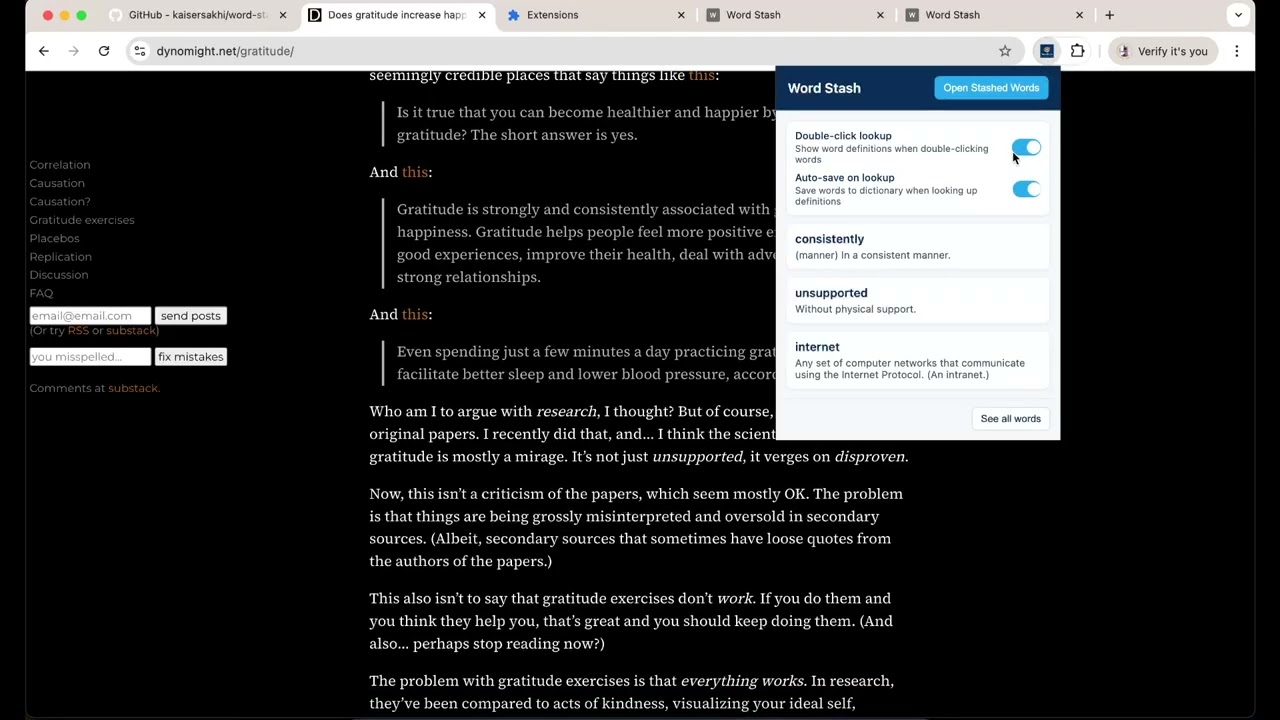
- 📑 Save selected words via right-click → Save to My Dictionary.
- ⌨️ (Optional) Keyboard shortcut to save selected words.
- 📖 Automatic meaning lookup via Free Dictionary API.
- 🗂 Full-page dictionary view with a clean UI.
- ✏️ Edit saved meanings directly.
- 🗑 Delete all words at once.
- 💾 Export your dictionary as a JSON backup.
- Clone or download this repo.
- Open Chrome and go to
chrome://extensions/. - Enable Developer mode (top-right toggle).
- Click Load unpacked and select the project folder.
- The extension icon should now appear in your toolbar.
- Highlight a word on any webpage.
- Right-click → Save to My Dictionary.
- Click the extension icon → opens the Word Stash page.
- Browse your saved words:
- Edit meanings
- Clear all words
- Export dictionary as JSON
- Chrome Extensions API (Manifest v3)
- JavaScript for background scripts & page logic
- Free Dictionary API for word meanings
- HTML/CSS for UI
MIT License. Use and modify freely.