
System monitoring for terminal on Linux, OSX and Windows
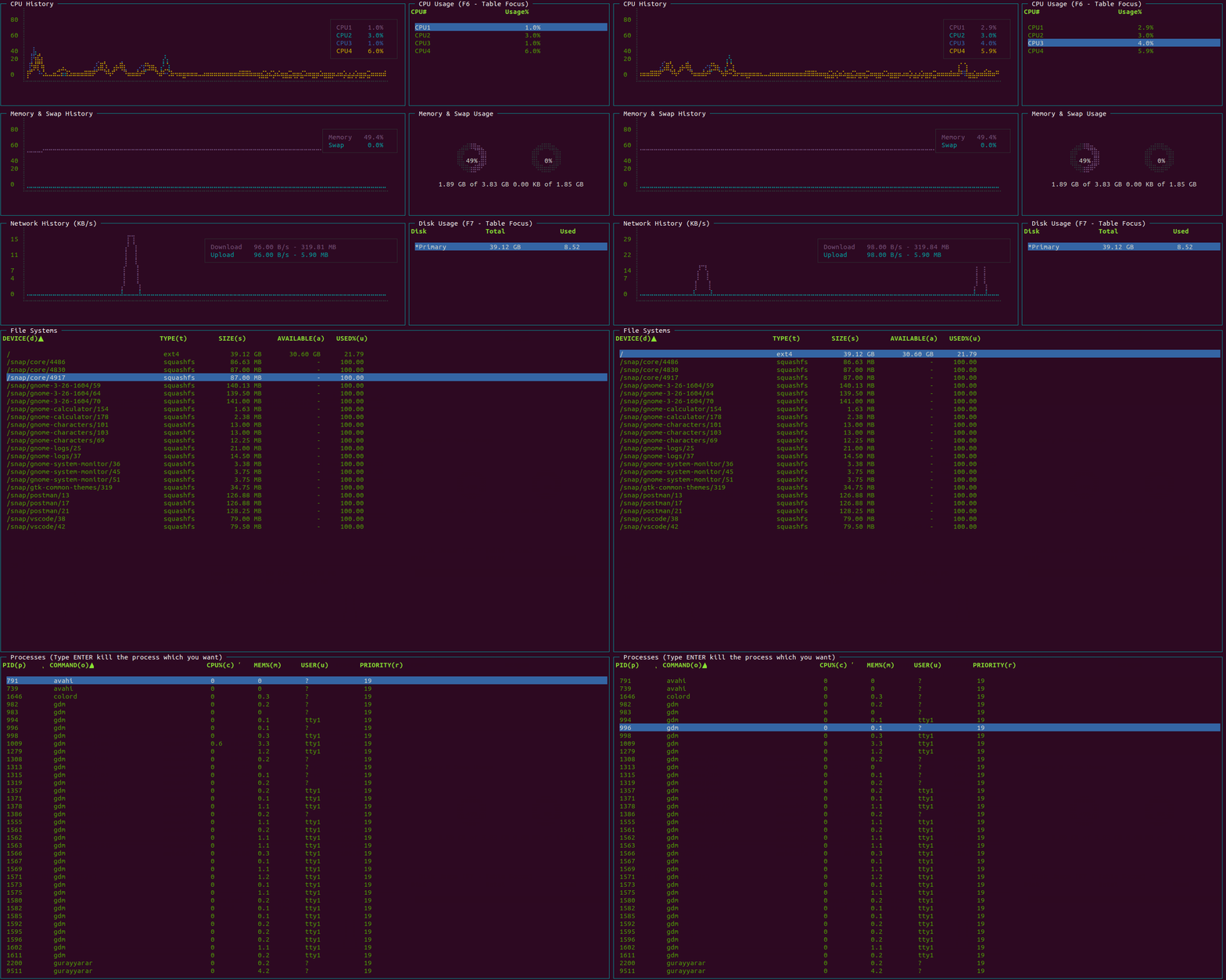
- Linux, OSX and Windows
- Node.js >= v7.6
npm install smterminal -g
Start smterminal with the smterminal command
smterminal
To stop smterminal, use Ctrl + C in most shell environments or Esc key.
For display help page
smterminal --help
smterminal [-main|-proc|-file]
-main: Show the main window-proc: Show the running processes window-file: Show the file types window
- F2 Main Screen
- F3 File Types Screen
- F4 Processes Screen
There are 3 screens.
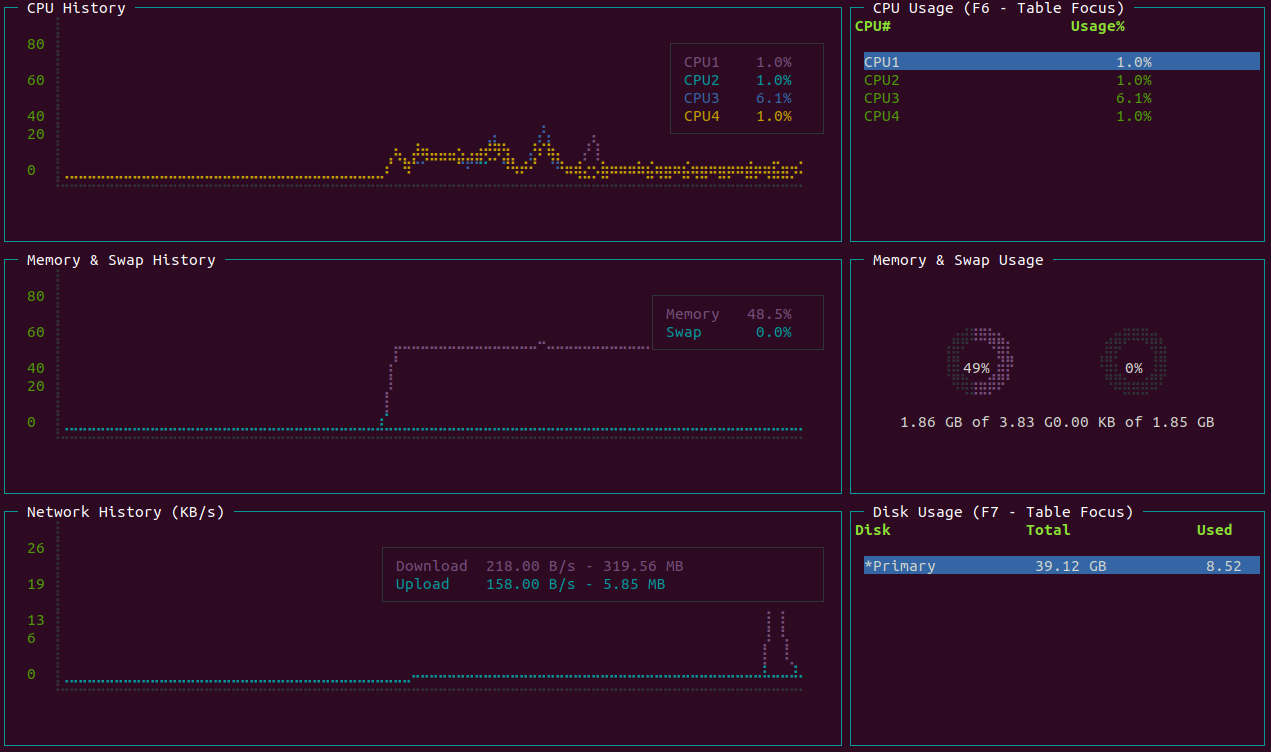
You can focus the table by pressing;
F6: CPU UsageF7: Disk Usage
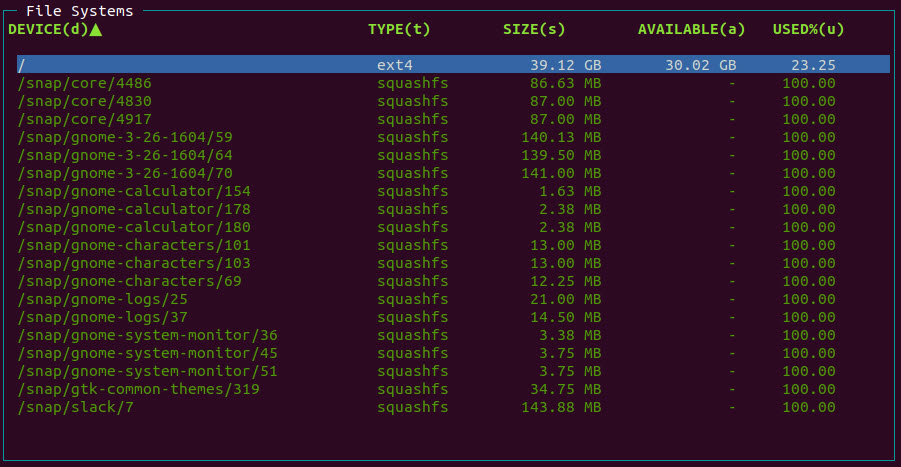
You can sort the process table by pressing;
d: Device Namet: Types: Sizea: Availableu: Used
Note: Shortcut key specified on table header cell with (KEY)
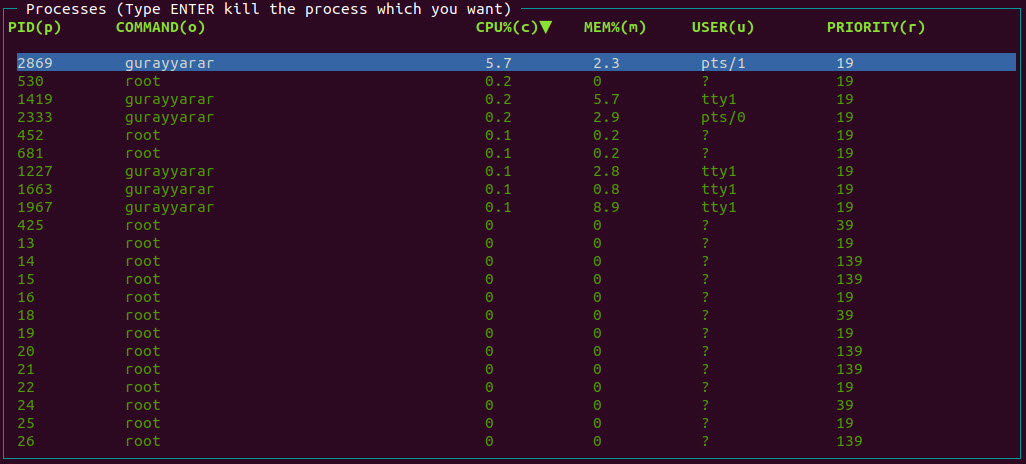
You can sort the process table by pressing;
p: Process Ido: Commandc: Cpu Usage Percentm: Memory Usage Percentu: Userr: Priority
Note: Shortcut key specified on table header cell with (KEY)
You can kill the process;
Type ENTER after select the process which you want to kill.
If you see question marks or other different characters, try to run it with these environment variables:
LANG=en_US.utf8 TERM=xterm-256color smterminal
If you use Windows Operation System and see the issue about the font view, please follow these instructions;
Windows Command Prompt - Font Support
smterminal is an open source project that is licensed under the MIT license.
Donations are greatly appreciated!