Description:
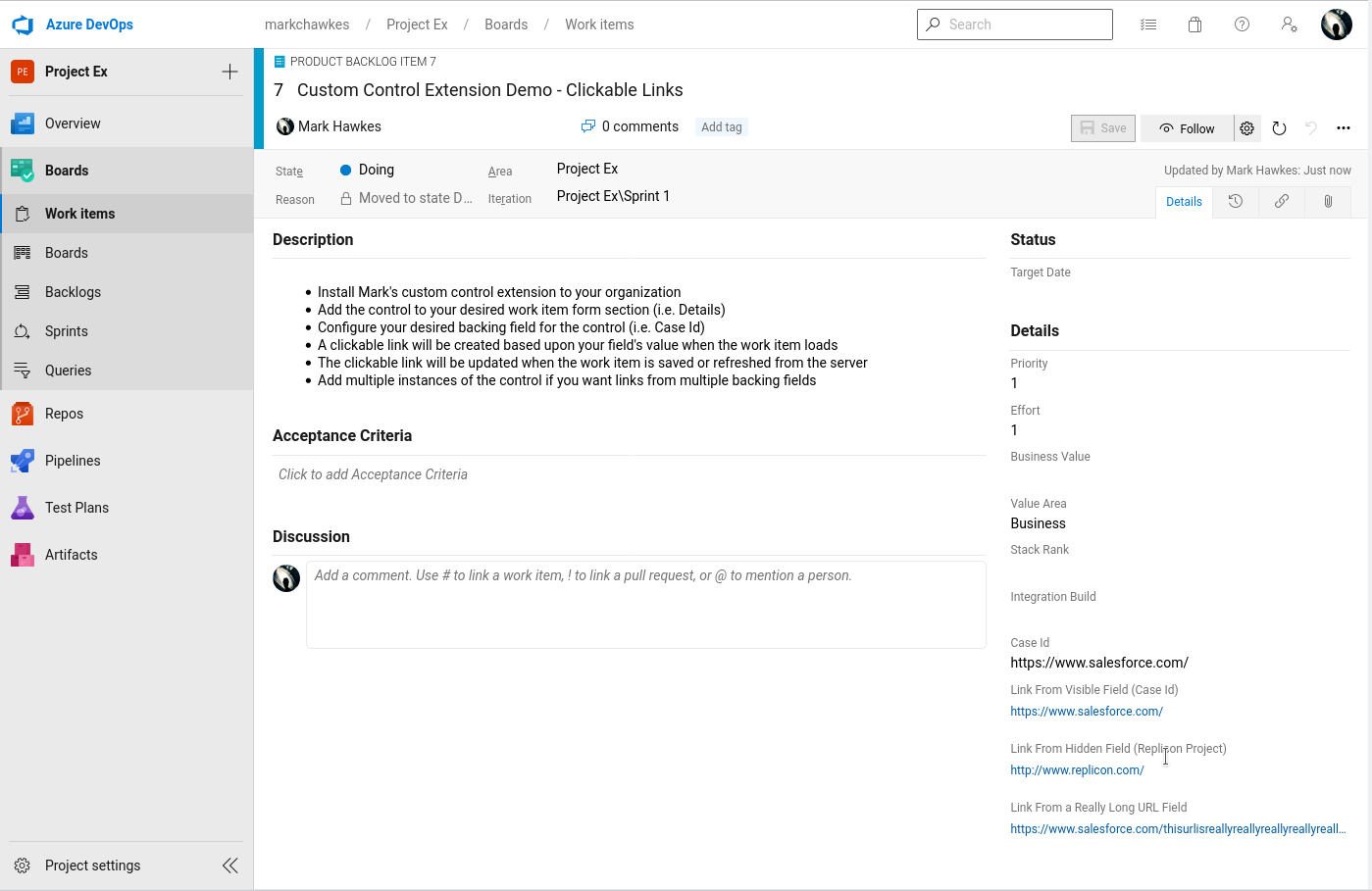
An Azure DevOps web extension for displaying clickable href links on the work item form. The links are pulled from a user-configured backing field for the control that may be either visible or hidden:
Instructions:
-
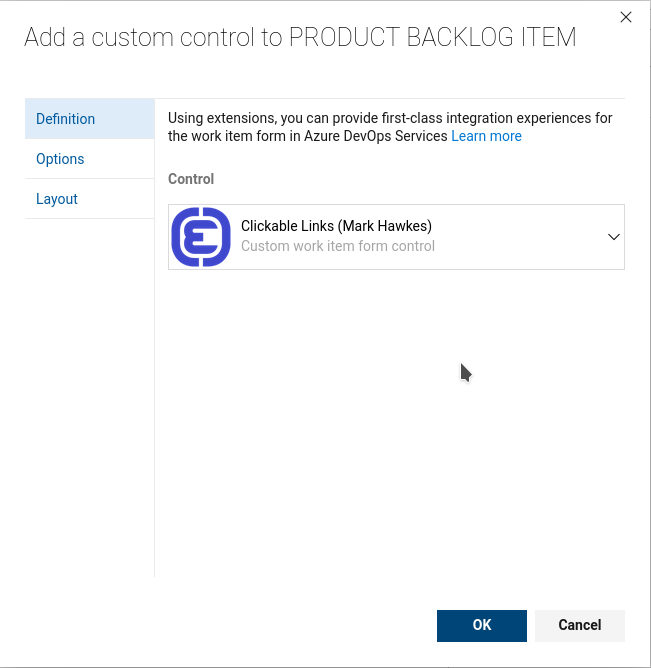
Install the custom control extension to your organization:

-
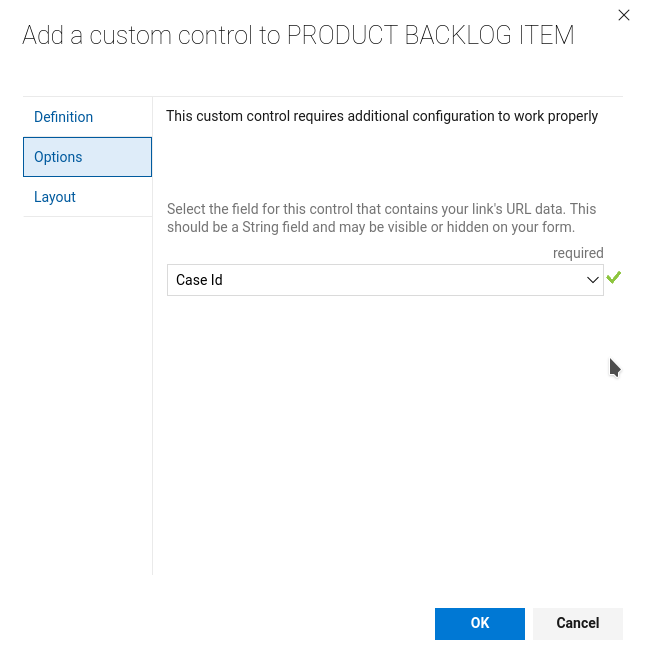
Configure your desired backing field for the control (i.e. Case Id)

-
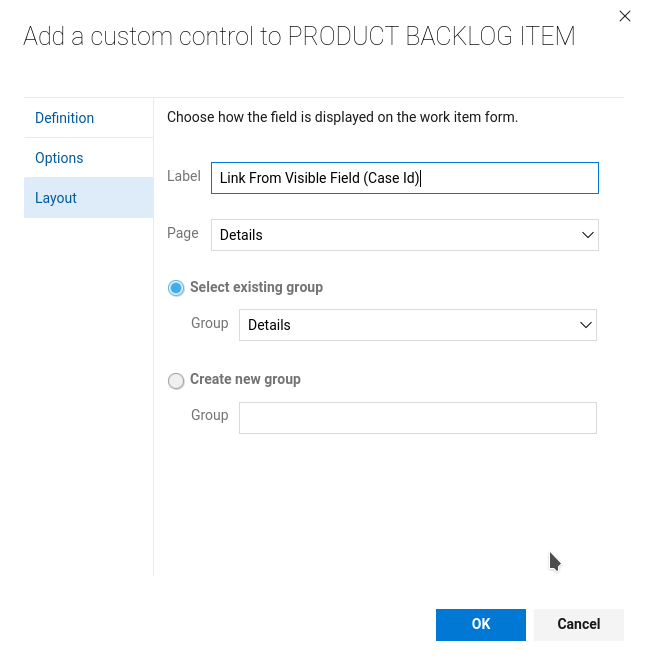
Add the control to your desired work item form group (i.e. Details)

-
A clickable link will be created based upon your field's value when the work item loads. The clickable link will be updated when the work item is saved or refreshed from the server:

-
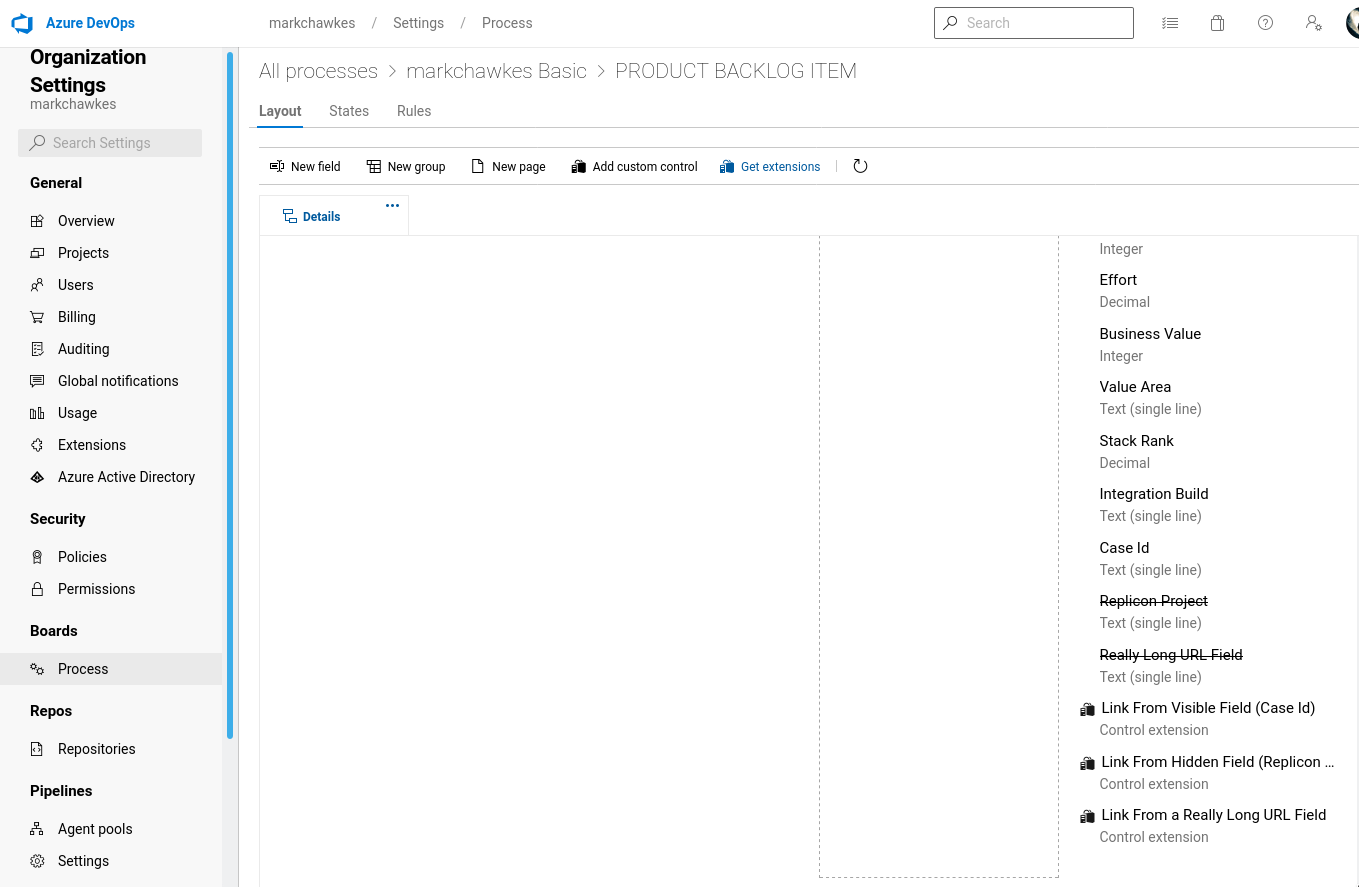
Add multiple instances of the control if you want links from multiple backing fields:

-
That's it!