



A lightweight, hardware-based Wi-Fi Intrusion Detection System (WIDS) designed for the Raspberry Pi Pico W. This system monitors the local RF environment to detect common wireless attacks, serving as a real-time security dashboard accessible via any web browser.
Click the image below to watch the full project walkthrough and live demonstration:
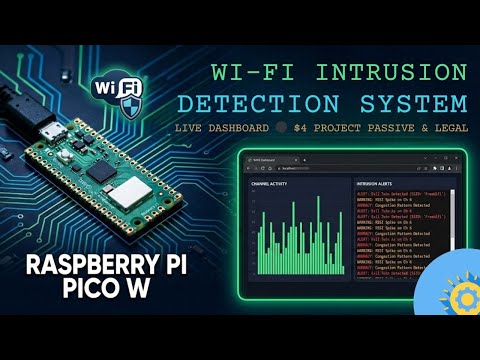
- 0:00 - Project Concept & Architecture
- 0:50 - Hardware Requirements
- 1:30 - Wireless Attack Theory (Evil Twin & Flooding)
- 2:15 - MicroPython Implementation & Logic
- 3:40 - Setting up the Web Dashboard
- 4:30 - Live Security Alert Demo
- Evil Twin Detection: Identifies multiple Access Points (APs) broadcasting the same SSID, a common sign of phishing attacks.
- RSSI Anomaly Tracking: Detects significant signal strength spikes that may indicate a localized "Man-in-the-Middle" attempt.
- Channel Flooding Analysis: Monitors RF congestion; alerts if more than 6 networks occupy a single channel, signaling potential denial-of-service (DoS) or interference.
- Real-Time Dashboard: A mobile-responsive, dark-themed HTML/JavaScript dashboard served directly from the Pico W.
- Automated Background Scanning: Performs environment audits every 5 seconds without interrupting the web server.
The Pico W acts as the "sensor node," using the network.WLAN module to perform active environment scans. It maintains a baseline of known networks to compare against future fluctuations.
A lightweight Python socket server handles three primary routes:
/: Serves the primary HTML/CSS/JS dashboard./scan: Provides a JSON output of current channel activity./alerts: Delivers a JSON feed of detected security events.
- Use a Raspberry Pi Pico W.
- Power it via Micro-USB or an external battery pack.
- Open the
src/main.pyfile. - Update the
WIFI_SSIDandWIFI_PASSvariables to match your local network. - Use a tool like Thonny to flash the code onto your Pico W.
- Once running, the Pico W will print its IP address to the serial console (e.g.,
http://192.168.1.50).
- Connect a device (phone or laptop) to the same Wi-Fi network.
- Navigate to the IP address printed in the console.
- Watch the "Channel Activity" and "Alerts" panels for live updates.
- RF Awareness: Understanding how wireless frames can be spoofed or manipulated.
- Signature-Based Detection: Using pre-defined patterns (like SSID duplication) to flag malicious activity.
- Visual Telemetry: Converting raw signal data into actionable human-readable security alerts.
This project is dedicated to the public domain under The Unlicense. You are free to copy, modify, and distribute this software for any purpose.
Developed by Rai Bahadur Singh.