
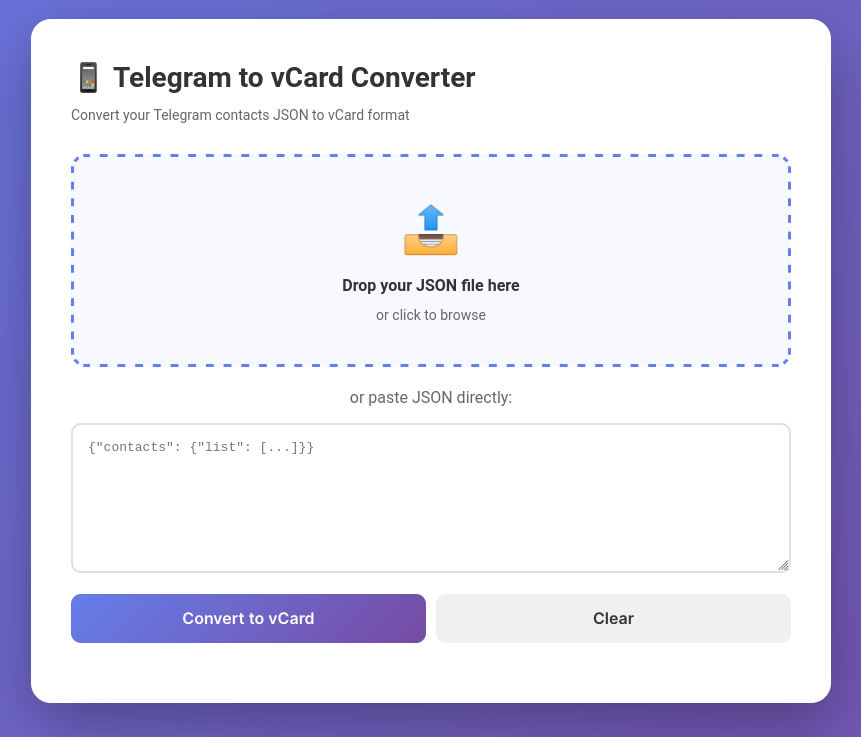
 A simple, single-file web application that converts Telegram contact exports to vCard format (.vcf) for easy import into any contact management system.
-
Export your Telegram contacts
- Open Telegram Desktop
- Go to Settings → Advanced → Export Telegram Data
- Select "Contact list" and export as JSON
-
Convert to vCard
- Open
telegram-vcard-converter.htmlin your browser - Drop the JSON file or paste its contents
- Click "Convert to vCard"
- Review the contacts
- Click "Download vCard File"
- Open
-
Import contacts
- Import the downloaded
.vcffile into yourr contact management app
- Import the downloaded
The converter expects Telegram's standard export format:
{
  "about": "...",
  "contacts": {
    "about": "...",
    "list": [
      {
        "first_name": "John",
        "last_name": "Doe",
        "phone_number": "+1234567890",
        "date": "2023-01-15T10:30:00"
      }
    ]
  }
}Generated vCard Format:
- Version: vCard 3.0
- Fields included: Name (FN, N), Phone (TEL), Notes (with original date)
- Character encoding: UTF-8
- Line breaks: CRLF (standard vCard format)
Browser Compatibility:
- Chrome/Edge 90+
- Firefox 88+
- Safari 14+
- Any modern browser with ES6 support
No installation or internet needed! Its completely local, just using the browser as User INterface Just download or save the HTML file and open it in your browser.
- 100% Client-Side - No data is sent to any server
- No Tracking - No analytics or external scripts
- Offline Capable - Works without internet connection
- Open Source - Review the code yourself
Since this is a single-file application, improvements are welcome:
- Suggest features via issues
- Submit pull requests with enhancements
- Report bugs or edge cases
This project is provided as-is for non-commercial personal use.
"Invalid JSON format" error:
- Ensure you've exported the complete Telegram data
- Check that the JSON structure matches the expected format
- Verify the file isn't corrupted
Contacts not appearing:
- Make sure contacts have phone numbers
- Check that the
contacts.listarray exists - Verify the JSON is properly formatted
Download not working:
- Check your browser's download settings
- Ensure pop-ups aren't blocked
- Try a different browser
- Switching from Telegram to a different messaging app
- Backing up Telegram contacts
- Syncing Telegram contacts with your phone's contact list
- Migrating contacts to a new device
- Creating a backup of important contact information
- The app preserves the original date when the contact was added (stored in the Notes field)
- Contacts without phone numbers are automatically skipped
- The generated vCard file can contain hundreds of contacts in a single file
- You can edit the generated vCard with any text editor before importing
For questions, issues, or suggestions, please open an issue on the project repository.
Made with ❤️ for the Telegram community