AI-powered voice training system for call center agents using Amazon Nova 2 Sonic. Deploy as a standalone web application or integrate with Amazon Connect AI Agents for realistic customer simulations.
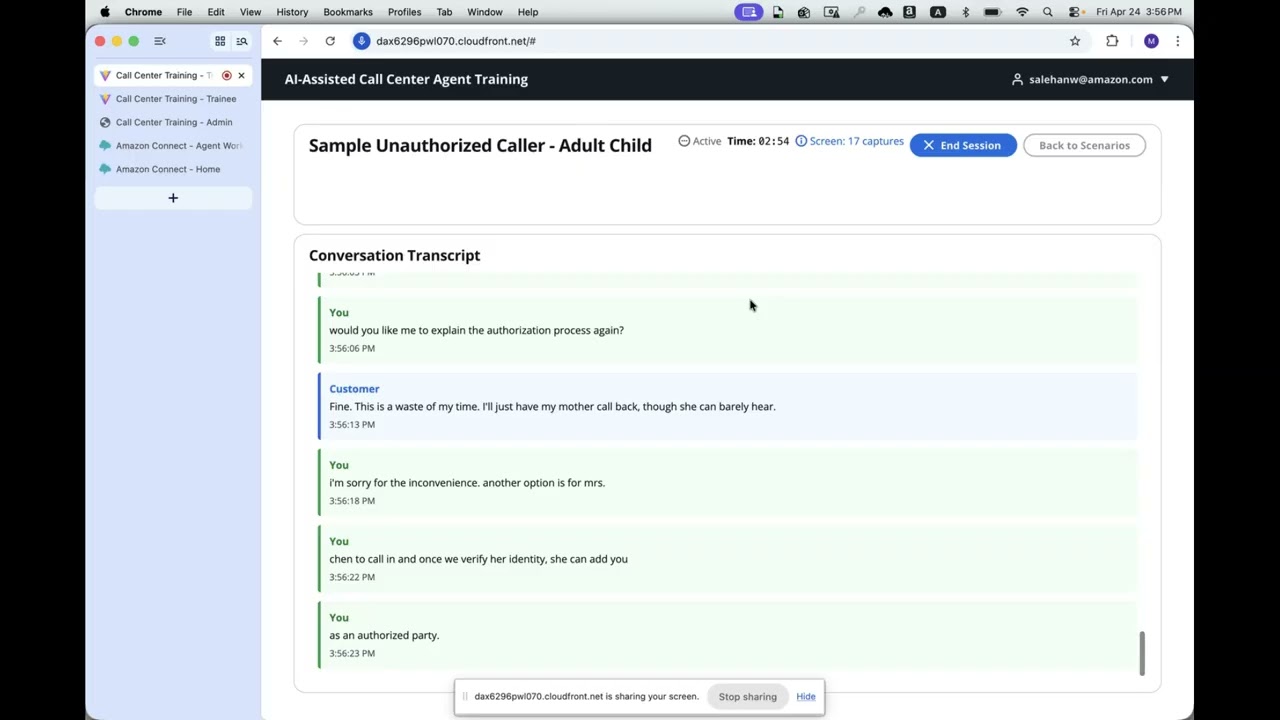
This system simulates realistic customer interactions for training call center agents. An AI customer (powered by Nova 2 Sonic) engages trainees in real-time voice conversations based on configurable scenarios drawn from real call logs. Sessions are recorded (stereo WAV + transcript) and automatically scored against a detailed rubric using Claude.
Two deployment modes are supported:
- Web UI — Browser-based training via CloudFront, with Cognito authentication and role-based access (trainee/admin)
- Amazon Connect — Phone-based training where trainees call in and interact with the AI customer through Amazon Connect contact flows
Multilingual support covers English, French, Italian, German, Spanish, Portuguese, and Hindi via Nova 2 Sonic voices.

Trainees and supervisors access the React frontend via CloudFront. Voice streams flow directly to Bedrock AgentCore Runtime (Strands BidiAgent). API Gateway backed by Lambda functions handles scenarios, sessions, scoring, screen analysis, and audio empathy evaluation. Cognito provides authentication with admin and trainee roles.

Admins initiate training calls through the web UI. Amazon Connect places an outbound call to the trainee using AI Agents for natural conversation. The AI Agent Session Setup Lambda injects scenario data before the conversation starts. Post-call analysis runs scoring and audio empathy evaluation automatically.
All Amazon Connect configuration (AI Agents, prompts, contact flows, security profiles) is managed through the Amazon Connect console.

The Admin API triggers an outbound call via Connect. The contact flow invokes the Session Setup Lambda to inject scenario data, then routes to the AI Agent block for conversation. Amazon Connect handles speech recognition and synthesis automatically.
- Real-time voice conversations with AI customers via Nova 2 Sonic bidirectional streaming
- Configurable customer voices, moods, and languages — choose from 16 Nova 2 Sonic voices across 7 languages
- Scenario library with real call log-based scenarios across multiple insurance carriers
- Automated scoring against a detailed rubric covering security, compliance, communication, and knowledge
- Screen recording analysis — capture and analyze agent screen activity during sessions
- Audio empathy analysis — evaluate tone and emotional intelligence from audio
- Admin dashboard for supervisors to manage scenarios, review sessions, and configure scoring criteria
- Session history with full transcripts, audio playback, and score breakdowns
- Duo mode — multi-character training scenarios with natural handoffs (Web UI only, not supported in Amazon Connect)
- AWS account with Bedrock access (Nova 2 Sonic + Claude models enabled)
- Python 3.13+
- Node.js 18+ and npm
- AWS CDK CLI (
npm install -g aws-cdk) - Docker (for building Lambda container images)
- AWS CLI configured with appropriate credentials
Install dependencies (required before first deployment):
cd deployment && npm install          # CDK infrastructure
cd ../frontend/app && npm install     # Web UI (needed for --webui or --all)
cd ../../connect-admin/app && npm install  # Connect Admin UI (needed for --connect or --all)
Bootstrap CDK in your target account/region (only needed once):
cd deployment
cdk bootstrap aws://ACCOUNT_ID/us-west-2Option 1: Web UI — Browser-based training with CloudFront and Cognito
./deployment/deploy.sh --webuiOption 2: Amazon Connect — Phone-based training via Amazon Connect AI Agents
./deployment/deploy.sh --connectAfter first deploy, a one-time manual toggle is required in the Connect console to reconcile the Lex integration. See docs/CONNECT_GUIDE.md.
Option 3: All — Web UI + Amazon Connect
./deployment/deploy.sh --allAfter first deploy, a one-time manual toggle is required in the Connect console to reconcile the Lex integration. See docs/CONNECT_GUIDE.md.
cd deployment && npm run build && cdk deploy CallCenterTraining-Core --require-approval never --context deployMode=allStack names: CallCenterTraining-Core, CallCenterTraining-Web, CallCenterTraining-Connect
- Log in with Cognito credentials (created by admin via
deployment/create-user.shor AWS Console) - Select a training scenario, customer voice, mood, and language
- Start the session — speak naturally via your microphone
- End the session when the conversation is complete
- View automated scoring results with detailed feedback
- Admin selects a scenario and initiates a training call from the web UI
- Trainee receives a phone call from Amazon Connect
- AI customer engages in a natural voice conversation
- Post-call scoring runs automatically
- Admin reviews results in the dashboard
The Web UI uses Cognito groups for role-based access:
| Role | Group | Capabilities |
|---|---|---|
| Trainee | trainee |
Select scenarios, start training sessions, view own scores |
| Admin | admin |
All trainee capabilities + manage scenarios, view all trainees' sessions/scores/recordings, configure scoring criteria |
Users without a group default to trainee access.
# Create a user
cd deployment
./create-user.sh user@example.com Password123!

# Assign to admin group
./create-user.sh user@example.com Password123! --group admin

# Assign to trainee group (explicit)
./create-user.sh user@example.com Password123! --group traineeScenarios are JSON files in scenarios/. Each scenario includes customer context, key challenges, success criteria, and an initial message derived from real call logs.
Seed all scenarios to DynamoDB:
python scripts/seed_scenarios.pySee existing scenarios in scenarios/ for the expected JSON format.
Destroy the deployed stacks when you're done:
cd deployment

# Destroy a single stack
cdk destroy CallCenterTraining-Connect --context deployMode=connect
cdk destroy CallCenterTraining-Web --context deployMode=webui

# Or destroy everything
cdk destroy --all --context deployMode=all
Resources that survive cdk destroy (by design, to prevent accidental data loss):
- Toll-free phone numbers — 30-day release quarantine, so destroy-recreate would lock you out. Release manually via Connect console → Channels → Phone numbers when no longer needed.
- S3 buckets (recordings, Contact Lens output, access logs) — empty them first, then delete via S3 console or
aws s3 rb s3://BUCKET --force. - KMS keys — scheduled for deletion with a 7-30 day waiting period via
aws kms schedule-key-deletion. - Cognito User Pools — delete via the Cognito console if you want to remove user accounts.
- DynamoDB tables (scenarios, sessions, scoring criteria) — drop via the DynamoDB console if you want to clear data.
If you're abandoning the project entirely, also delete the CDK toolkit stack (CDKToolkit) if no other CDK projects use it in the same account/region.