


This sample demonstrates a few scenarios with AECDM Extensibility API:
- Create Extension Groups
- Attach properties to element instances or types
- View or update property values
- Check the history of property.
- Detach properties from an instance or type.
- Inspect extended properties that remain consistent across different versions of a design model.
This sample is implemented based on Node.js version of APS Tutorial, please refer to the tutorial for details about the framework.
Warning
> The versioned query capability for Extension Groups is currently under maintenance.As a result, historical data and extension group details are temporarily inaccessible. The demo videos were recorded when this functionality was fully available.

- APS credentials with call back url =
http://localhost:8080/api/auth/callback - Provisioned access to Autodesk Construnction Cloud Account
- AEC Data Model API Basic
- AEC Data Model Extensibility API
- Node.js (Long Term Support version is recommended)
- Command-line terminal such as PowerShell or bash (should already be available on your system)
We recommend using Visual Studio Code which, among other benefits, provides an integrated terminal as well.
- Clone this repository:
git clone https://github.com/autodesk-platform-services/aps-aecdm-extensibility-web-application-sample - Go to the project folder:
cd aps-aecdm-extensibility-web-application-sample - Install Node.js dependencies:
npm install - Open the project folder in a code editor of your choice
- Create a .env file in the project folder, and populate it with the snippet below,
replacing
<client-id>,<client-secret>with your APS Client ID and Client Secret, and<secret-phrase>with an arbitrary string:
APS_CLIENT_ID="<client-id>"
APS_CLIENT_SECRET="<client-secret>"
APS_CALLBACK_URL="http://localhost:8080/api/auth/callback" # URL your users will be redirected to after logging in with their Autodesk account. you can also change, but ensure your APS app has added such callback.
SERVER_SESSION_SECRET="<secret-phrase>" # phrase used to encrypt/decrypt server session cookies
For applications deployed to a custom domain, the callback URL will be
http://<your-domain>/api/auth/callbackorhttps://<your-domain>/api/auth/callback. Do not forget to update the callback URL for your application in https://aps.autodesk.com/myapps as well.
- Run the application, either from your code editor, or by running
npm startin terminal - Open http://localhost:8080
When using Visual Studio Code, you can run & debug the application by pressing
F5.
- Load one document in APS Viewer
- Create a new extension. Select it in the table of Extension Groups
- Select some properties from Properties Definitions list.
- Select one element inside APS Viewer.
- Click Attach Properties to element instance or type. These properties will be attached to this instance or type.
- Open properties panel of viewer, it will present the extensibility (custom) properties.
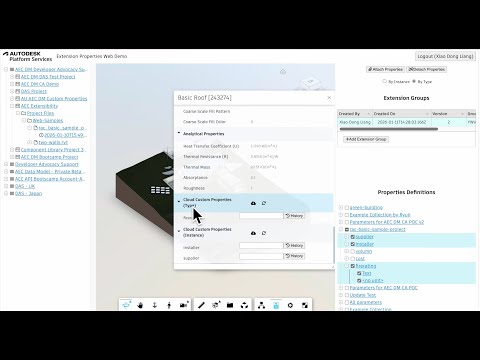
One more demo on creating custom name for extension group.
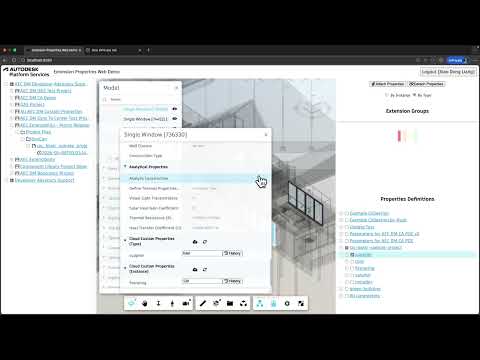
- Load one document in APS Viewer
- Select one extension group in the table of Extension Groups
- Select one element inside APS Viewer.
- Open properties panel of viewer, it will present the extensibility (custom) properties.
- Input or change values of the properties, click Cloud icon, it will update the properties with the new values.
- Click History of one property, it will pop out the value of maximum version of this property
- Click Pre or Next icon, it will show the values of previous version or next version.
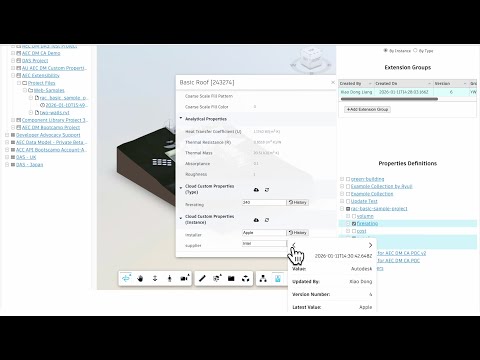
An extension group is a kind of properties manager for specific workflow.
- Load one document in APS Viewer
- Create one more extension. Select it in the table of Extension Groups
- Select one element inside APS Viewer.
- Select some properties from Properties Definitions list.
- Click Attach Properties to element instance or type. These properties will be attached to this instance or type.
- Open properties panel of viewer, it will present the extensibility (custom) properties within this extension group
- Select other extension group, click Sync icon in property panel, it will present those properties that within the other extension group
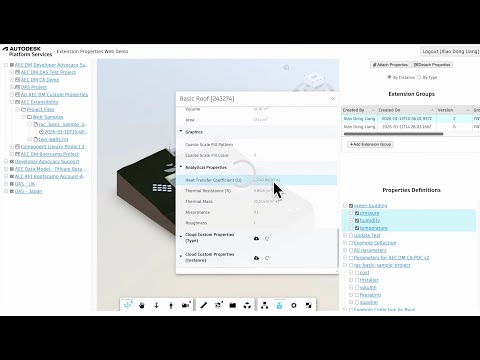
- Load one document in APS Viewer
- Select one extension group in the table of Extension Groups
- Select one element inside APS Viewer.
- Open properties panel of viewer, it will present the extensibility (custom) properties. The corresponding property definitions will be checked in the Properties Definitions list. Check the items you want to detach.
- Select Instance or Type, click Detach Properties, it will remove the properties from the instance or type, as long as it has attached such properties.
- Click Sync icon in property panel, it will present those properties that are still with this element. The detached properties are gone.
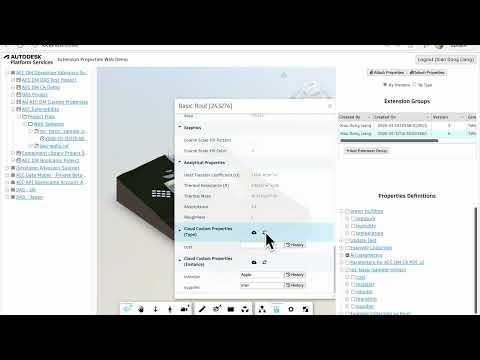
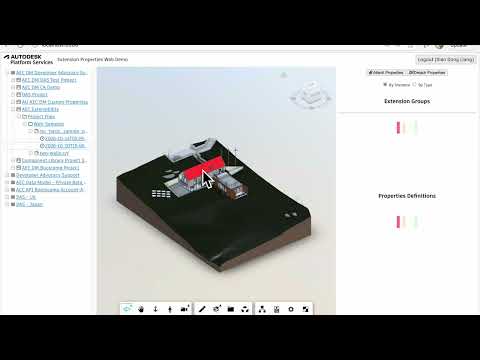
The extensibility properties apply to all versions of model versions, as long as they are attached/detached from one version. So no matter which model version, the extensibility properties (in one extension group) are consistent, unless this element is deleted/added.
- Prepare some more model versions for the same model
- Load any version of the model
- Inspect the properties of the element by opening the property panel.
- Switch different model versions, the extensibility properties (in one extension group) are consistent
This sample is licensed under the terms of the MIT License. Please see the LICENSE file for more details.
Xiaodong Liang @coldwood, Developer Advocate and Support