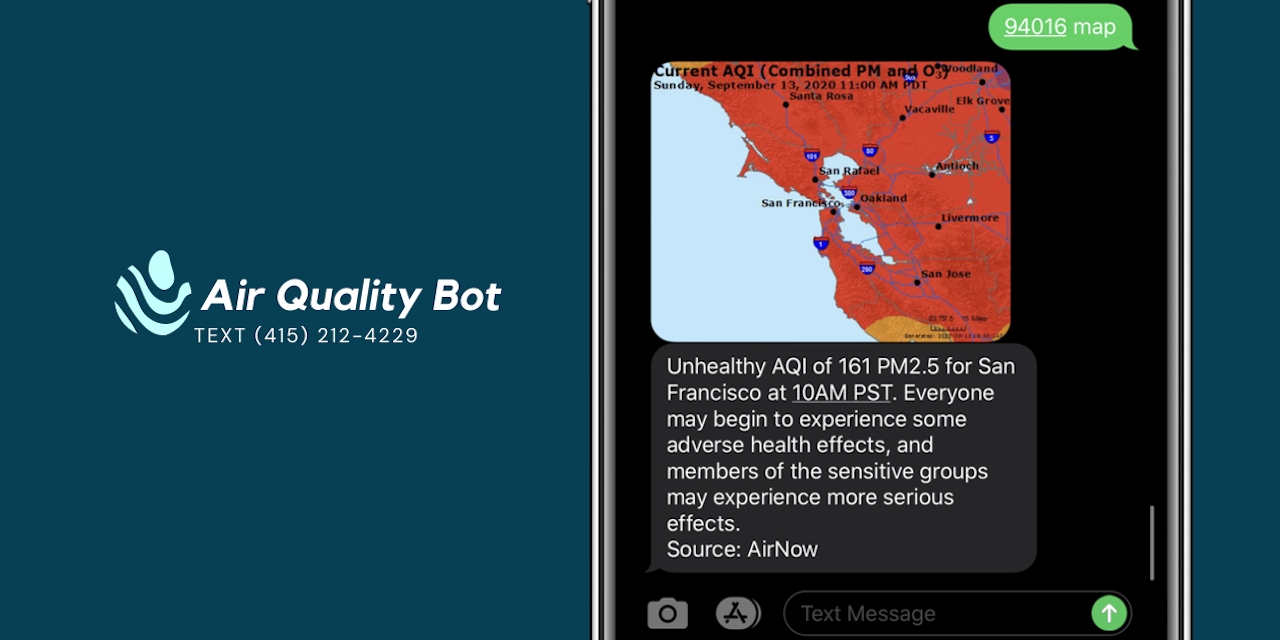



The Air Quality Bot is generally available by texting a zip code (and optionally the word "map") to (415) 212-4229. The bot will respond with the latest air quality report for your region.
The instructions below illustrate how to similarly setup the bot in your own AWS and Twilio environments.
Create a new Role from a Policy with the following permissions:
{
    "Version": "2012-10-17",
    "Statement": [
        {
            "Effect": "Allow",
            "Action": [
                "logs:CreateLogGroup",
                "logs:CreateLogStream",
                "logs:PutLogEvents",
                "cloudwatch:PutMetricData",
                "dynamodb:CreateTable",
                "dynamodb:GetItem",
                "dynamodb:PutItem",
                "dynamodb:UpdateItem",
                "dynamodb:DescribeTable",
                "dynamodb:GetShardIterator",
                "dynamodb:GetRecords",
                "dynamodb:ListStreams",
                "dynamodb:Query",
                "dynamodb:Scan"
            ],
            "Resource": "*"
        }
    ]
}
Install and configure the AWS CLI for the same account for which the Role was created.
Initialize the deployment environment by running make install locally, then
edit the .env file's AWS_ROLE with the ID of the Role created above and the
AIRNOW_API_KEYS list with one or more AirNow API keys.
Note that, on initial deploy, your Lambdas will be pointing to the an endpoint
that does not exist until you complete the AWS API Gateway Routes section
below and update the AIR_QUALITY_API_URL variable to point to the deployed endpoint.
Deploy the Lambdas to your AWS environment using the deploy script:
./deploy.shOptionally, TTL for ZipCode fields in the DynamoDB table can be enabled by going
to the AWS console
and enabling TTL on the TTL field.
Create an API Gateway. In the API, do the following:
- Create a new "Resource" with a path of
/inbound- Create a new "POST" method with the "Integration type" of "Lambda Function" and point it to the Lambda
AirQuality_inbound_POST- Edit the "POST" method's "Integration Request"
- Under "Mapping Templates", add a "Content-Type" of
application/x-www-form-urlencodedusing the "General template" of "Method Request Passthrough"
- Under "Mapping Templates", add a "Content-Type" of
- Edit the "POST" method's "Method Response"
- Edit the
200response so it has a "Content type" ofapplication/xml
- Edit the "POST" method's "Integration Request"
- Create a new "POST" method with the "Integration type" of "Lambda Function" and point it to the Lambda
Last, under the "Integration Response" for /inbound, edit the 200 response. Under "Mapping Templates" of "Content-Type" of application/xml with the following template:
#set($inputRoot = $input.path('$'))
$inputRoot.body
Additionally, create the following "Resource" paths:
/aqi
Under each of the above, do the following:
- Create a new "GET" method with the "Integration type" of "Lambda Function" and point it to the Lambda
AirQuality_<ROUTE_NAME>_GET, where <ROUTE_NAME> corresponds to the name of the Lambda you created to execute on this method- Edit the "GET" method's "Method Request"
- Change the "Request Validator" to "Validate query string parameters and header"
- Add a required "URL Query String Parameter" of
zipCode - Edit the "GET" method's "Integration Request"
- Under "Mapping Templates", add a "Content-Type" of
application/jsonusing the "General template" of "Method Request Passthrough"
- Edit the "GET" method's "Method Request"
Deploy the new API Gateway. Note the newly generated Invoke URL and update the
AIR_QUALITY_API_URL variable in .env, then redeploy your Lambdas by running
./deploy.sh again.
In Twilio, create a phone number and set it up. Under "Messaging", select
"Webhook" for when "A Message Comes In", select "POST", and enter the deployed
API Gateway URL for /inbound.
That's it! Your bot is now setup and ready to respond to texts.
To test the bot locally, simple Flask server is included in
devserver.py. Ensure proper dev values are in .env.dev, then execute:
make run-devserverThis will start a server with the appropriate routes and in-memory datastores, and it will also start a ngrok tunnel using pyngrok so the bot can be fully tested end-to-end.
If you would like the project to build for you in a CI system, you may
need to add the following environment variables to the CI's console. Their
actual values do not matter (use dummy values, not real), but certain versions
of the boto dependency need them to be present when initializing its
configuration.
AWS_ACCESS_KEY_IDAWS_DEFAULT_REGIONAWS_SECRET_ACCESS_KEY
After the initial installation in to your AWS environment, updates to the Lambdas can easily be redeployed at any time by rerunning the deploy script:
./deploy.shIf you would like to get involved, be sure to review the Contribution Guide.
Want to contribute financially? If you've found Air Quality Bot useful, sponsorship would also be greatly appreciated!

