Releases: WolvenKit/CyberCAT
Release_v0.0.14

Closed issues:
- Cannot load savegames from V1.20 #52
- Cannot Load Patch 1.1 Save File - Throws Generic System Exception #49
- EndGameSave can not be opened #47
Merged pull requests:
- Dev #54 (SirBitesalot)
- Temp merging #53 (SirBitesalot)
Release_v0.0.13 with WPF preview
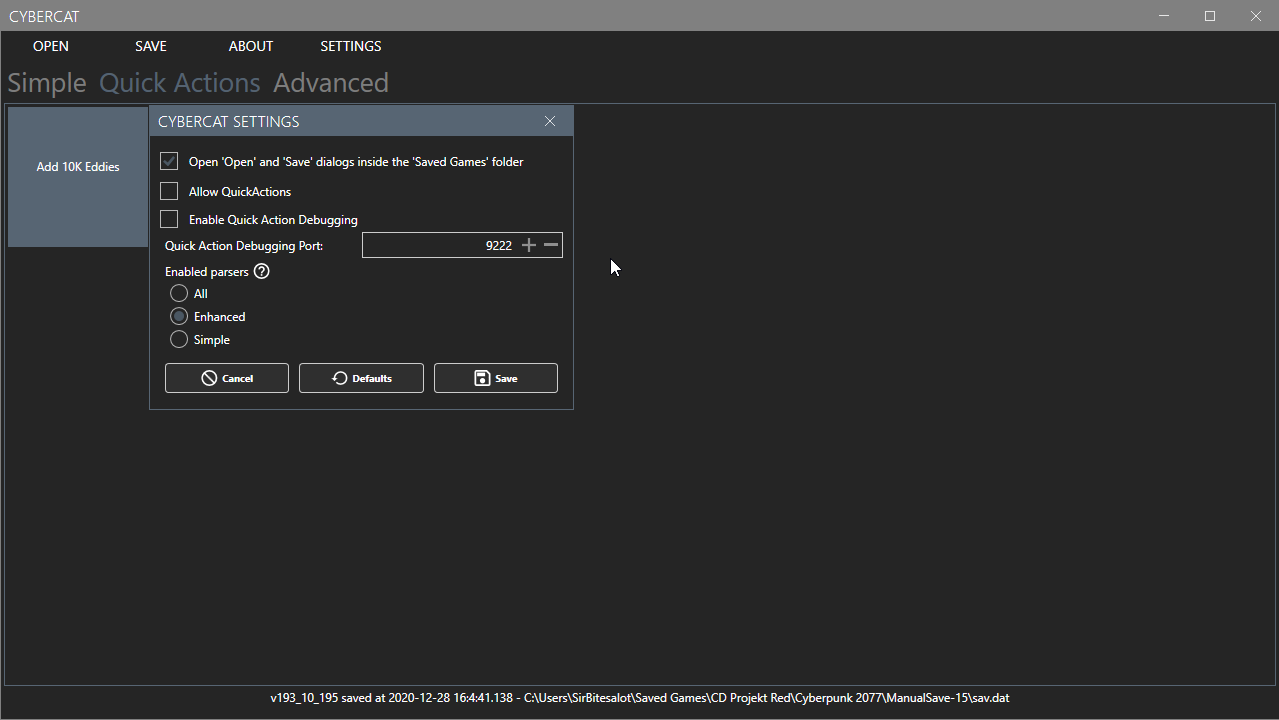
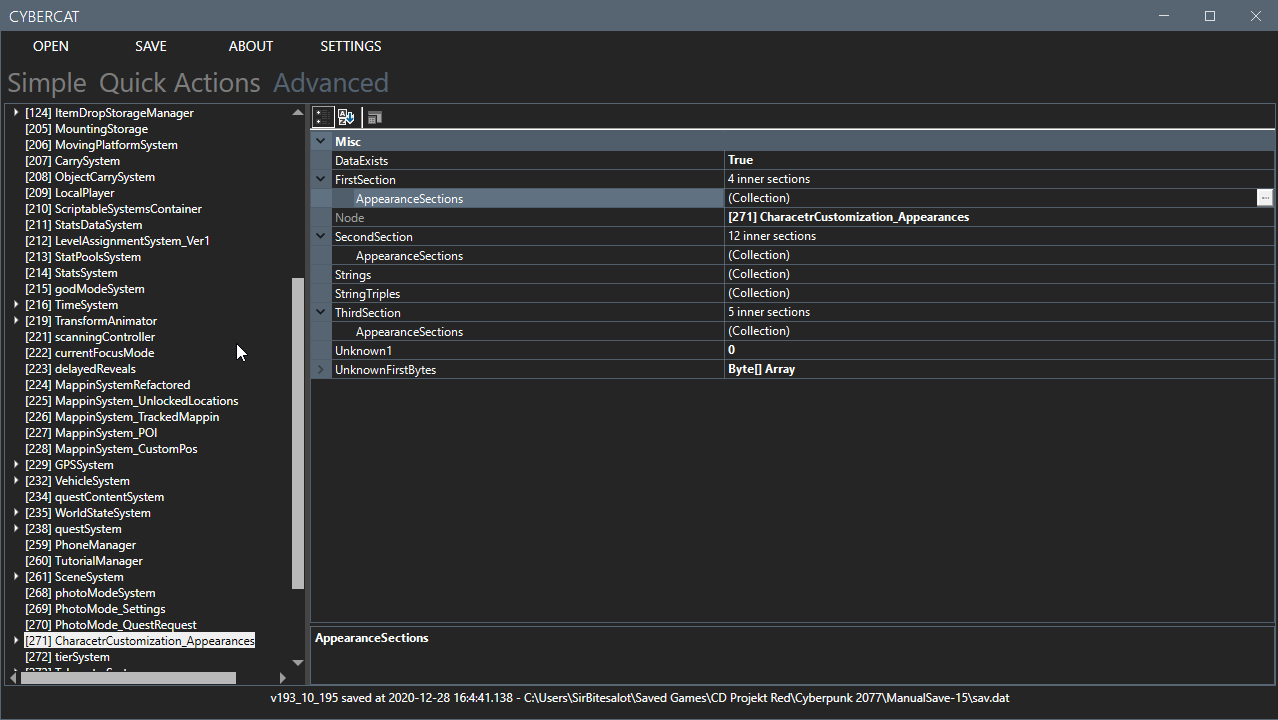
This is a very special Release as it not only includes fixes and more parsers but also a preview of our new WPF GUI.
This includes scriptable QuickActions.
If you want to write your own QuickActions make sure to read our wiki to get an easier start.
Note that the WPF Preview requires NET5.0. (if you don't have it: https://dotnet.microsoft.com/download/dotnet/5.0)
Closed issues:
- Cannot Load Patch 1.1 Save File - Throws Generic System Exception #49
- GenericUnknownStruct.RemoveHandle performance issues #48
- EndGameSave can not be opened #47
WPF Screenshots

Release_v0.0.12-Debug
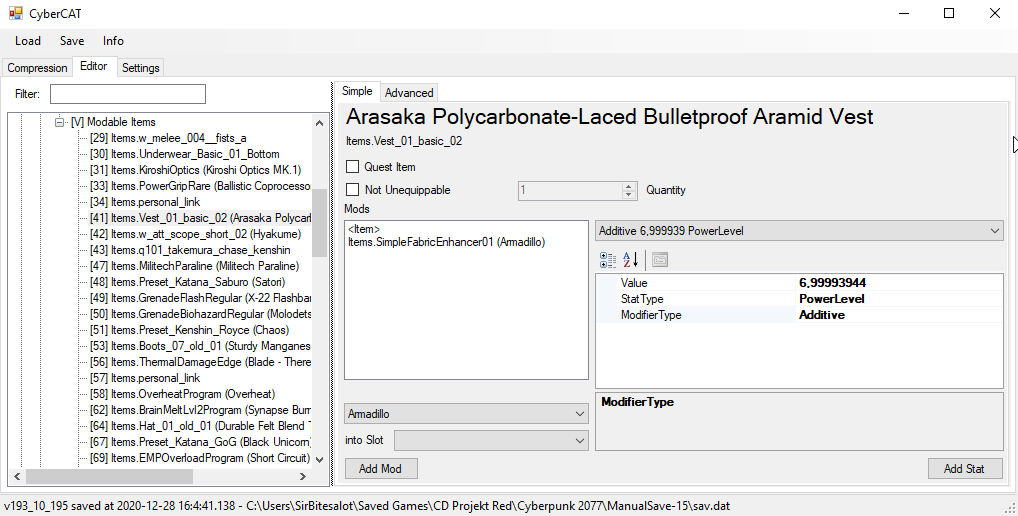
New Features
- Dedicated Item Editor
-This enables editing and adding of Item Stats - Importing exported nodes between saves (this currently only works for Nodes without child elements)
- More parsed nodes (PSData Parser is disabled by default because of severe saving slowdown)
- Stability improvements
Fixed bugs:
- 1.06 files wont load #24
Closed issues:
- Adding/Removing an entry in an AppearanceSection causes data destruction #41
Release_v0.0.11-Debug
New Features and Changes include:
- Improved GUI
- Improved Itemname Resolving
- Improved Filtering
- PS4 Support
Release_v0.0.10-Debug
New Features:
- Node JSON export
- Current File Path is shown in Title
- Better Inventory and Item parsing
- ItemDropStorage parsing
- FactsDB and FactsTable Parsing
Release_v0.0.9-Debug
New Feature:
- Nicer Compression GUI
- Filter Node Tree
- Ability to change IsQuestItem flag
Release_v0.0.8-Debug
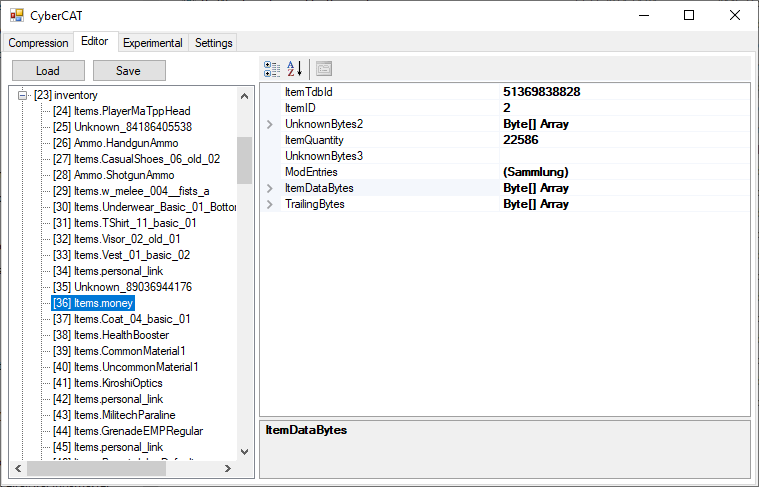
New Features:
- Extended ItemData Parsing
- Known Items will show a Name
Release_v0.0.7-Debug
New Feature
- Integrated Hex Editor
- Export All
Release_v0.0.6-Debug
New Features:
- Parsers can be enabled or disabled (By Default only appearance parser is enabled as other parsers created problems in Dev Environment)
- Unknown Nodes can now be exported to compare in hexeditor of your choice.
Coming Soon:
- Export of known Nodes as JSON or binary blob
- Import of JSON or binary blob nodes
- HexEditor for Unknown Nodes and big byte arrays
Release_v0.0.5-Debug
Now with editing capabilities. Highly experimental but here it goes:
Open Editor Tab(1)
Load Save(2)
Find "CharacetrCustomization_Appearances"(3) yes it really is called that in the savegame
Click on the three dots next to the Collection you want to edit(4)
The Editing window (5) Appears perform changes and click ok
Save file(6)
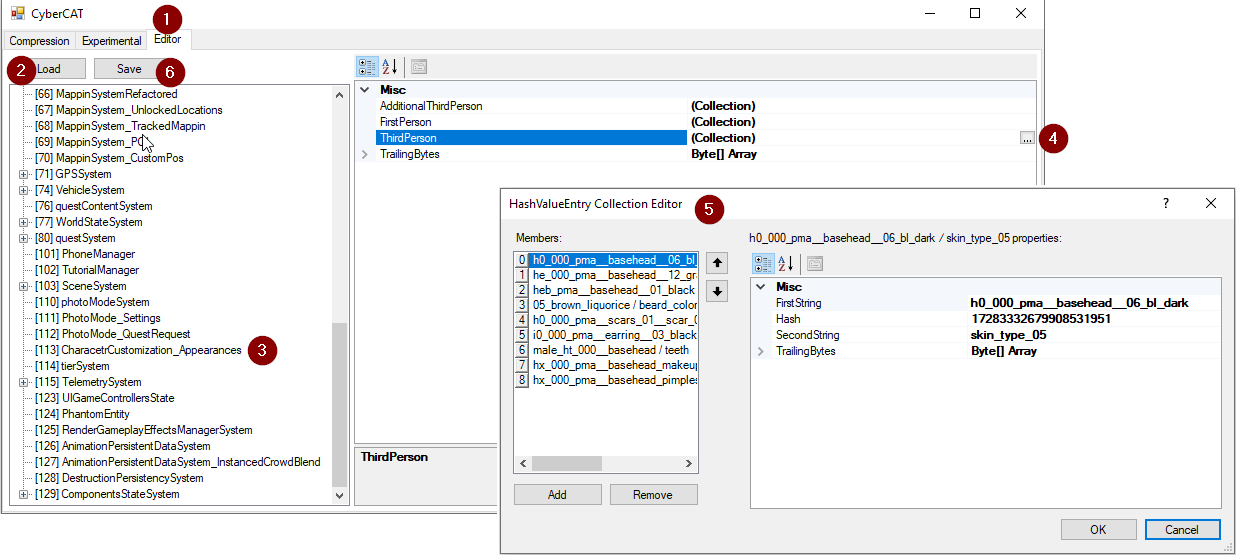
Ignore the Expermimental Tab it only dumps the save as json and some other testing stuff.
Keep in mind this is ultra WIP and only some data in the appearance section is parsed more will follow in the next days.
Nodes with unknown structure are readonly