Clock Design Inspiration & Ideation
Jump to a section or return to the general Day and Night Cycle page here.
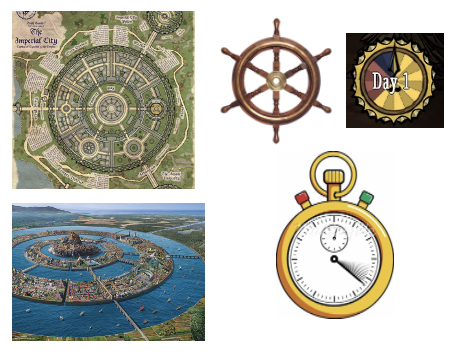
Inspiration was taken from various images which incorporated somewhat similar features.
- A circle clock design was opted for, all the photos incorporate a circular design, this was opted and incorporated.
- Different colours to symbolise the different times of the day (dusk, day, daw, night)
- The style of the sailing wheel and the believed Atlantis land design are very similar, able to easy section the quarters for each day
- Neutral tone for the colour of the clock frame, bright and representative colours for each quarter
- Sailing wheel could have been possibly retrieved from a shipwreck
- Smaller circle located in the centre to clearly represent the number day
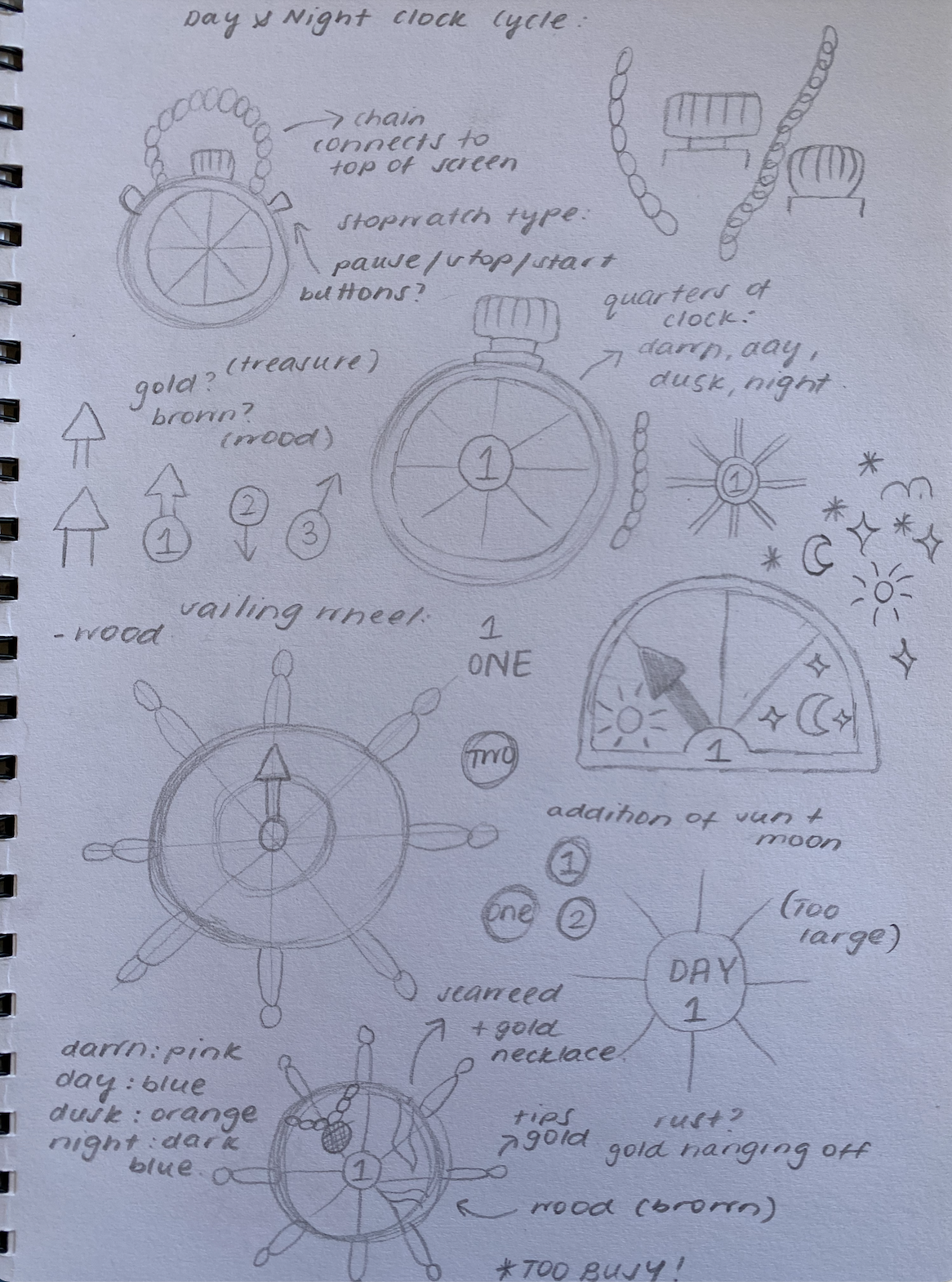
Sketches were completed in an effort to brainstorm potential ideas while also understanding how elements of the clock would fit together. The design aimed to encompass a effective, simple, though engaging design - while an important feature of the game, its main goal was to tell the user the time of day.
Following the completion of the sketches, two preferred styles of the clock were created - stopwatch and sailing wheel. These designs were used for user testing.
- Gold colour symbolises something to be cherished - treasure.
- Colours are placeholders to resemble the dawn, day, dusk, and night
- Bold and large day number in the middle, catches user attention
- Dark clock hand colour against the gold, constrasts appropriately
- Stopwatch design may signify a sense of urgency to users depending upon their interaction with the tool, having to complete something within a certain period of time - rush
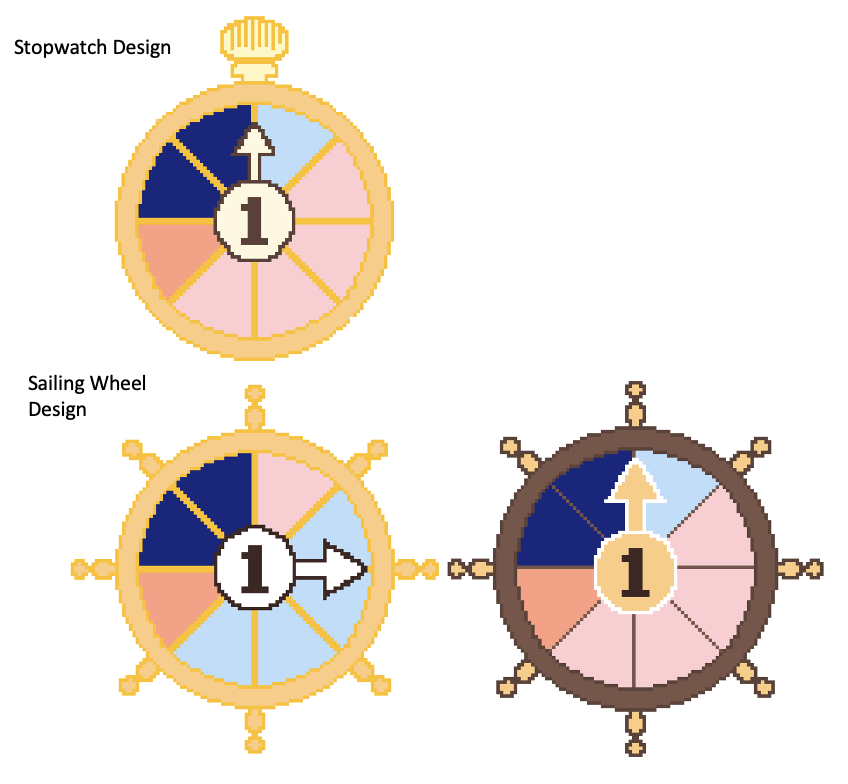
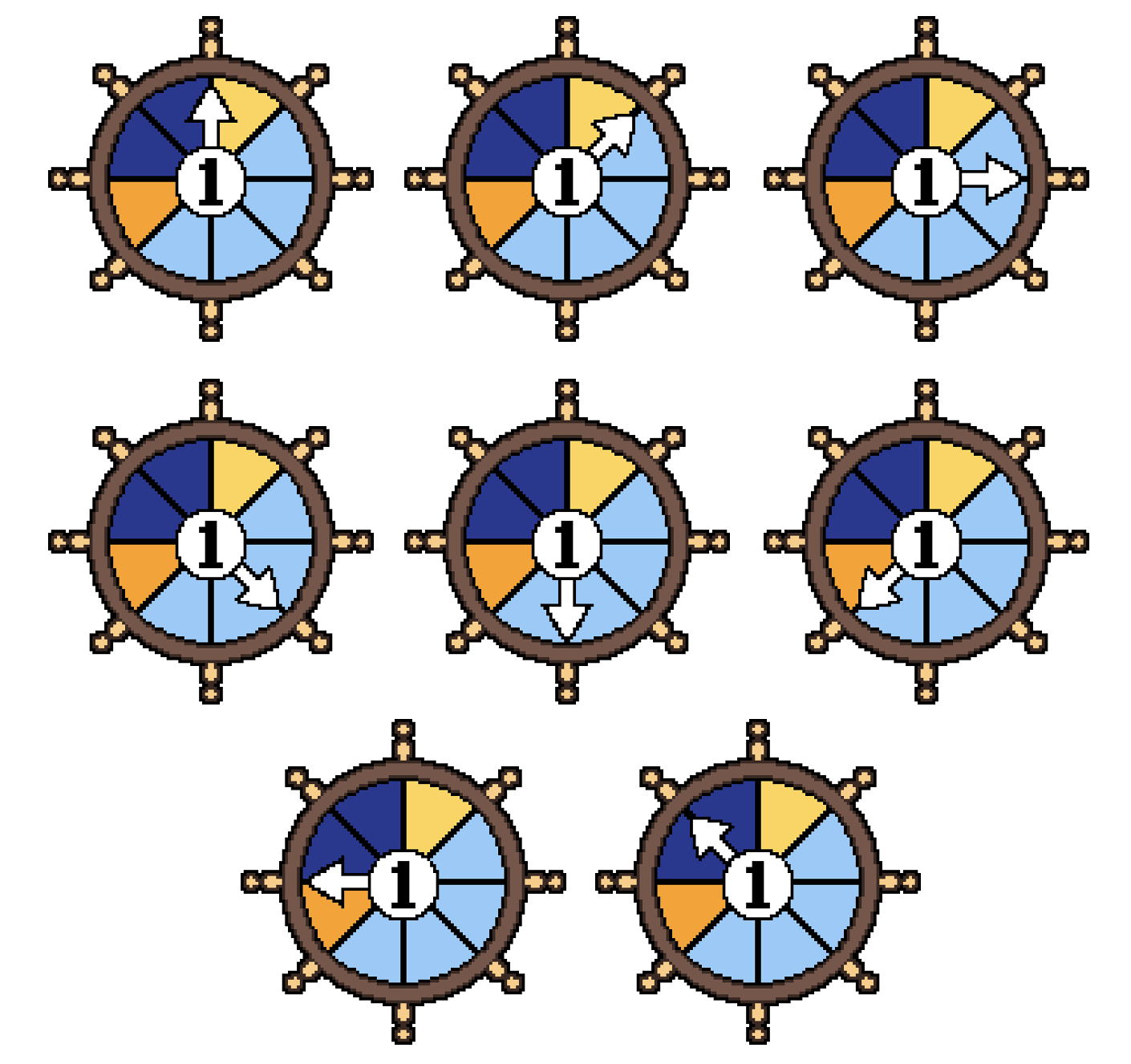
The two prototypes of clock design (stopwatch and sailing wheel) were presented to users, the sailing wheel was preferred. Further, while the actual design did not see much change, the colour scheme was greatly influenced by the user testing completed on the initial fidelity sprites. The colour scheme allows for the clock to possess a wooden, aligning with the material of an old sailoring wheel which could have been retirved from a ship wreck. A black border was applied to the clock to allow for it to align with the design guidelines, sucessfully matching the other UI elements. The most signifiant addition included a sprite for the boss enemy night, increasing user experience as they try and defeat the enemy in hopes of winning the game. This was something that users expected to happen.
More details of testing, key kindings, and result analysis from all testing completed may be found here: Clock Design User Testing

- Newspaper, size 16 on Pixilart
- Wood texture chosen as a result of user testing
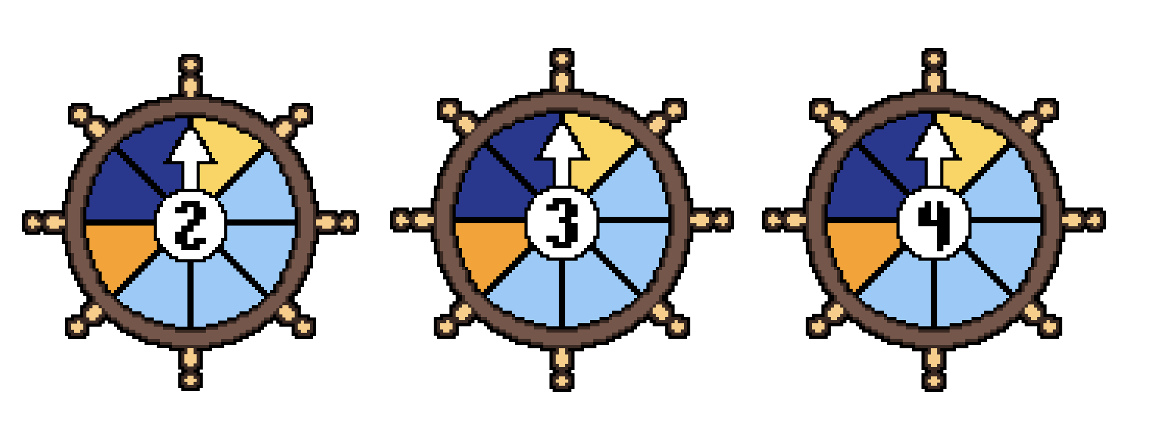
- Colours changed - Dawn: Yellow, Day: Light Blue, Dusk: Orange, Night: Dark Blue
- The dailing wheel design was implemented, users preferred this design in comparision to the stopwatch.
- Sprites are the same except the day number changes: 1, 2, 3, 4
- Dark and threatening design, pixel skull in the middle
- User testing shows that users expect the clock to change for the final boss night - adds to user excitement
- Red colour symbolises danger, blood, war