Home
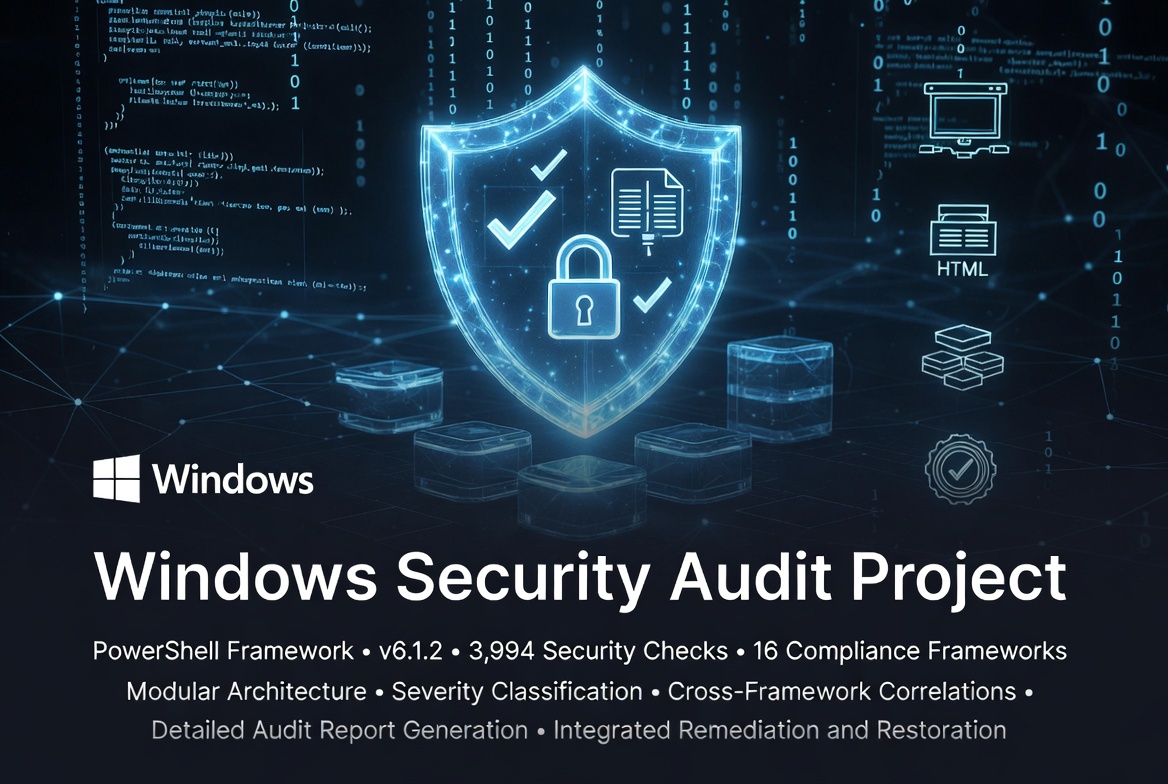
Welcome to the documentation for the Windows Security Audit Script! This wiki provides everything you need to install, configure, use, and extend this security compliance auditing tool.
| Getting Started | Reference | Development |
|---|---|---|
| Quick Start Guide | Framework Reference | Development Guide |
| Usage Guide | Module Documentation | Contributing |
| Installation | Output Reference | Security Policy |
The Windows Security Audit Script is an expansive PowerShell-based security compliance auditing tool that:
- ✅ Performs 3,994 automated security checks across 16 compliance frameworks
- ✅ Generates reports in multiple formats (HTML, JSON, CSV, XML, Console) plus 6 browser-based exports
- ✅ Provides detailed remediation guidance with PowerShell commands and severity ratings
- ✅ Operates audit-only by default — opt-in remediation modes (
-RemediateIssues_Fail,-AutoRemediate,-RemediationBundle) require explicit user confirmation - ✅ Cross-framework correlation — every check carries
CrossReferencesmapping it to equivalent controls in other frameworks - ✅ Zero external dependencies — pure PowerShell stdlib; no npm, pip, NuGet, or external HTTP at runtime
- ✅ Standalone module execution — any module is fully runnable on its own
- ✅ Cache-aware architecture — shared data cache delivers ~3.3× audit speedup
- ✅ Parallel execution — RunspacePool-based parallel module execution (1-16 workers)
- ✅ Open source under MIT license
| Module | Framework | Checks |
|---|---|---|
| acsc | Australian Cyber Security Centre Essential Eight + ISM/PSPF | 170 |
| cis | CIS Controls v8 + IG2/IG3 + Cloud/Mobile/ICS-OT Companion Guides | 260 |
| cisa | CISA Best Practices, KEV catalog, Zero Trust Maturity, CPGs | 289 |
| cmmc | CMMC 2.0 L1/L2/L3 + DFARS 252.204-7012 + NIST 800-172 | 145 |
| core | Foundational Windows Security Baseline + Win11 modern features | 243 |
| enisa | ENISA + NIS2 Directive + Cyber Resilience Act + DORA | 248 |
| gdpr | GDPR Articles 5/15-21/28/32/35 + ePrivacy + Schrems II | 183 |
| hipaa | HIPAA Security Rule + 405(d) HICP + HITECH + 800-66 R2 | 237 |
| iso27001 | ISO 27001:2022 + 27002/27017/27018 + 27701 | 286 |
| ms | Microsoft Security Baseline (Win11 24H2 / Server 2025) + Edge + M365 | 367 |
| ms-defenderatp | Microsoft Defender for Endpoint (ATP/EDR) | 155 |
| nist | NIST 800-53 R5 + CSF 2.0 + 800-171 R3 + 800-207 + 800-161 + FedRAMP | 520 |
| nsa | NSA Cybersecurity (CSI + AD hardening + Top 10 Mitigations) | 225 |
| pcidss | PCI DSS v4.0/v4.0.1 + PIN Security + 3DS Core + SSF | 279 |
| soc2 | SOC 2 Trust Service Criteria + AICPA TSP Section 100 | 162 |
| stig | DISA STIGs + SRG cross-mapping + Microsoft Defender STIG | 225 |
| TOTAL | 16 frameworks | 3,994 |
Get running in under 5 minutes
Perfect for first-time users. Covers:
- Prerequisites verification
- Installation (Git and manual)
- Running your first audit
- Understanding output
- Common first-run scenarios
- Next steps
Detailed installation instructions including:
- System requirements
- PowerShell execution policy setup
- Downloading the script
- Verifying installation
Comprehensive usage instructions for all scenarios
Learn how to:
- Use command-line parameters
- Select specific modules
- Configure output formats
- Implement common use cases (compliance validation, pre-deployment, continuous monitoring)
- Interpret results
- Follow remediation workflow
- Automate and schedule audits
- Integrate with other tools
Featured Sections:
- Command-Line Parameters
- Module Selection
- Output Configuration
- Common Use Cases
- Remediation Workflow
- Automation and Scheduling
Understanding and using audit reports
Detailed guide to:
- HTML reports (interactive, human-readable)
- JSON reports (machine-readable, automation-friendly)
- CSV reports (spreadsheet-compatible, tracking)
- Console output (real-time progress)
- Report locations and naming
- Parsing and integration examples
- Report retention best practices
Detailed information about each security framework
Comprehensive documentation on:
- DISA STIG: CAT I/II/III severity ratings, V-IDs, DoD requirements
- NIST: 800-53 control families, Cybersecurity Framework, 800-171
- CIS: Benchmark levels, scored recommendations, sections
- NSA: Cybersecurity Information Sheets, guidance documents
- CISA: Cybersecurity Performance Goals, KEV Catalog
- Microsoft: Security Baselines, Security Compliance Toolkit
- Core: Essential Windows security baseline
Each section includes:
- Framework overview and purpose
- Organization background
- Specific standards referenced
- Check categories and mappings
- Resources and official documentation
- Applicability guidance
- When to use each framework
Deep dive into each security module
For each of the 16 modules:
- Module overview and purpose
- Check categories and count
- Execution time expectations
- Key checks performed
- Control/requirement mappings
- Usage examples
- When to use the module
- Framework-specific details
Plus:
- Module comparison matrix
- Multi-module combination strategies
- Best practices for module selection
Solve common issues quickly
Comprehensive troubleshooting for:
- Execution Issues: Script won't run, module not found, etc.
- Permission Errors: Access denied, admin privileges
- Module Errors: Individual module failures
- Output Issues: Reports not generating, format problems
- Performance Problems: Slow execution, hangs
- Results Interpretation: Understanding findings
- Known Limitations: What the tool can and cannot do
Each issue includes:
- Symptoms and causes
- Step-by-step solutions
- PowerShell commands to diagnose
- Prevention tips
Quick answers to common questions
Organized by topic:
- General Questions: What is it, costs, safety
- Installation and Setup: Requirements, dependencies
- Running the Script: Execution, scheduling, remote systems
- Understanding Results: Status levels, CAT ratings, compliance
- Remediation: Fixing issues, safety, tracking progress
- Integration: SIEM, ticketing, CI/CD
- Troubleshooting: Quick solutions to common problems
- Security and Privacy: Data handling, report security
- Compliance: Framework selection, official audits
For developers and contributors
Complete guide covering:
- Getting Started: Development environment setup
- Project Architecture: Code structure, data flow
- Creating New Modules: Step-by-step process
- Adding New Checks: Implementation patterns
- Testing: Manual and automated testing
- Code Style: PowerShell conventions, standards
- Debugging: Techniques and tools
- Performance: Optimization best practices
- Documentation: Requirements and templates
- Submission: Pull request checklist
How to contribute to the project
Learn about:
- Code of Conduct
- Ways to contribute (bugs, features, documentation)
- Development setup
- Coding standards
- Testing guidelines
- Pull request process
- Module development standards
Responsible disclosure and security practices
Important information on:
- Supported versions
- Security considerations for users
- Reporting vulnerabilities
- Response timeline
- Security best practices for contributors
- Known security considerations
- Security updates
- Quick Start Guide - Get up and running
- Usage Guide - Learn basic usage
- FAQ - Find answers to common questions
- Module Documentation - Understand what each module checks
- Output Reference - Master report analysis
- Troubleshooting - Solve issues
- Framework Reference - Understand compliance frameworks
- Usage Guide - Common Use Cases - Compliance scenarios
- Module Documentation - Framework-specific checks
- Development Guide - Set up dev environment
- Contributing - Contribution process
- Security Policy - Security practices
- README.md - Project overview and quick start
- CHANGELOG.md - Version history and release notes
- LICENSE - MIT License details
- CONTRIBUTING.md - Contribution guidelines
- SECURITY.md - Security policy
Framework Documentation:
PowerShell Resources:
- 💬 GitHub Discussions - Ask questions, share tips
- 🐛 GitHub Issues - Report bugs, request features
- 📖 Wiki - Complete documentation (you are here!)
- ⭐ Star the repository - Show support and get notifications
- 👀 Watch releases - Get notified of new versions
- 🔄 Follow the project - Stay informed of updates
We welcome contributions! Ways to help:
- 🐛 Report bugs
- 💡 Suggest features
- 📝 Improve documentation
- 🔧 Submit bug fixes
- ✨ Add new modules or checks
- 🧪 Test on different Windows versions
See Contributing Guidelines or the Development Guide to get started.
# Run all checks with all output formats
.\Windows-Security-Audit.ps1

# Run specific modules
.\Windows-Security-Audit.ps1 -Modules STIG,NIST,CIS

# Generate JSON only for automation
.\Windows-Security-Audit.ps1 -OutputFormats JSON -NoConsoleOutput

# Custom output directory
.\Windows-Security-Audit.ps1 -OutputPath "C:\SecurityAudits"

# Verbose mode for troubleshooting
.\Windows-Security-Audit.ps1 -Verbose| Use Case | Recommended Modules |
|---|---|
| Federal/DoD Systems | STIG, NIST, CISA |
| Enterprise Best Practices | CIS, MS |
| Critical Infrastructure | CISA, NSA |
| Quick Assessment | Core |
| Comprehensive Audit | All modules |
| Status | Symbol | Meaning | Action |
|---|---|---|---|
| Pass | ✅ | Compliant | None |
| Fail | ❌ | Security issue | Fix immediately |
| Warning | Potential issue | Review | |
| Info | ℹ️ | Informational | Note |
| Error | 🔴 | Check failed | Investigate |
See CHANGELOG.md for complete version history.
Current Version: 6.1.2
- Complete modular rewrite
- 3,994 security checks across 16 frameworks
- Multiple output formats (HTML, JSON, CSV)
- Improved error handling
- Comprehensive documentation
- Home (you are here)
- Quick Start Guide
- Usage Guide
- FAQ
- Use the search (top right) to find specific topics
- Navigation bar (right side) provides quick access to sections
- Links are color-coded: Blue for internal wiki pages, purple for external resources
- Code blocks have copy button for easy use
- Most pages have a Table of Contents at the top for quick navigation
Thank you for using the Windows Security Audit Script! This tool is maintained by volunteers and supported by the security community.
Questions? Issues? Ideas? We'd love to hear from you:
If this tool helps you, please:
- ⭐ Star the repository
- 📢 Share with colleagues
- 🤝 Contribute back
Made with ❤️ for the cybersecurity community