This is a Minecraft theme repository for Termux. This theme is compatible with Termux downloaded from f-droid, GitHub, and the Play Store.


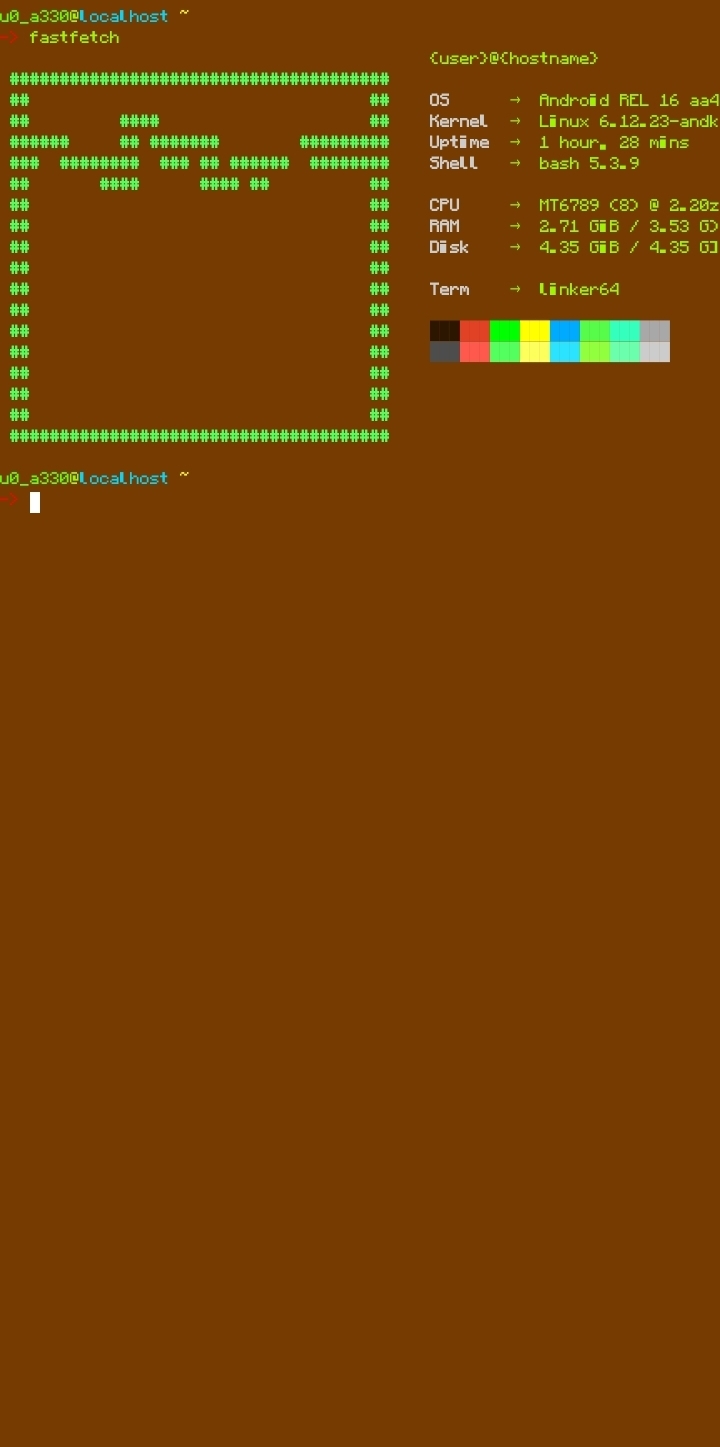
1. update the pkg.
pkg upgrade && pkg update2. install git.
pkg install git3. clone the repository.
git clone https://github.com/Ovelhart/minecraft-theme-for-termux.git4. Create the ".termux" folder if it doesn't already exist.
mkdir ~/.termux5. Copy the file from the "colors.properties" repository folder to the ".termux" folder and restart Termux.
6. Create the "fastfetch" folder inside the ".config" folder.
mkdir -p ~/.config/fastfetch7. Copy the files "config.jsonc" and "ascii.txt" to ".config/fastfetch".
8. Download the regular version of this font.
https://www.fontspace.com/minecraft-font-f281809. Convert the font to TTF and rename it to "font.ttf", then move it to the ".termux" folder.
1. Install bash if it's not already installed.
pkg install bash2. Set bash as the default.
chsh -s bash3. Check if bash is set as the default. If it is, the output will be something like "/data/data/com.termux/files/usr/bin/bash". If it doesn't appear, try setting it as the default again or updating bash.
echo $SHELL4. Install nano if it's not already installed.
pkg install nano5. Edit the .bashrc file.
nano ~/.bashrc6. Add this to your .bashrc file:
clear
fastfetch

# typewriter effect function
typewriter() {
    text="$1"
    delay=0.05
    for ((i=0; i<${#text}; i++)); do
        printf "%c" "${text:$i:1}"
        sleep $delay
    done
    printf "\n"
}

echo "------"
typewriter "Minecraft"
echo "------"

PS1='\[\e[1;31m\]->\[\e[0m\] '
echo -e "\e[6 q"
6. To save, press Ctrl+X, then Y, and then Enter.
1. Install Git.
pkg install git2. clone the repository.
git clone https://github.com/Ovelhart/minecraft-theme-for-termux.git3. Give permission to the file.
chmod +x minecraft-theme-for-termux/auto-installer.sh4. run the file.
./minecraft-theme-for-termux/auto-installer.sh