

![[email protected]](/Ixitxachitl/thermal_camera/blob/main/icon%402x.png)


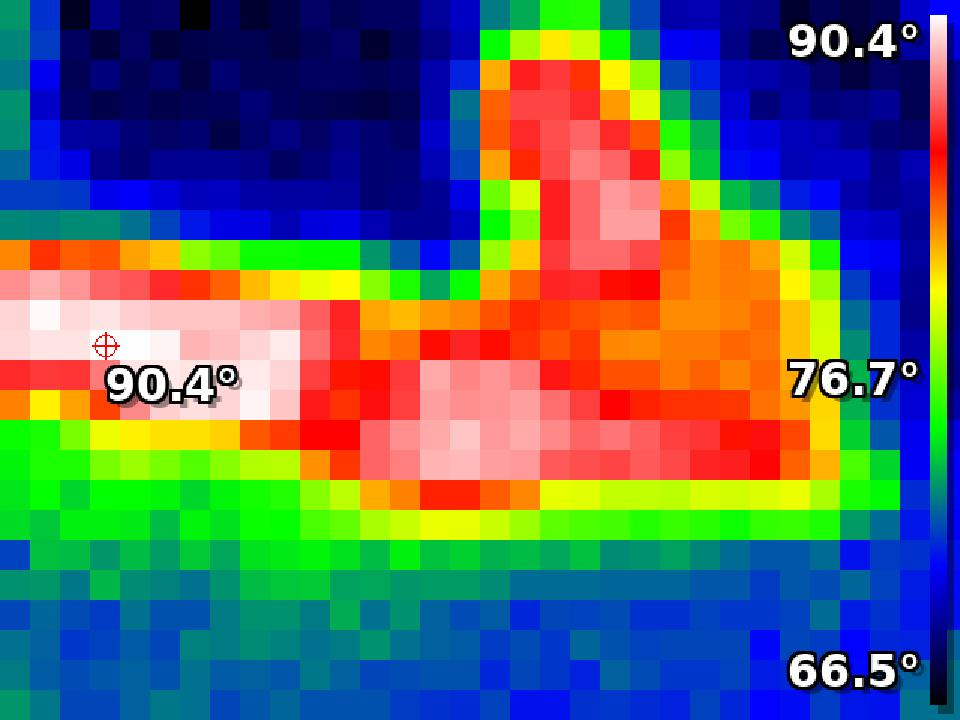
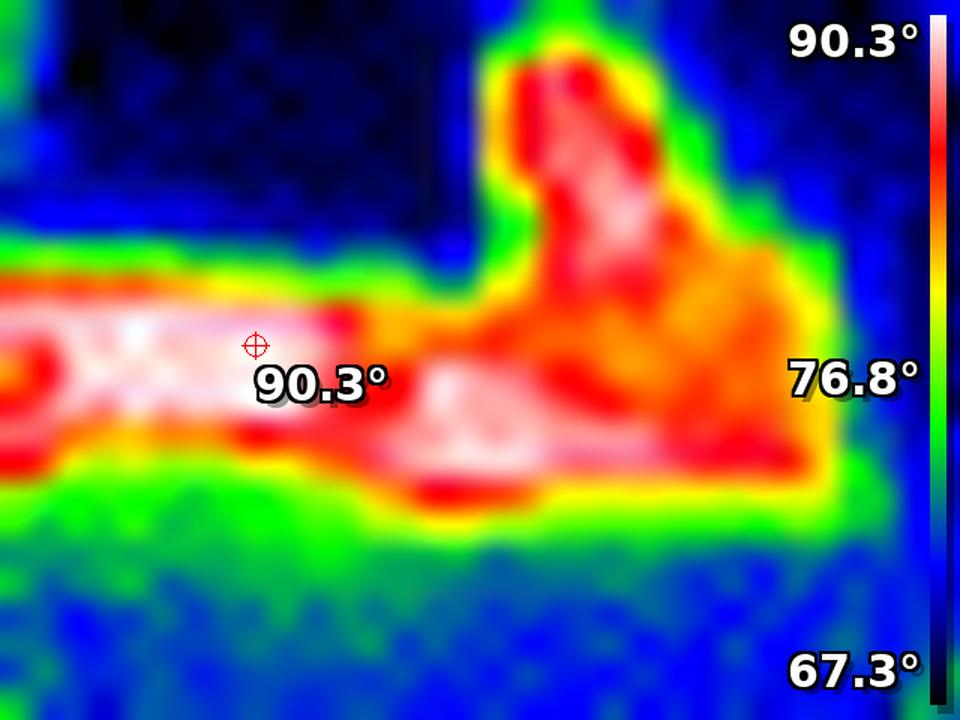
A custom Home Assistant integration that visualizes thermal data from the M5Stack T-Lite device or any compatible device that provides the required JSON data format.
- Maps thermal data to a color gradient (black, blue, green, yellow, orange, red, white) based on temperature.
- Includes a motion detection binary sensor based on temperature changes.
- Lightweight implementation using PIL (Pillow), optimized for Raspberry Pi and other low-resource devices.
- Designed specifically for the M5Stack T-Lite but can be adapted to other devices.
- Configurable thermal image dimensions, URL path, and JSON field names.
- Supports configurable image resampling methods for resizing (NEAREST, BILINEAR, BICUBIC, LANCZOS).
- Configurable desired height for thermal image display.
- Add this repository as a custom repository in HACS.
- Search for "Thermal Camera Integration" in HACS and install it.
- Restart Home Assistant.
- Copy the
thermal_camerafolder to yourcustom_componentsdirectory. - Restart Home Assistant.
This integration is now configurable through the Home Assistant UI.
- Go to Settings > Devices & Services > Integrations.
- Click Add Integration and search for "Thermal Camera".
- Follow the prompts to configure your thermal camera and motion sensor.
url(Required): The URL of the device providing the thermal data.name(Optional): The name of the camera or motion sensor. Defaults to "Thermal Camera" or "Thermal Motion Sensor".rows(Optional): The number of rows in the thermal frame. Defaults to 24.columns(Optional): The number of columns in the thermal frame. Defaults to 32.path(Optional): The URL path to access the JSON data. Defaults tojson. Use this to specify a different endpoint if necessary.data_field(Optional): The JSON field name that contains the thermal frame data. Defaults toframe. Use this to match the JSON format of your device.lowest_field(Optional): The JSON field name that contains the lowest temperature value. Defaults tolowest. Use this to match the JSON format of your device.highest_field(Optional): The JSON field name that contains the highest temperature value. Defaults tohighest. Use this to match the JSON format of your device.average_field(Optional): The JSON field name that contains the average temperature value. Defaults toaverage. Use this to match the JSON format of your device.resample(Optional): The resampling method used for resizing the thermal image. Options areNEAREST,BILINEAR,BICUBIC, andLANCZOS. Defaults toNEAREST. This allows you to control the quality and performance of the resizing operation.motion_threshold(Optional): The temperature difference threshold used to detect motion. Defaults to8. This determines how sensitive the sensor is to temperature changes.desired_height(Optional): The desired height of the thermal image. Defaults to720. This allows for customizing the output height of the thermal image.
The integration expects to fetch thermal data from the URL provided in the configuration. The device should serve the data as JSON in the following format:
{
  "average": 78.7,
  "highest": 82.8,
  "lowest": 67.2,
  "frame": [
    80.2, 80.4, 83.4, 83.3, ..., 68.6, 67.8  // A 768-element array (32x24)
  ]
}- The unit of temperature (
average,highest,lowest, and values inframe) is not important to the functionality of this integration and can be provided in any consistent unit. average: The average temperature of all the pixels in the frame (float).highest: The highest temperature in the frame (float).lowest: The lowest temperature in the frame (float).frame: An array of floating-point values representing the thermal image frame, ordered row by row.
- The device should serve the data over HTTP.
- The endpoint must return the JSON response described above.
- The device should be accessible via a URL in the format
http://<device-ip>/<path>(default path isjson).
The motion detection sensor calculates the difference between the "highest" and "average" temperatures in the frame. If the difference exceeds a certain threshold (default: 8), it indicates motion. You can adjust this threshold in the configuration.
For interfacing with the output stream of the M5Stack T-Lite in Home Assistant using the MJPEG integration, use the /stream endpoint from the device IP. Note that this integration does not use the /stream endpoint directly; instead, it uses JSON data to render its own image.
If you would like to add the MJPEG source to go2rtc, an example configuration would look like this:
- ffmpeg:http://<device-ip>/stream#video=h264#hardware#width=1920#height=1080#raw=-sws_flags neighbor
You can modify the options as needed, but this worked for me. Note that integrating the MJPEG source into go2rtc is outside the scope of this project.
This integration is compatible with devices running firmware based on ESP8266 that serves thermal data in JSON format. To make devices running this firmware work with the integration, the following configuration options are required:
- Endpoint URL: Ensure that the
pathpoints to therawendpoint of the device, which serves the thermal data in JSON format. The endpoint should provide data athttp://<device-ip>/raw. - Data Field Configuration:
data_field: Set todatato align with the firmware's JSON response.lowest_field: Set tominto access the lowest temperature in the frame.highest_field: Set tomaxfor the highest temperature value.average_field: Set toavgto obtain the average temperature across the grid.
- Resolution Configuration:
- The firmware uses an 8x8 resolution, so set
rowsandcolumnsto8accordingly.
- The firmware uses an 8x8 resolution, so set
- Motion Detection:
- The firmware includes a
person_detectedfield, but this data is not used by the integration for motion detection. Instead, motion detection is handled externally by the integration, which uses temperature differences to determine motion.
- The firmware includes a
- Adjustments can be made in the integration's settings through the Home Assistant UI.
- You can modify the font, scaling, color mapping logic, or resampling method in the code if deeper customization is needed.
- For the motion detection sensor, you can customize the temperature difference threshold in the configuration to fine-tune sensitivity.
If the camera feed shows a broken image, check:
- The URL is reachable and returns the expected JSON format.
- The device is correctly configured to provide frame data with the specified dimensions.
- Review the Home Assistant logs for error messages.
This integration includes the DejaVu font. The license for the DejaVu font can be found in the custom_components/thermal_camera/DejaVuSans-License.txt.
For further assistance, feel free to open an issue on the GitHub repository.