Welcome to the Boosty Downloader project!
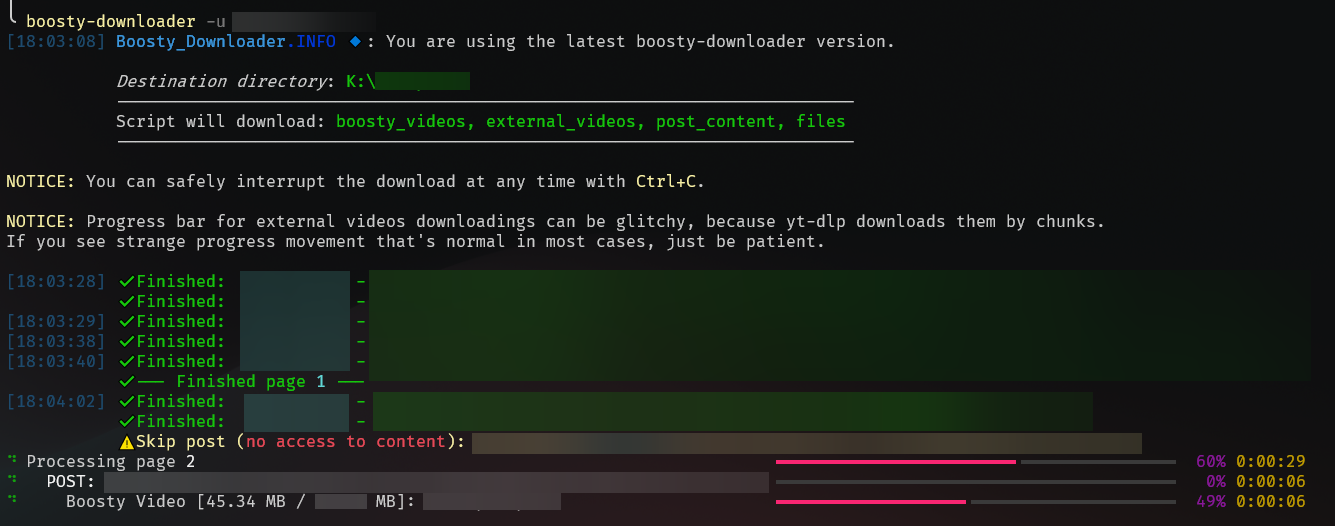
This CLI tool allows you to download most of the content from Boosty.to in bulk. The post content itself is saved in html with a little bit of styling.
You can download:
- Boosty Videos
- External Videos (YouTube, Vimeo)
- Files
- Full Post content (including photos and links)
- 🖥️ About
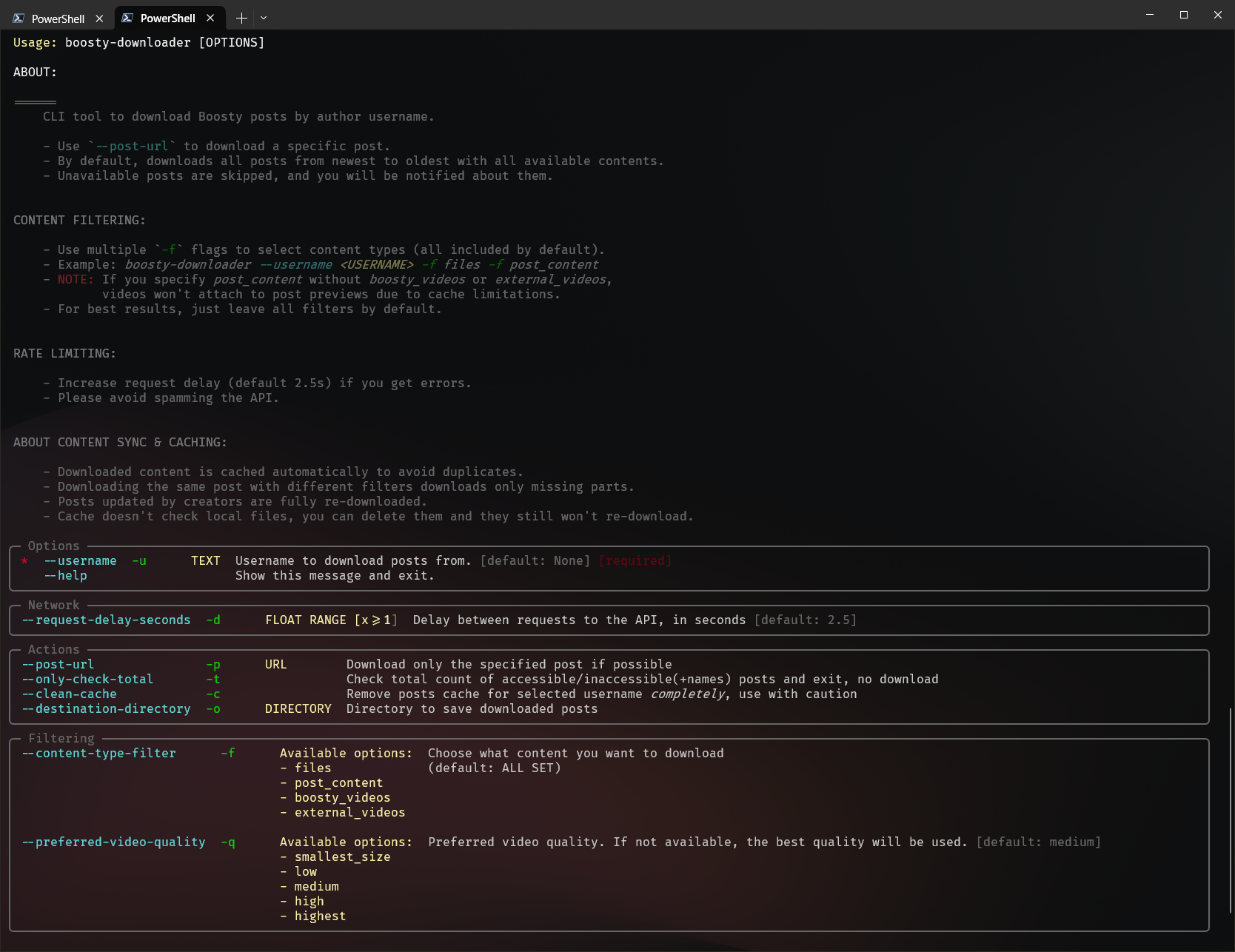
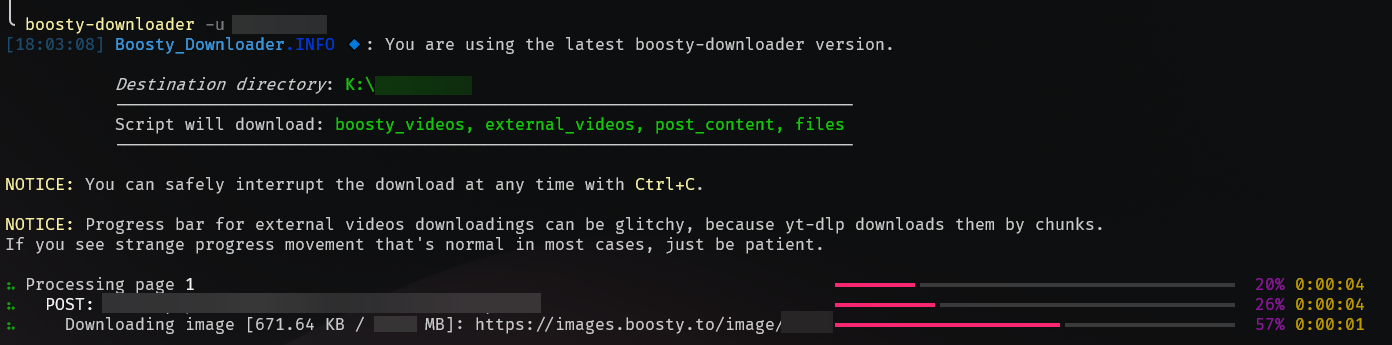
- 📦 Bulk download: Download all available content from your favorite creator.
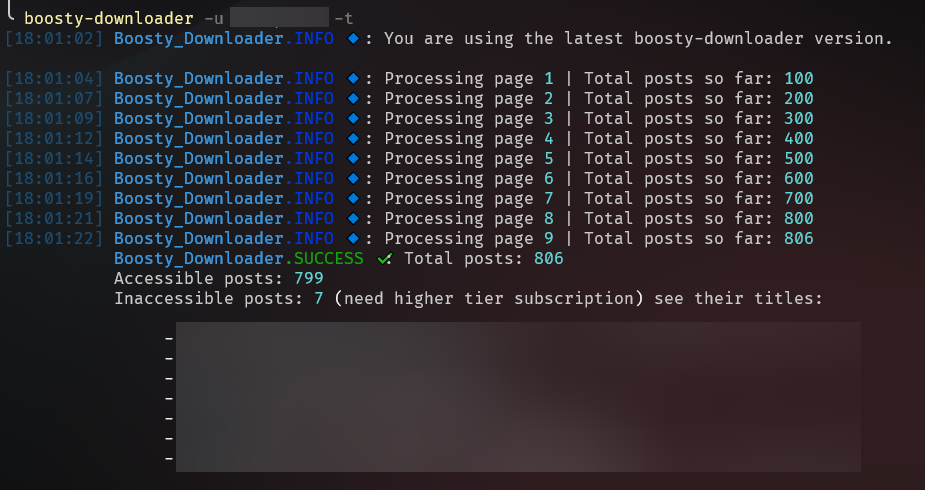
- 🔎 Total checker: See how many posts are available to you, and which are not.
- 📂 Content type filters: Download only the content you need (videos, images, etc) with
--content-type-filter. - 📄 Download specific posts: Download post by url and username.
- 🔃 Sync content seamlessly: The utility keeps cache of already downloaded posts, so you can resume your download at any time or get new content after a while.
- 📼 Choose your video quality: You can choose preferred video quality to download (for boosty videos)
- 🎨 Beauty posts preview: You can see posts content with rendered offline html files with dark/light theme changing.
- 📊 Order matters: Posts have dates in names, so you can just sort it by name in your file explorer and see them in the correct chronological order.
- 🆙 App update checker: If new updates are available, you'll be notified when you use the application next time.
- 🔑 Auth helper script: Run
boosty-downloader show-auth-scriptto get a browser console script that extracts your credentials automatically.
-
Install python:
- Window:
winget install Python.Python.3.13
- Linux:
sudo apt-get install python3
- macOS:
brew install python
- Window:
-
Install the boosty-downloader package:
pip install boosty-downloader
-
Run the application:
boosty-downloader --help
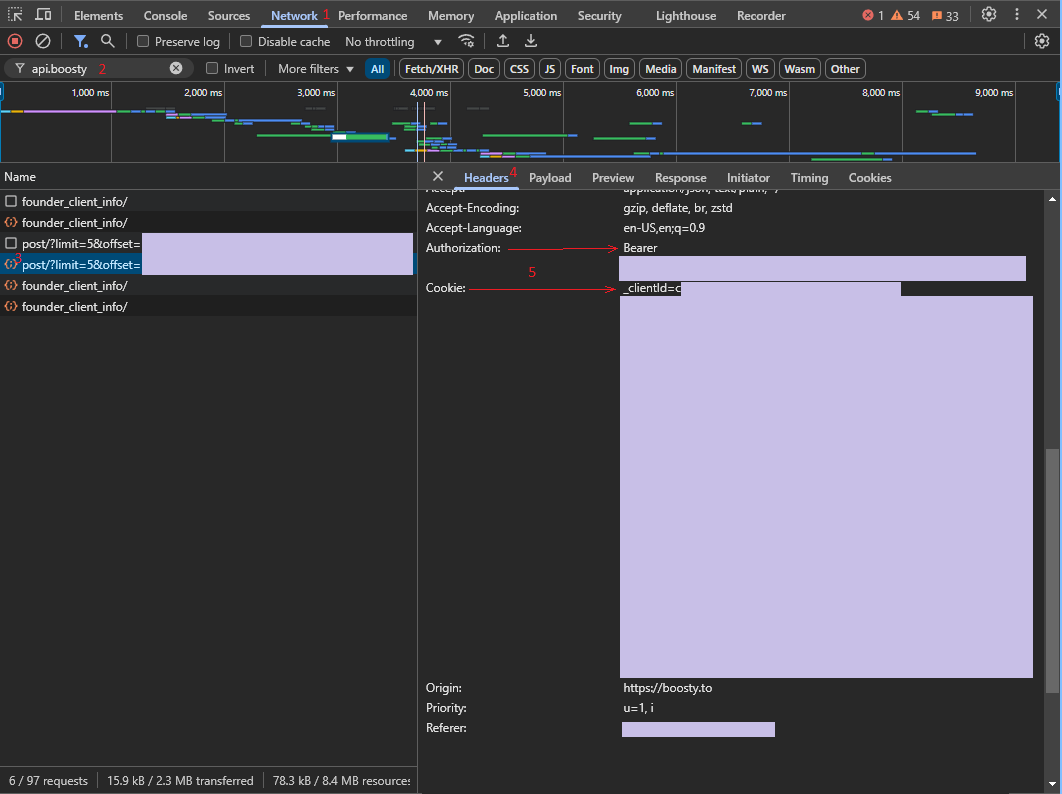
- Open the Boosty website.
- Click the "Sign in" button and fill you credentials.
- Navigate to any author you have access to and scroll post a little.
- Copy auth token and cookie from browser network tab.
- Run
boosty-downloader show-auth-scriptto show the helper script (it will be copied to your clipboard automatically). - Open the Boosty website and log in.
- Open browser console (F12) and paste the script.
- Scroll the page a little - a floating box with your credentials will appear.
This config will be created during first run of the app in the current working directory.
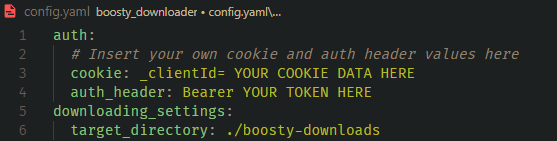
Now you can just download your content with the following command:
boosty-downloader download --username YOUR_CREATOR_NAMEOne bad post never costs you the whole run:
- A post that fails to download is skipped, and the run continues.
- Every skipped post is written to
failed_downloads.lognext to your downloads. - At the end, a summary lists everything that was skipped and why.
- If 5 posts in a row fail, the downloader stops early: a streak like this means the problem is not in the posts - check your disk, folder permissions, or network.
- Prefer to finish the pass no matter what? Add
--skip-all-failures- the run never stops on a failure streak.
Downloaded posts are cached. After you fix the cause, run the same command again - finished posts are skipped in seconds, and the download continues where it stopped.
Can't tell what's breaking? Re-run with --debug: it writes boosty-downloader-debug.log with every request and full error details, safe to attach to a GitHub issue - download links are logged without their signed keys.
If you want to contribute to this project, please see the CONTRIBUTING.md.
This project is licensed under the MIT License - see the LICENSE file for details.