| 【EN】 | 〖RU〗 |
|---|
Python program for conversion of bitmap heightfield (in PNG or PGM/PPM format) to 3D triangle mesh in POV-Ray POV, Wavefront OBJ, Autodesk DXF and stereolithography (3D printer) STL format. Resulting triangle mesh provides better rendering in case of low-res source files as compared to using source bitmaps as a heightfield directly.
| Fig. 1. Example of img2mesh output rendering |
|---|
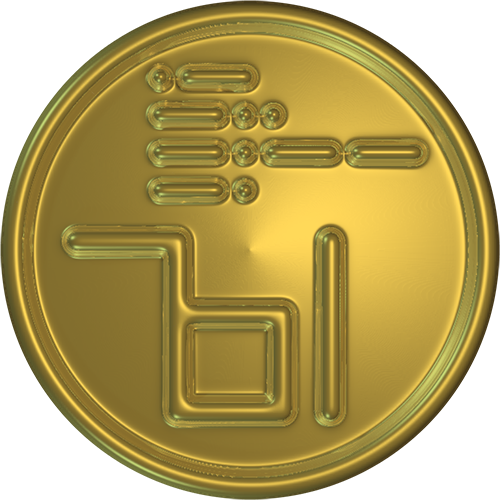 |
| Example of rendering obtained from black and white drawing (made in Inkscape from text and circle, with a bit of Gaussian Blur added in GIMP) after conversion to 3D mesh with img2mesh and changing texture from default to metallic in POV-Ray. |
| Import image format | Export 3D mesh format |
|---|---|
| 16 and 8 bits per channel PNG, PGM and PPM | POV, OBJ, ASCII STL, ASCII DXF |
-
img2mesh.py - suitable GUI frontend comprising all programs and functions.
-
list2mesh module, including:
-
list2pov.py: nested 3D list to POV-Ray scene conversion and output. Exported file contain fully operational scene;
-
list2stl.py: nested 3D list to stereolithography ascii STL object conversion and output. Exported file contain elevation map mesh plus sides and bottom as needed for 3D printer;
-
list2obj.py: nested 3D list to Wavefront OBJ conversion and output. Exported file contain elevation map mesh only;
-
list2dxf.py: nested 3D list to Autodesk ASCII DXF conversion and output Exported file contain elevation map mesh only;
-
-
pypng and pypnm folders comprise:
| Fig. 2. Preview of img2mesh output files |
|---|
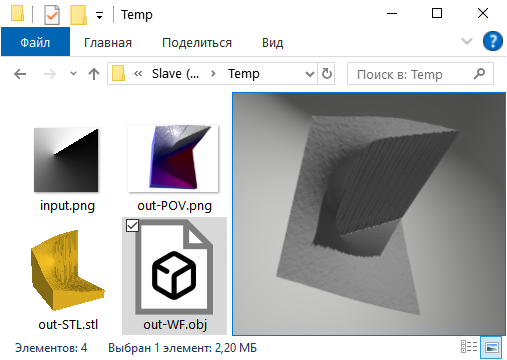 |
| Simple example of img2mesh output in different formats: a screenshot of Windows Explorer showing thumbnails for misc. files created by img2mesh from one input "in.png" map. |
- Python 3.11 or above.
- PyPNG. Copy included into current img2mesh distribution.
- PyPNM. Copy included into current img2mesh distribution.
- Tkinter. Normally included into standard CPython distribution.
Programs distribution is rather self-contained and is supposed to run right out of the box assuming standard CPython is installed on your system. Program is equipped with minimal GUI, so all you have to do after starting a program is open image file using double-click into dialog or Ctrl+O keys, or bring to life main "File" menu with right-click or Alt+F, then use "Export..." to name 3D file to be created, then wait while program does the job, then open resulting file with suitable 3D software and render the scene.
Note
Since img2mesh 4.28.1.8 mesh geometry changed from ver. 3 to 4, which combines different approaches for smooth areas and sharp diagonal transitions.
Geometry variants switch depending on local contrast, therefore threshold control is added to GUI. Default threshold setting is based on some experiments but still may need several retries on some objects. But we keep our experiments going; our main goal surely is public heath (c) Dr. Zhbach.
Export module, containing 3D-export functions, may be copied and used by other developers at will.
-
Wavefront Object Files (.obj) specs from Paul Bourke collection.
-
Cătălin IANCU et al., From CAD model to 3D print via “STL” file format.
-
DXF Reference by Autodesk, Inc.
Dnyarri website - more Python freeware for image processing, 3D, and batch automation by the same author.
img2mesh page with illustrations, explanations etc.