Complete Remote Monitoring & Control for Windows






RuntimeBroker is a production-ready remote administration toolkit that lets you fully control any Windows 10/11 machine from your Android phone — over the internet, securely, with zero configuration on the target network.
| 🎮 Control | 📊 Monitor | 🔧 Manage |
|---|---|---|
| Mouse, Keyboard, Text Input | Live Screen Stream (60 FPS) | Processes & Services |
| Shell Commands (Admin) | Screenshots & Camera | File System (Read/Write) |
| Screen Rotation | Microphone & Audio | System Information |
Perfect for: IT admins, developers, power users, homelab enthusiasts, and anyone who needs remote access to their Windows machines from anywhere.
graph LR
    A[📱 Android App<br/>Kotlin + XML] <-- WSS/HTTPS --> B[☁️ Relay Server<br/>Node.js + Express + ws]
    B <-- WSS/HTTPS --> C[🖥️ Windows Agent<br/>C# .NET 8 Service]

    style A fill:#3DDC84,color:#000
    style B fill:#339AF0,color:#fff
    style C fill:#0078D4,color:#fff
- Android App connects to Server via HTTPS/WebSocket
- Windows Agent runs as
LocalSystemservice, maintains persistent WebSocket to Server - Server relays commands/results bidirectionally — no direct connection needed
- All traffic encrypted via TLS (Render provides automatic certificates)
🖥️ Screen & Display (Click to expand)
| Feature | Description |
|---|---|
| 📺 Live Screen Streaming | Real-time JPEG frames via WebSocket. Configurable interval (250ms–3s), quality (1–100), max width. Pinch-to-zoom, pan, rotate on phone. |
| 📸 Full-Resolution Screenshot | PNG capture on demand. DPI-aware virtual screen capture (multi-monitor support). |
| 🔄 Screen Rotation | Rotate target display: 0°, 90°, 180°, 270°. Runs in user's interactive session. |
| 🎯 Multi-Monitor Support | Capture all virtual screens or specific monitors. |
⌨️ Input Control (Click to expand)
| Feature | Description |
|---|---|
| ⌨️ Text Input | Send keystrokes to any focused window on target. Supports special keys, modifiers. |
| 🖱️ Mouse Control | Move, left/right click, double-click, drag, scroll. Coordinates relative to screen. |
| 📝 Paragraph Typing | Human-like typing with configurable WPM (10–200). Optional Enter at end. Runs async — phone watches progress on live screen. |
| 🛑 Emergency Stop | Global hotkey (Ctrl+Shift+X) on target stops all input immediately. Android "Stop All" button. |
💻 System Control (Click to expand)
| Feature | Description |
|---|---|
| 🐚 Shell Execution | Run cmd.exe commands with output capture. Configurable timeout (1–600s). Runs as LocalSystem (elevated). |
| 📋 Process Manager | List all processes with: PID, name, window title, CPU% (sampled), RAM (MB), network connections, session ID, visible window flag. Kill by PID. |
| ⚙️ Service Manager | List all services: name, display name, status, startup type. Actions: start, stop, restart, set startup (auto/manual/disabled). |
| 📁 File Operations | Browse directories (recursive), read files (base64), write files (base64), transfer files to target's Downloads folder. |
📷 Media & Hardware (Click to expand)
| Feature | Description |
|---|---|
| 📷 Camera Photo | Capture single photo from default webcam. Returns base64 JPEG. |
| 🎥 Camera Video | Record video (1–120 seconds). Returns base64 MP4. |
| 🎤 Microphone Recording | Record audio (1–300 seconds). Returns base64 M4A. |
| 🔊 Audio Playback | Upload MP3/WAV (base64), play on target's audio device. Stops on "Stop Audio" command. |
🤖 Agent Features (Click to expand)
| Feature | Description |
|---|---|
| 🔁 Auto-Reconnect | Exponential backoff reconnection to server. Configurable delay. |
| 💻 Machine Info | Reports: hostname, model, serial, OS version, username, IP, agent version. |
| 🔥 Hot-Reload Config | Reads agent.config.json on startup; no restart needed for config changes. |
| 🔐 ACL-Locked Config | Installer sets permissions: SYSTEM/Admins RW, Users Read-only. |
| 🛡️ Crash Recovery | Windows service configured with failure actions: restart on crash (5s, 10s, 30s intervals). |
Manual Steps:
# 1. Fork this repo
# 2. Create Web Service on Render → Connect your fork
# 3. Render auto-detects render.yaml:
#    Build:  cd Server && npm install
#    Start:  cd Server && node server.js
#    Health: /api/health
# 4. Add Environment Variable: ADMIN_PASSWORD = your-strong-random-string
# 5. Deploy → Get URL: https://your-app.onrender.com
⚠️ Important: Generate a strong password:openssl rand -base64 32
| Method | Instructions |
|---|---|
| 📦 Installer (Recommended) | Download RuntimeBroker-Setup-<version>.exe from Releases → Run as Administrator → Enter server URL & password |
| 🔧 Manual | Download RuntimeBroker.exe → Place in C:\Program Files\RuntimeBroker\ → Run RuntimeBroker.exe --install as Admin |
Configuration (agent.config.json):
{
  "ServerUrl": "wss://your-app.onrender.com/ws/agent",
  "Token": "your-admin-password",
  "ReconnectDelaySec": 5
}- Download APK from Releases (or build from source)
- Install on Android (enable "Install from unknown sources")
- Open app → Settings → Server Setup → Enter:
- Server URL:
https://your-app.onrender.com - Admin Password: (same as
ADMIN_PASSWORD)
- Server URL:
- Tap Connect → Select your machine → Start controlling!
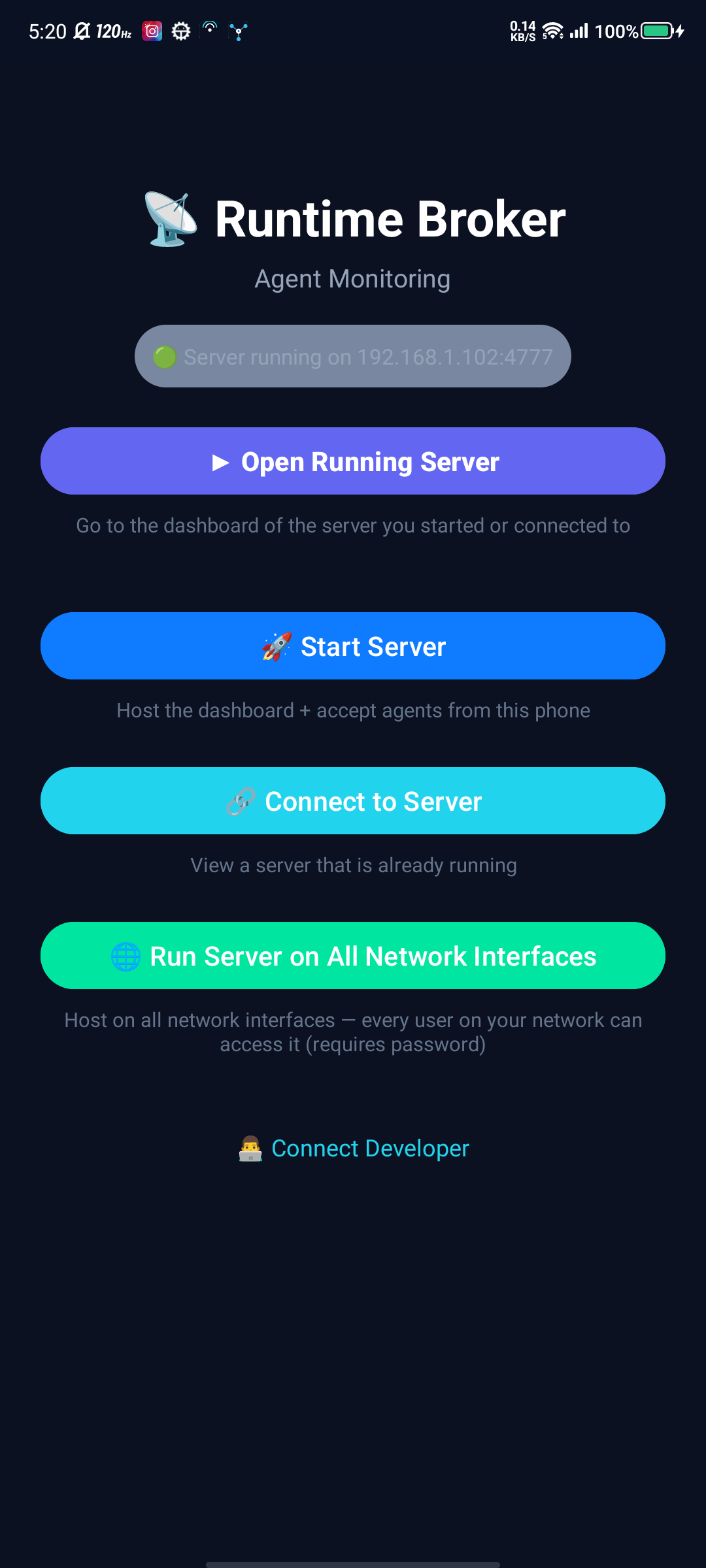
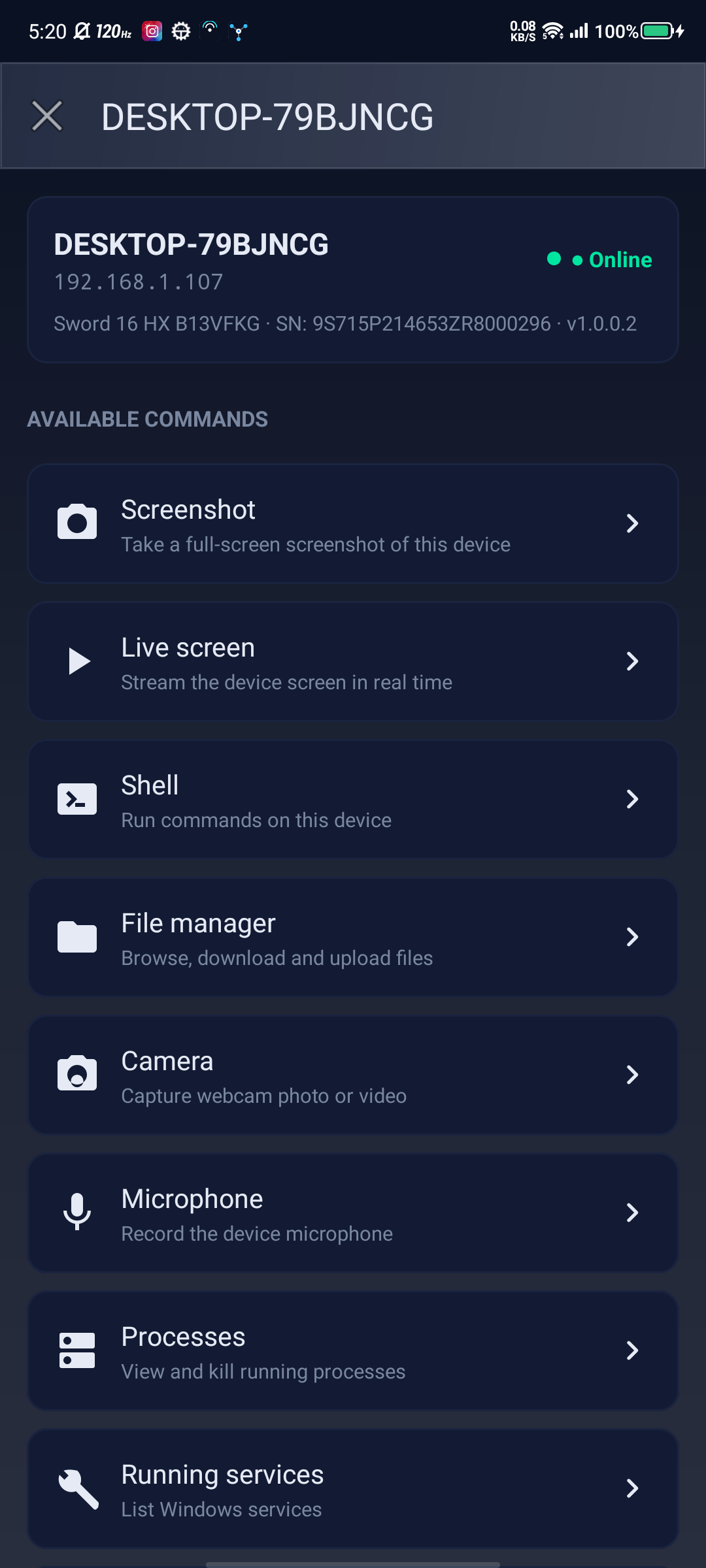
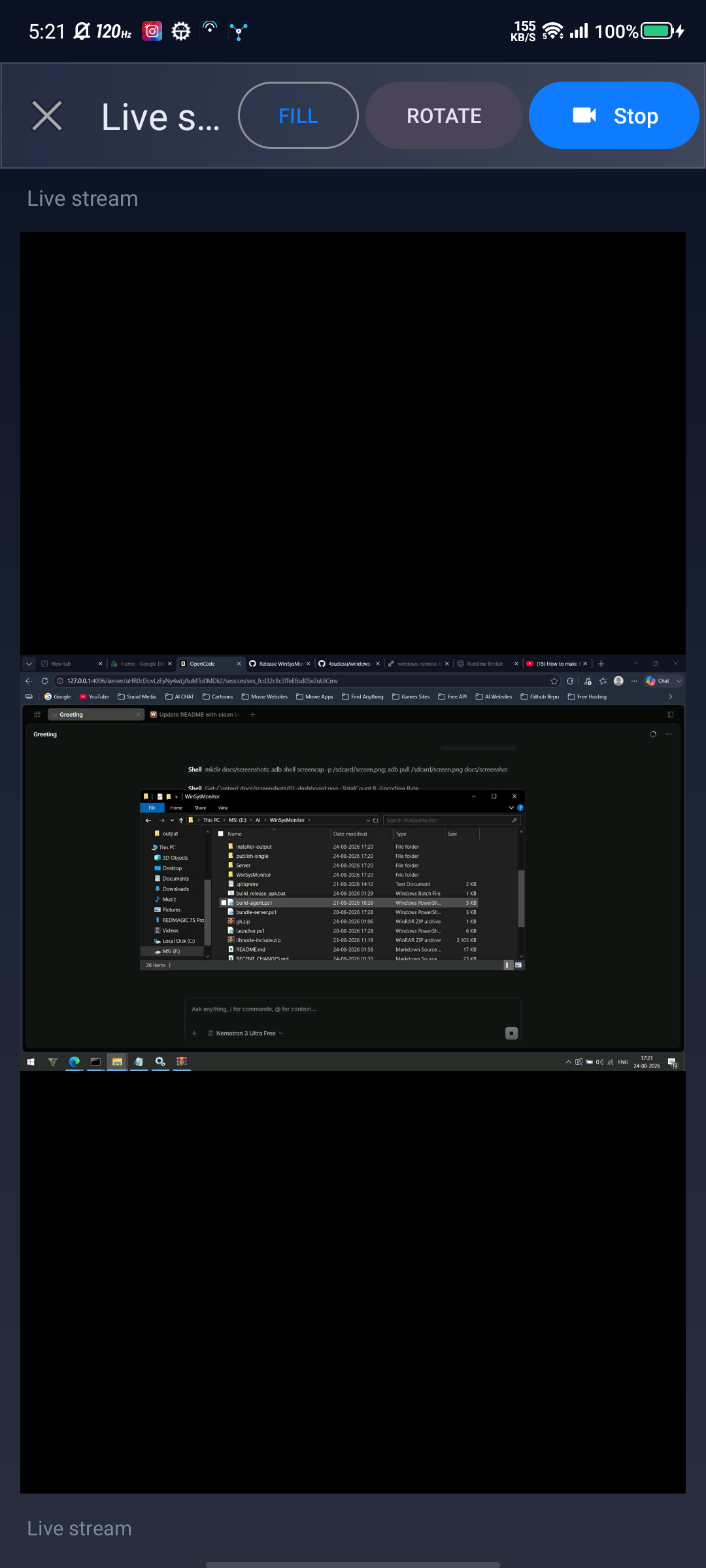
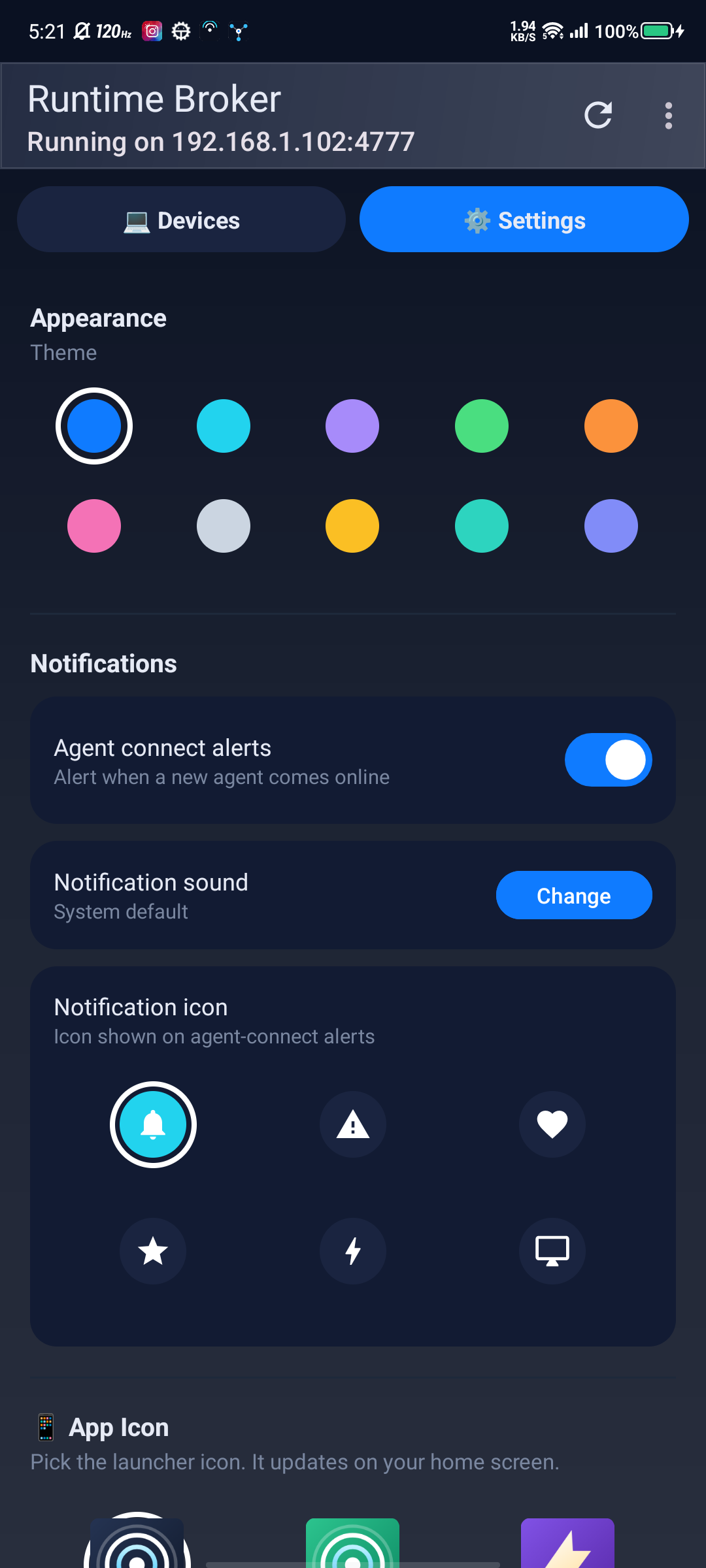
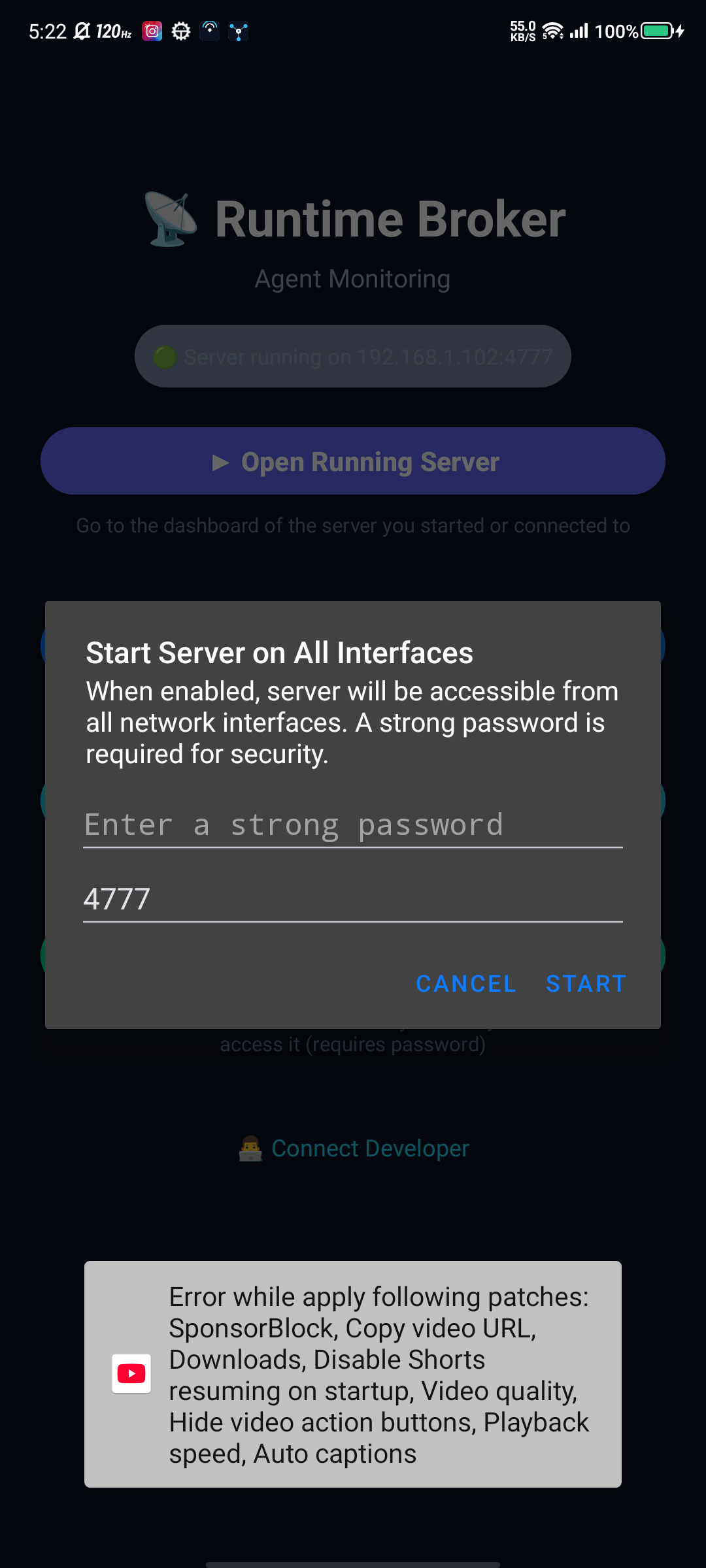
📸 Screenshots from v4.2 — 8 themes, 7 app icons, 5 notification tones + custom
🔗 REST Endpoints
| Method | Path | Auth | Description |
|---|---|---|---|
GET |
/api/health |
— | Server status, agent count, version |
GET |
/api/agents |
— | List online agents (supports ?q= search) |
POST |
/api/monitor/:machine/screenshot |
Admin pwd | Full-res PNG screenshot |
POST |
/api/monitor/:machine/command |
Admin pwd | Generic command dispatcher |
WS |
/ws/agent |
Token | Agent registration + command/result channel |
WS |
/ws/live/:machine |
Admin pwd | Live screen JPEG stream |
POST |
/api/config |
Device ID + pwd | Android device connection check |
POST |
/api/config/status |
Device ID | Android device lock status check |
⚡ Commands (via `/api/monitor/:machine/command`)
// Shell
{ "cmd": "shell_exec", "params": { "command": "dir", "timeoutSec": 30, "admin": true } }

// Processes
{ "cmd": "list_processes" }
{ "cmd": "kill_process", "params": { "pid": 1234 } }

// Services
{ "cmd": "list_services" }
{ "cmd": "service_action", "params": { "name": "wuauserv", "action": "restart" } }

// Files
{ "cmd": "list_files", "params": { "path": "C:\\Users" } }
{ "cmd": "read_file", "params": { "path": "C:\\file.txt" } }
{ "cmd": "write_file", "params": { "path": "C:\\file.txt", "base64": "..." } }
{ "cmd": "transfer_file", "params": { "base64": "...", "filename": "file.txt" } }

// Input
{ "cmd": "input_text", "params": { "text": "hello world" } }
{ "cmd": "input_mouse", "params": { "x": 100, "y": 200, "action": "click" } }
{ "cmd": "input_paragraph", "params": { "text": "...", "wpm": 60, "addEnter": true, "async": true } }
{ "cmd": "stop_typing" }

// Screen
{ "cmd": "screen_rotate", "params": { "degrees": 90 } }

// Media
{ "cmd": "camera_photo" }
{ "cmd": "camera_video", "params": { "seconds": 10 } }
{ "cmd": "mic_record", "params": { "seconds": 5 } }
{ "cmd": "play_audio", "params": { "base64": "...", "filename": "sound.mp3" } }
{ "cmd": "stop_audio" }

// System
{ "cmd": "stop_all" }| Variable | Required | Default | Description |
|---|---|---|---|
PORT |
No | 3001 |
HTTP/WS port (Render sets automatically) |
ADMIN_PASSWORD |
Yes | — | Auth token for all API/WS calls |
NODE_ENV |
No | production |
Runtime mode |
{
  "ServerUrl": "wss://your-app.onrender.com/ws/agent",
  "Token": "your-admin-password",
  "ReconnectDelaySec": 5
}Set in-app via Settings → Server Setup:
- Server URL (e.g.,
https://your-app.onrender.com) - Admin password
🖥️ Windows Agent (.NET 8 SDK Required)
cd Agent
# Self-contained single-file EXE (~26 MB)
dotnet publish -c Release -r win-x64 --self-contained true -p:PublishSingleFile=true -o ../publish-single

# With installer (requires Inno Setup 6)
.\build-agent.ps1
# Outputs:
#   Ready to Push\RuntimeBroker.<version>.exe
#   installer-output\RuntimeBroker-Setup-<version>.exe
📱 Android App (Android Studio Required)
# Open AndroidApp/ in Android Studio
# Build → Build Bundle(s)/APK(s) → Build APK(s)
# Output: AndroidApp/app/build/outputs/apk/release/RuntimeBroker<version>.apk
☁️ Server (Node.js 18+)
cd Server
npm install
npm start # Runs on http://localhost:3001Runtime Broker/
├── 📁 Agent/ # C# .NET 8 Windows Agent
│ ├── Program.cs # Entry point (service + one-shot modes)
│ ├── RemoteCommands.cs # All command implementations
│ ├── ScreenCapture.cs # DPI-aware screen capture
│ ├── PowerShellRunner.cs # Interactive session launcher (WTS + Scheduled Tasks)
│ ├── AgentService.cs # Windows Service wrapper
│ ├── AgentClient.cs # WebSocket client for server
│ ├── AgentConfig.cs # Config loading
│ ├── EmergencyStop.cs # Global hotkey handler
│ ├── InteractiveActions.cs # Input actions (text, mouse, paragraph, etc.)
│ ├── DeviceInfo.cs # Machine info collection
│ ├── RuntimeBroker.csproj # Project file
│ └── app.manifest # UAC manifest
├── 📁 Server/ # Node.js WebSocket/HTTP Server
│ ├── server.js # Main server (Express + ws)
│ ├── package.json # Dependencies (express, ws)
│ └── 📁 dashboard/ # Web dashboard (HTML/JS/CSS)
├── 📁 AndroidApp/ # Kotlin Android App
│ ├── app/src/main/... # Activities, API, Adapters, Resources
│ └── build.gradle.kts # Gradle config
├── 📁 Installer/ # Inno Setup Installer
│ └── installer.iss # Installer script (admin, service, ACL)
├── 📁 scripts/ # Utility scripts
│ └── relocate-runtimebroker.ps1
├── build-agent.ps1 # Version bump + publish + installer build
├── deploy-agent.ps1 # Deploy to target machine (admin)
├── render.yaml # Render deployment config
└── README.md # This file
| Practice | Implementation |
|---|---|
| 🔐 Strong Authentication | ADMIN_PASSWORD required (32+ chars recommended) |
| 🔒 Encryption in Transit | All traffic via HTTPS/WSS (Render provides TLS) |
| 🛡️ Least Privilege Config | Agent config ACL-locked: SYSTEM/Admins RW, Users Read-only |
| 🚫 No Hardcoded Secrets | All credentials via env vars or user input |
| 🔑 Token-Based Agent Auth | Agent authenticates with token on WebSocket connect |
| 📱 Device Lock (Android) | 3 failed attempts → device blocked, requires server-side unlock |
⚠️ Warning: Agent runs asLocalSystem— full machine access. Only install on trusted machines you own/control.
| Platform | File | Size | Version |
|---|---|---|---|
| Windows | RuntimeBroker-v1.0.0.2.exe |
~26 MB | Agent v1.0.0.2 |
| Windows | RuntimeBroker-Setup-v1.0.0.2.exe |
~28 MB | Installer |
| Android | RuntimeBroker-v4.2.apk |
~187 MB | App v4.2 |
We welcome contributions! Please read our Contributing Guidelines first.
# 1. Fork the repo
# 2. Create feature branch: git checkout -b feature/amazing-feature
# 3. Commit changes: git commit -m 'Add amazing feature'
# 4. Push branch: git push origin feature/amazing-feature
# 5. Open a Pull RequestOpen an Issue with:
- OS versions (Server, Windows target, Android)
- Steps to reproduce
- Expected vs actual behavior
- Logs (agent:
C:\Windows\Temp\RuntimeBroker\, server: Render logs)
MIT License — Free for personal and commercial use.
See LICENSE for details.
- .NET — Cross-platform runtime
- Node.js — JavaScript runtime
- Express — Web framework
- ws — WebSocket library
- Android — Mobile platform
- Kotlin — Modern language
- Render — Free hosting
- Inno Setup — Windows installer


🚀 Deploy server to Render → Install agent on Windows → Control from phone 📱
Made with ❤️ by @4sudosu