These are the code samples from the 6th post in the Gemini API series for running on the Google AI (GAI) and Vertex AI (GCP) platforms. The post details how to use the Gemini 2.5 API as well as how to upgrade from older client libraries for Gemini 1.0 & 1.5. More information about migration and the code are in the post.
GAI: API key is required. Follow the instructions below. The GAI scripts will not run without an API key which should be either assigned to the GEMINI_API_KEY environment variable or saved to a local file, .env (Node.js) or settings.py (Python). (Templates for both provided.) |
| GCP: User auth via ADC for local dev environments is required to run the old client library code and recommended for current library code. The current library also supports API keys, but user auth/ADC is recommended as it's more secure. (For production, use service accounts. [I don't believe Google has documentation on how to do this, so I may have to do so in an upcoming post as I like to cover topics not in Google's documentation.]) |
| 💰 Cost considerations |
|---|
| GAI: Google AI has a free tier; see its pricing page for more information. |
| GCP: Vertex AI does not have a free tier, and an active billing account is required, so definitely check out its pricing page to find out how much it'll cost to run the GCP scripts. |
Code is available in Python 3 & Node.js, the latter as both ECMAscript modules as well as CommonJS scripts, plus corresponding configuration files.
To compare like-scripts, the old client library version sits above its current client library equivalent. There is also a "diff" image if you want to compare old vs. new side-by-side.
| Client library | Python (.py) |
ECMAscript (.mjs) |
CommonJS (.js) |
|---|---|---|---|
| GAI | |||
| GenerativeAI (old) | gem25txt-simple-gai-old.py |
gem25txt-simple-gai-old.mjs |
gem25txt-simple-gai-old.js |
| GenAI (current) | gem25txt-simple-gai-cur.py |
gem25txt-simple-gai-cur.mjs |
gem25txt-simple-gai-cur.js |
| Old vs. current "diffs" | PNG | PNG | n/a (see .mjs diffs) |
| GCP | |||
| VertexAI (old) | gem25txt-simple-gcp-old.py |
gem25txt-simple-gcp-old.mjs |
gem25txt-simple-gcp-old.js |
| GenAI (current) | gem25txt-simple-gcp-cur.py |
gem25txt-simple-gcp-cur.mjs |
gem25txt-simple-gcp-cur.js |
| Old vs. current "diffs" | PNG | PNG | n/a (see .mjs diffs) |
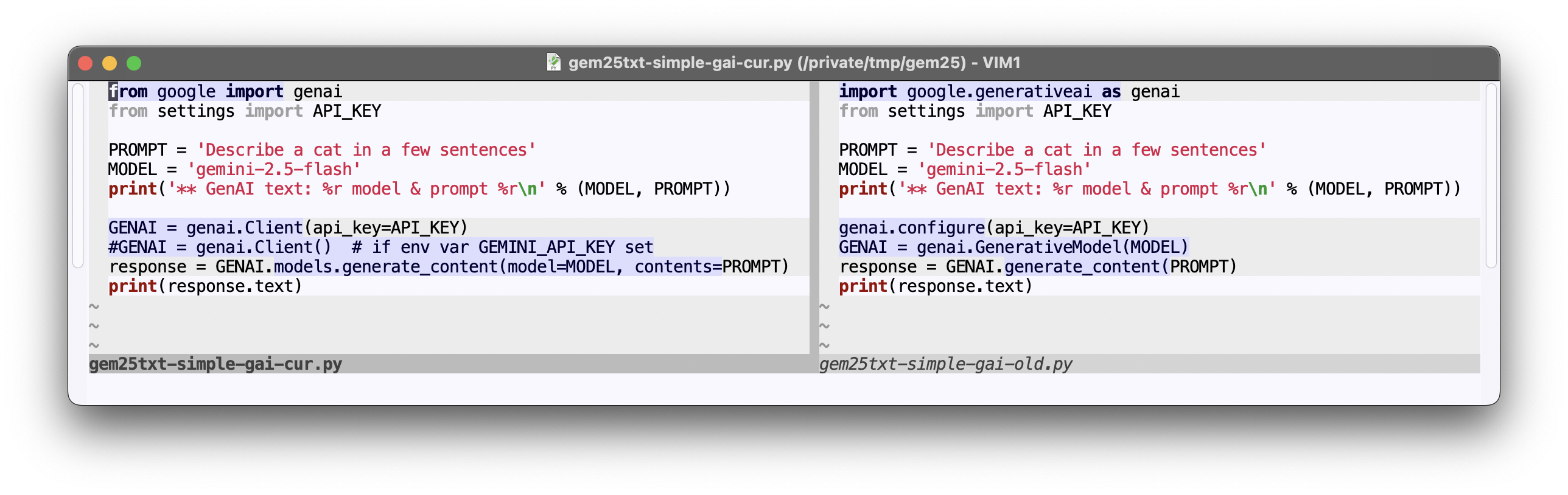
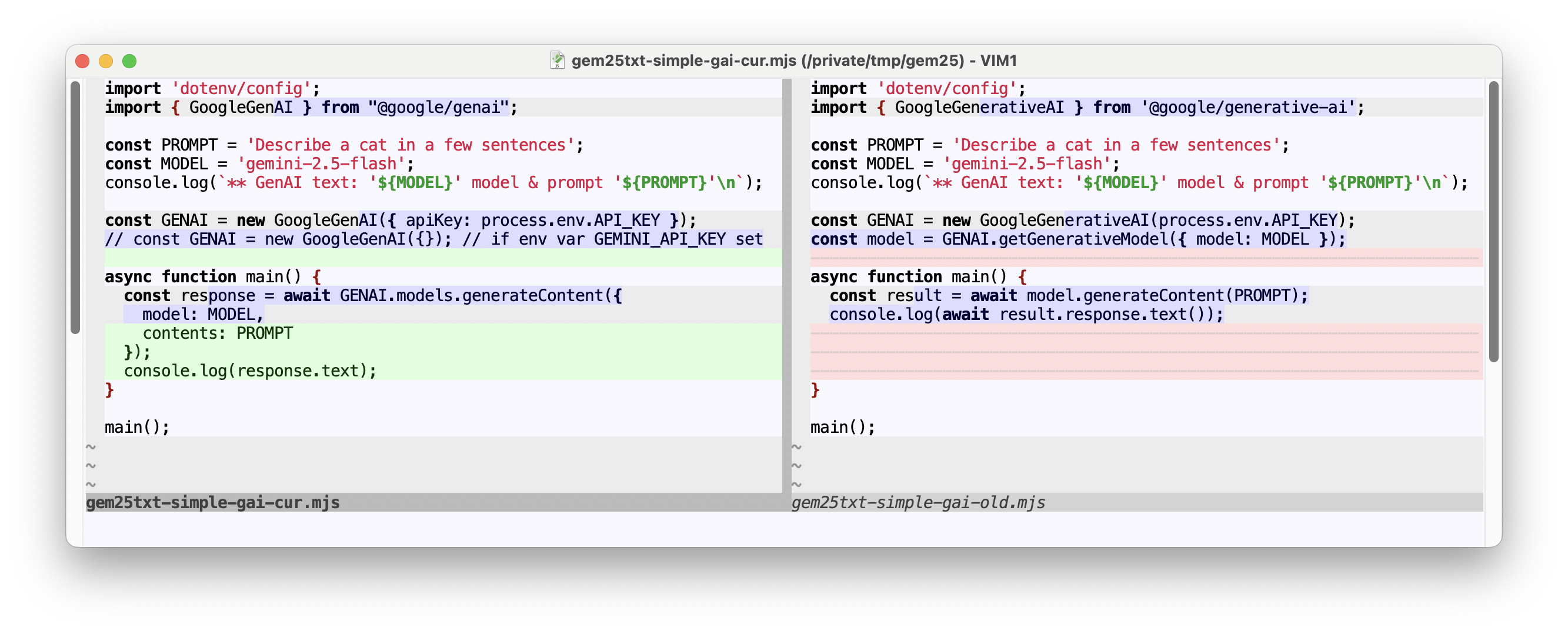
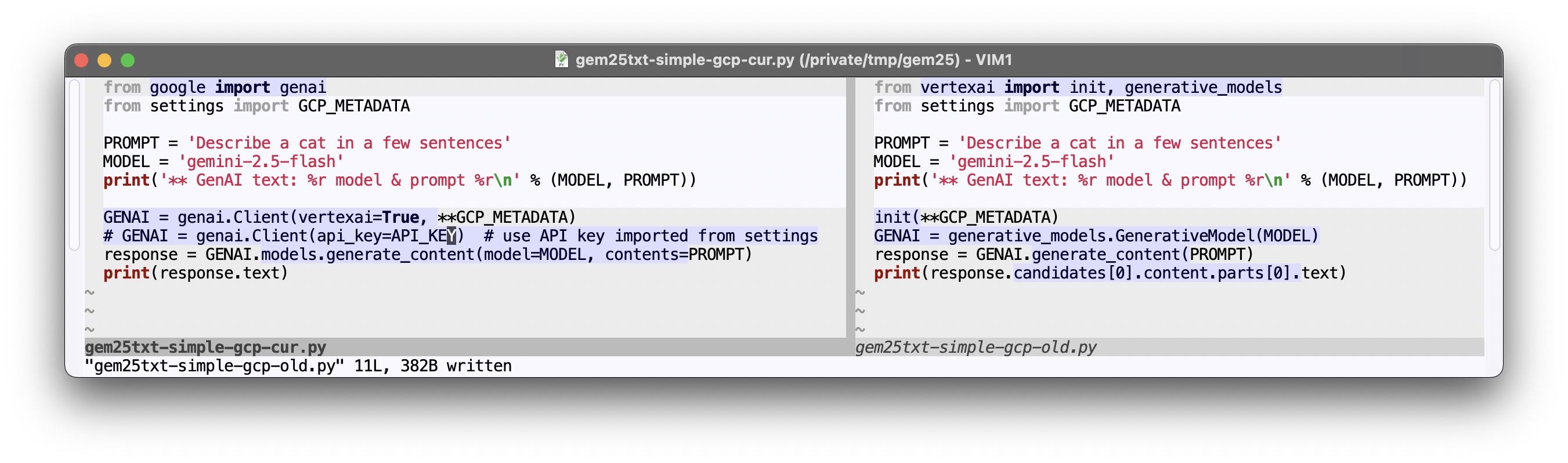
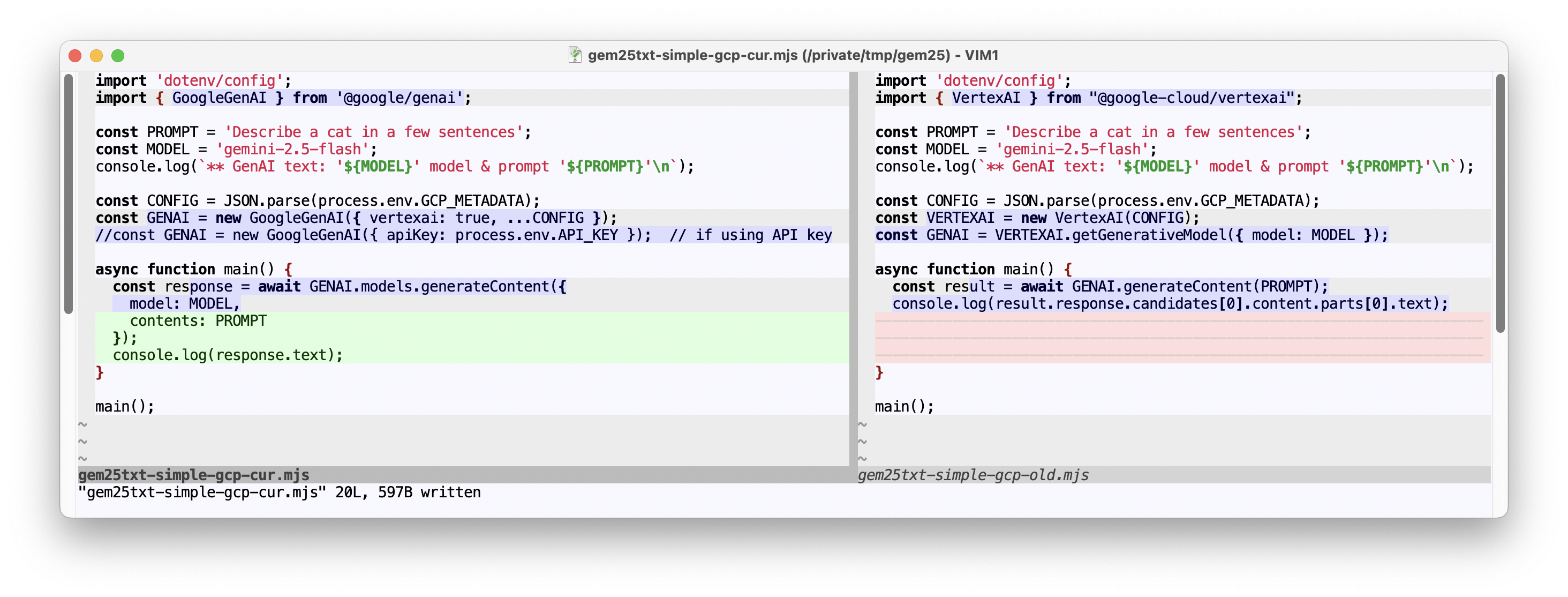
The config files include old & current client library packages and apply to both platforms.
| Description | Python | Node.js |
|---|---|---|
| Packages | requirements.txt |
package.json |
| Settings | settings_TMPL.py |
.env_TMPL |
- Ensure your Node (and NPM) installation is up-to-date (recommend 18+)
- Install all packages (old & new client libraries):
npm i
- Ensure your Python (and
pip) installation is up-to-date (recommend 3.9+) - (optional) Create & activate a virtual environment ("virtualenv") for isolation
python3 -m venv .myenv; source .myenv/bin/activate- For the commands below, depending on your system configuration, you will use one of (
pip,pip3,python3 -m pip), but the instructions are generalized topip.
- (optional) Update
pipand installuv:pip install -U pip uv - Install all packages (old & new client libraries):
uv pip install -Ur requirements.txt(dropuvif you didn't install it)
- Set credentials: Create API key (or reuse existing one).
- Either save the API key to
GEMINI_API_KEYenvironment variable or copy the template for your language.env_TMPL(Node) orsettings_TMPL.py(Python) file to.env(Node) orsettings.py(Python) and assign the key toAPI_KEY.- If using the
GEMINI_API_KEYenvironment variable, simplify the code to not look in.envorsettings.pybefore running (use commented-out line). (This only affects scripts namedgem25txt-simple-gai-cur.*.)
- If using the
- Run any of the scripts, e.g.,
node gem25txt-simple-gai-old.mjs,python3 gem25txt-simple-gai-cur.py, etc.
- Set credentials: Login with user auth & set ADC for local dev environment.
- The new client library supports API keys, so if you prefer this, then follow the GAI instructions above.
- Copy the template for your language
.env_TMPL(Node) orsettings_TMPL.py(Python) file to.env(Node) orsettings.py(Python) and set the values forYOUR_GCP_PROJECTandYOUR_GCP_REGION. (See post for more info on these values.)- If using an API key instead of ADC, assign it to
API_KEYin.env(Node) orsettings.py(Python), and update the code to use it before running (use commented-out line). (This only affects scripts namedgem25txt-simple-gcp-cur.*.)
- If using an API key instead of ADC, assign it to
- Run any of the scripts, e.g.,
node gem25txt-simple-gcp-cur.js,python3 gem25txt-simple-gcp-old.py, etc.