
Replies: 13 comments 39 replies

-
|
Hello! |
Beta Was this translation helpful? Give feedback.

-
|
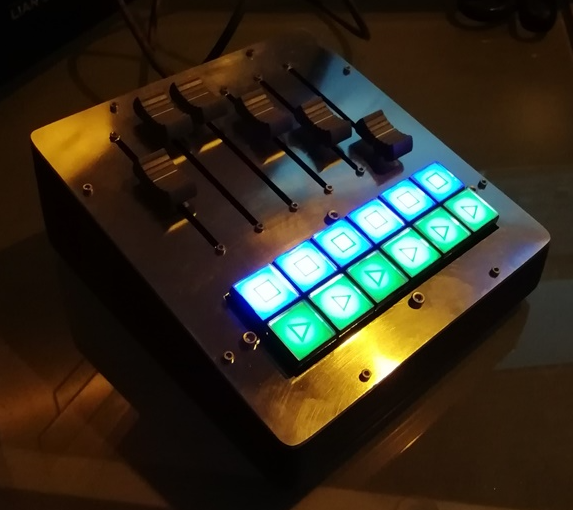
Here is an example from another user who build a small fader wing |
Beta Was this translation helpful? Give feedback.

-
|
In fact it was me who made a fader connection error. |
Beta Was this translation helpful? Give feedback.
-
|
Another question, can I integrate a fader page change? |
Beta Was this translation helpful? Give feedback.

-
|
Not really with this version. Handling the faders values after a page change is the problem. |
Beta Was this translation helpful? Give feedback.

-
|
Hello @Guiddou , |
Beta Was this translation helpful? Give feedback.
-
|
Hello @aurygami |
Beta Was this translation helpful? Give feedback.
-
|
Wow!!!
Can I have sketch ?
I would like to make some buttons that send OSC messages, can you help me?
where can i find something?
Thank you
Giovanni
Il giorno gio 22 lug 2021 alle 16:51 Stefan Staub ***@***.***>
ha scritto:
Here is an example from another user who build a small fader wing
[image: Faderwing]
<https://user-images.githubusercontent.com/6450325/126659760-f652f3ae-dfc3-4243-9b94-ce6d1d3a593f.png>
—
You are receiving this because you commented.
Reply to this email directly, view it on GitHub
<#4 (comment)>,
or unsubscribe
<https://github.com/notifications/unsubscribe-auth/ATVQ36YDGQFSXXUNY6VLKJ3TZAV75ANCNFSM4YP4KO6Q>
.
--
Giovanni Fragassi
Lighting Designer
Fotografia televisiva
ETC Eos/Augument3d Product Specialist
ETC Eos Trainer
contatti:
Tel. 334-1118368
***@***.***
***@***.***
Facebook: Giovanni Mr Long John Fragassi
|
Beta Was this translation helpful? Give feedback.
-
|
It should possible, you must modify the macro button class. Therefore you must create two messages. Try this: void Macro::update() { And yes, if you manually take a pullup resistor only INPUT as macro is needed, but not recommanded. |
Beta Was this translation helpful? Give feedback.

-
|
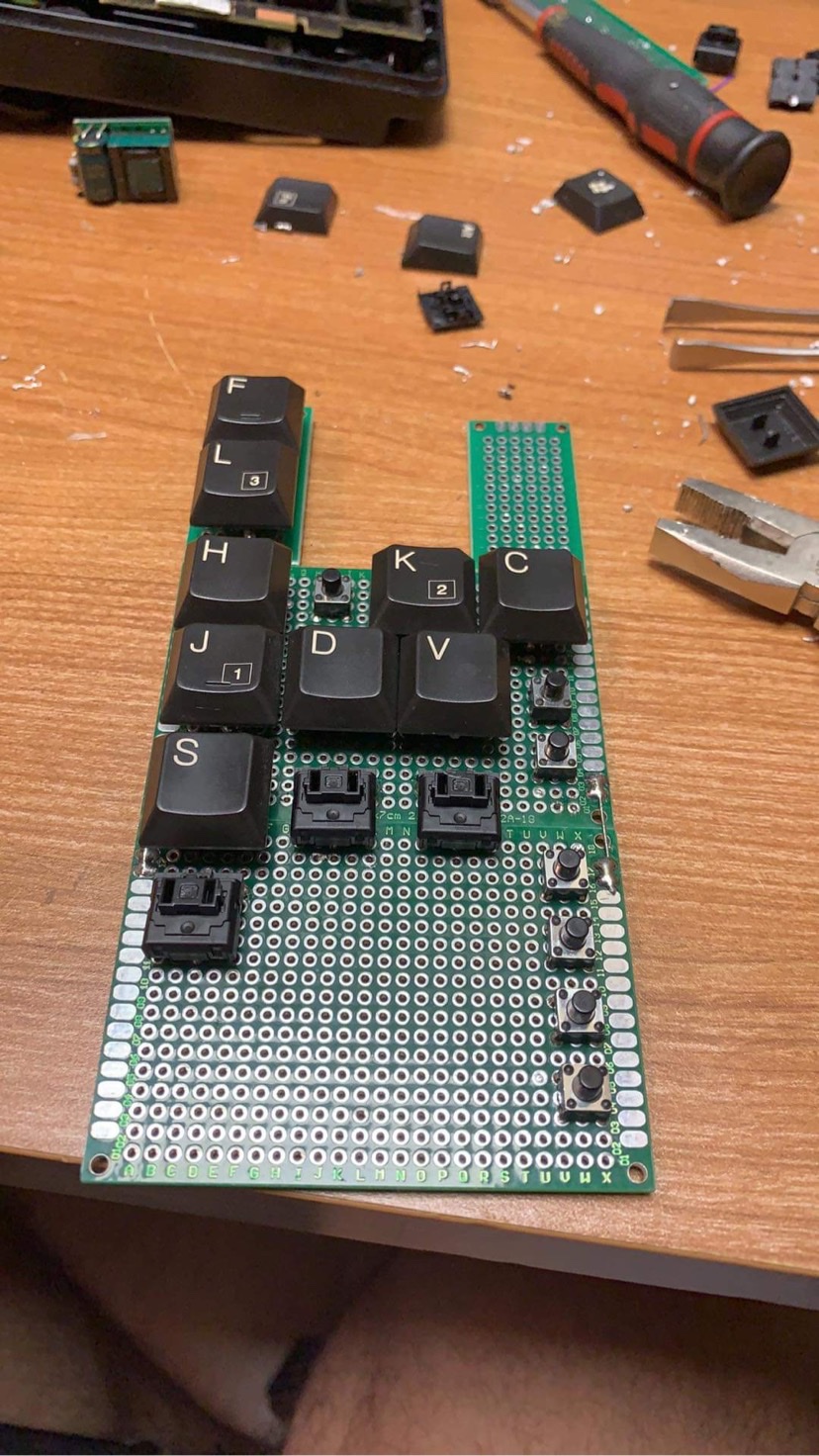
I will modify the hardware to use the PULLUP as suggested. |
Beta Was this translation helpful? Give feedback.
-
|
Beta Was this translation helpful? Give feedback.
-
Thank you for all. |
Beta Was this translation helpful? Give feedback.
-
|
Beta Was this translation helpful? Give feedback.
-
|
Ok perfect thank you!!
With example I can modify sketch and wiring!
Thank you!
Giovanni
Il giorno gio 22 lug 2021 alle 17:11 Stefan Staub ***@***.***>
ha scritto:
You find the code for the fader wing in the example folder. For making
buttons have a look to the documentation.
—
You are receiving this because you commented.
Reply to this email directly, view it on GitHub
<#4 (reply in thread)>,
or unsubscribe
<https://github.com/notifications/unsubscribe-auth/ATVQ365RBVUJQ7NNJOEYFATTZAYIJANCNFSM4YP4KO6Q>
.
--
Giovanni Fragassi
Lighting Designer
Fotografia televisiva
ETC Eos/Augument3d Product Specialist
ETC Eos Trainer
contatti:
Tel. 334-1118368
***@***.***
***@***.***
Facebook: Giovanni Mr Long John Fragassi
|
Beta Was this translation helpful? Give feedback.

-
|
Hi, love the mods you've made it the original box. Was wondering if there was a way to 'scale' the encoders like the original sketch? |
Beta Was this translation helpful? Give feedback.
-
|
did you mean |
Beta Was this translation helpful? Give feedback.

-
|
yes, works like a charm |
Beta Was this translation helpful? Give feedback.

-
Hello I am a New York Based EOS programmer working in TV and Film. Do you know how I could take the Fader Values and Labels from OSC and print them to a small LCD Screen. I have been messing around with the pan and tilt project lighthack box , and but would like to substitute the Pan and Tilt for Fader Values. Thanks |
Beta Was this translation helpful? Give feedback.
-
|
This should possible. Have a look to the diagnostic tab 99, what EOS return when changing fader values. This could handle by the OSC library. |
Beta Was this translation helpful? Give feedback.
-
|
<!--
/* Font Definitions */
@font-face
{font-family:"Cambria Math";
panose-1:2 4 5 3 5 4 6 3 2 4;}
@font-face
{font-family:Calibri;
panose-1:2 15 5 2 2 2 4 3 2 4;}
/* Style Definitions */
p.MsoNormal, li.MsoNormal, div.MsoNormal
{margin:0in;
font-size:11.0pt;
font-family:"Calibri",sans-serif;}
a:link, span.MsoHyperlink
{mso-style-priority:99;
color:blue;
text-decoration:underline;}
.MsoChpDefault
{mso-style-type:export-only;}
@page WordSection1
{size:8.5in 11.0in;
margin:1.0in 1.0in 1.0in 1.0in;}
div.WordSection1
{page:WordSection1;}
-->I looked in the diagnostic tab 99 at what the faders return. I attached a screen shot. My question is now how do I turn this info into code I can put in my Arduiono so it can output to an LCD. I am having trouble wrapping my head around this concept. ThanksMichael On Mon, Feb 6, 2023, 1:15 PM Stefan Staub ***@***.***> wrote:This should possible. Have a look to the diagnostic tab 99, what EOS return when changing fader values. This could handle by the OSC library.—Reply to this email directly, view it on GitHub, or unsubscribe.You are receiving this because you commented.Message ID: ***@***.***>
|
Beta Was this translation helpful? Give feedback.

-
|
Hello staub, |
Beta Was this translation helpful? Give feedback.
-
|
Which board? I don't think this will work with an Arduino UNO, you need a MEGA because of RAM size. Or try a Raspberry Pi Pico. |
Beta Was this translation helpful? Give feedback.
-
|
I use in arduino mega |
Beta Was this translation helpful? Give feedback.
-
|
Should work, have a look to the Diagnostic Tab 99 to see what happens. |
Beta Was this translation helpful? Give feedback.
-
|
Thanks, I'll start from the beginning and see if I make a mistake along the way. |
Beta Was this translation helpful? Give feedback.
-
|
|

Beta Was this translation helpful? Give feedback.

-
|
Hello Stefan, I am enjoying your work for quit some time with a 10 fader 2 x 10 buttons box,. using a Arduino Micro and 2x MCP chips. (if you like a picture let me know). For quit some time I am thinking it might be nice to have a display with fader information. I started out wit looking at the que box. And to be honest some bits for example the parser are a bit over my head. But with extracting what I don't need. Looking and reading and learning I got it to work close to what I want. The problem is at the moment. It works for two faders, but when I try to add two more, the info is not displayed at start-up. When I change the function in EOS, the info is displayed so I think the problem is in the setup. Other thing more difficult I think, all fader info works close to what I want, but not if I make it a cue list, in that case it gets a bit messy. Kind regards DJN |
Beta Was this translation helpful? Give feedback.
-
|
Without the code it is not clear what you want to achieve. Maybe the Arduino Micro is a part of the problem. |
Beta Was this translation helpful? Give feedback.

-
|
Hello, sorry I am quit new at Github, what is the best way to post the code. For this project I am testing on a Nano. |
Beta Was this translation helpful? Give feedback.
-
|
Try to copy the ino file directly in your post. If doesn't work zip your ino file before copy in the post. |
Beta Was this translation helpful? Give feedback.
-
|
I hope this works |
Beta Was this translation helpful? Give feedback.
-
|
Your tab99 screenshot says that fader 2 is Sub 2 L201 |
Beta Was this translation helpful? Give feedback.
-
|
Hello, sub 2 with label L201 (Lee color 201) that is oke, as described above. I will leave it on for a few hours to check overflow. Could the LCD display lib be the problem ? Will try to port it to a pi pico |
Beta Was this translation helpful? Give feedback.
-
|
If you look a the pictures tbelow here is S 1 L136 2x |
Beta Was this translation helpful? Give feedback.
-
|
I think the problem is the String handling in your parser. |
Beta Was this translation helpful? Give feedback.
-
|
I did some more testing. what's hot en what's not :-) Not Working: Working: So I think not to bad, but my C++ knowledge is too low to solve this problems. But a first step is maybe to leave out the Parser, and just print the four Strings on the display one by one. If that works we now It is in the bit we took out. And go from there. |
Beta Was this translation helpful? Give feedback.
-
|
This is with me for the past four years :-) with small performances. Display project::
And some visual info |


Beta Was this translation helpful? Give feedback.

-
|
Hiya Sorry for the delay in sending this - I've attached a zip file of my sketch that includes the Channel Number! I have this running on an Arduino Nano Every. I've also been playing around with your Faders code. I get the same result as you (running on the Nano Every) - only two Fader Names displaying unless the Faders are activated but I've got a couple of ideas that I'll try out as soon as I can. |
Beta Was this translation helpful? Give feedback.
-
|
The next version of the library is on the way and will solve many problems you discuss here. |
Beta Was this translation helpful? Give feedback.
-
|
Hello, That is really great ! I am not the biggest programmer, but if I can help with some hardware testing ? Let me know |
Beta Was this translation helpful? Give feedback.


Uh oh!
There was an error while loading. Please reload this page.
-
👋 Welcome!
We’re using Discussions as a place to connect with other members of our community. We hope that you:
build together 💪.
To get started, comment below with an introduction of yourself and tell us about what you do with this community.
Beta Was this translation helpful? Give feedback.
All reactions