
The open-source AI agent platform.
Build, deploy, and manage intelligent conversational agents — from prototype to production, in minutes. One codebase. Every platform. Your code, your data, any LLM.










Windows ARM64 · older builds · Linux → all downloads
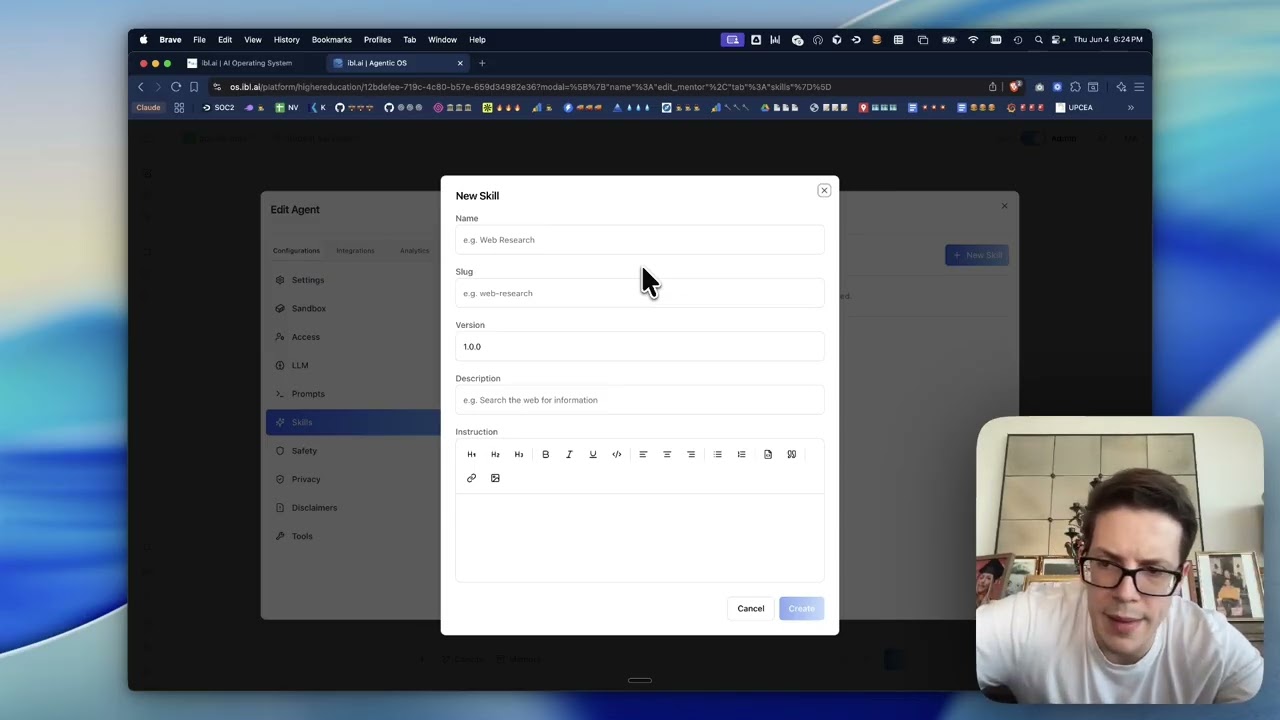
▶︎ Watch the demo · by Miguel Amigot, CTO at ibl.ai
Why ibl.ai/os · Every platform · Features · Case studies · Screenshots · Quick Start · Deployment
SOC 2 Type II · Universities, enterprises, and governments run on ibl.ai — read the case studies →
| 🔓 Your code, your data | MIT-licensed and self-hostable. No vendor lock-in — full ownership of the stack and everything that flows through it. |
| 🧠 Any LLM, your choice | Bring OpenAI, Anthropic, Google, Microsoft, Meta, or your own models. Switch providers without rewrites. |
| 📱 Truly everywhere | One codebase ships as web, macOS, Windows, Linux, iOS, and Android — with near-native performance. |
| 🏢 Enterprise-ready | Multi-tenancy, SSO, RBAC, Stripe billing, and whitelabeling built in — not bolted on later. |
Most AI apps make you choose a device. ibl.ai/os meets your users wherever they are — the same product, native everywhere.
| Platform | Status | |
|---|---|---|
| Web | 🌐 | Live at os.ibl.ai — any modern browser |
| macOS | 🍎 | Native app — download universal .dmg (Intel + Apple Silicon, signed & notarized) |
| Windows | 🪟 | Native app — download installer (x64 + ARM64) |
| iOS | 📱 | Native app — App Store |
| Android | 🤖 | Native app — Google Play |
| Linux | 🐧 | Native app — build from source |
|
🤖 Build & customize
📚 Ground in your data
|
🎙️ Rich conversations
🏢 Operate & scale
|
Universities, enterprises, and government agencies build on ibl.ai — deploying agents on their own infrastructure, with their own models, at a fraction of the cost of closed platforms.

Agent configuration — dial in LLMs, prompts, safety filters, and conversation starters
 Agent settings — identity, description, and appearance |
 MCP connectors — GitHub, Notion, Slack, and more |
 Memory — knowledge gaps, learning goals, preferences |
 Discovery — visibility, access permissions, and LTI |
git clone https://github.com/iblai/os.git
cd os
pnpm install
Using Claude Code? Run /setup — it walks you through connecting your ibl.ai tenant and configuring .env.local automatically.
Manual setup: Copy .env.example to .env.local, then set NEXT_PUBLIC_MAIN_TENANT_KEY to your org key from login.iblai.app/me.
cp .env.example .env.local   # then edit NEXT_PUBLIC_MAIN_TENANT_KEY
pnpm dev
Open http://localhost:3000. See the full Development Guide for environment variables, scripts, and architecture details.
ibl.ai/os is the frontend for the ibl.ai platform. Choose your path based on your backend setup:
If you already have an ibl.ai tenant (organization key):
-
Configure your tenant
cp .env.example .env.local
Update these values with your tenant details:
NEXT_PUBLIC_TENANT=your-tenant
-
Deploy with Docker (recommended)
docker build -t os .
docker run -p 5000:5000 --env-file .env.local os
Or deploy standalone:
pnpm build
PORT=3000 node server-wrapper.js
The build emits a self-contained server under
.next/standalone/(Next.js standalone output).next.config.tspinsoutputFileTracingRootto the project directory so the output always lands at.next/standalone/server.jswith its static assets alongside it. See Troubleshooting if the app loads to a blank screen.
If you need full backend infrastructure:
-
Get an enterprise license
Reach out at ibl.ai/contact to get a license of the enterprise platform (full backend codebase).
-
Deploy with our infra CLI
If you already have access to our Docker images, deploy them easily via iblai/iblai-infra-cli.
Note: ibl.ai/os requires the ibl.ai backend platform for authentication, AI agent APIs, and data services. The backend is not included in this repository — visit ibl.ai to get started.
See docs/development.md for native app build instructions.
Full deployment docs: Docker & Standalone
The native (Tauri) app reads two optional build-time flags. Because they're
baked in at compile time (Rust's option_env!), you set them as environment
variables in the build shell before pnpm exec tauri build — so the same
codebase can produce differently-configured builds from the same app URL (e.g.
one build locked to tenant A, another to tenant B).
| Env var | Tauri command | Default | Effect |
|---|---|---|---|
IBL_TENANT |
get_locked_tenant → string |
"" (unlocked) |
Tenant lock. When set, the app forces every user onto this tenant — logging out of any other tenant it finds — and hides the tenant switcher. Empty = multi-tenant. |
IBL_ALLOW_IN_APP_PURCHASE |
allow_in_app_purchase → bool |
false |
Enables in-app purchase UI. Truthy values: 1, true, yes, on (case-insensitive). |
# a build locked to the "acme" tenant with in-app purchase enabled
IBL_TENANT=acme IBL_ALLOW_IN_APP_PURCHASE=true pnpm exec tauri build
In CI, set them as env on the build step. src-tauri/build.rs declares
cargo:rerun-if-env-changed for both, so cargo recompiles whenever a value
changes between builds. Leaving them unset yields a standard, unlocked build.
The app loads to a blank page or stays stuck on the loading spinner (no redirect to login).
Open your browser's DevTools → Network tab and reload. If every request under
/_next/static/... and /env.js returns 404/503, the server isn't finding
its static assets. Two common causes:
-
A duplicate or stale server is bound to the port. An older
node/nextprocess from a previous run can keep listening on:3000and shadow the new one (a process bound to a specific address such as127.0.0.1wins over a wildcard bind). Find and stop strays before starting fresh:lsof -nP -iTCP:3000 -sTCP:LISTEN # list listeners on the port kill <PID> # stop the stale one
-
The standalone output was nested under an unexpected path. Next.js infers the file-tracing root from the nearest lockfile. A stray lockfile in a parent directory (e.g.
~/package-lock.json) makes it treat your home directory as the workspace root and emit the server at.next/standalone/<path-to-project>/server.jsinstead of.next/standalone/server.js—post-build.shthen copies static assets next to the wrong path andserver-wrapper.jscan't find the server. This repo pinsoutputFileTracingRootinnext.config.tsto prevent it; if you still hit nesting, remove the stray parent lockfile and rebuild.
This project is covered by Playwright end-to-end tests in e2e/. Run the E2E suite for any change so nothing regresses:
make e2e-uimake e2e-ui launches Playwright in interactive UI mode — watch the journeys run, step through them, and re-run individual tests. The first time, install the browsers once:
make e2e-installOther useful targets:
| Command | What it does |
|---|---|
make e2e |
Run the full suite headless (all browsers) |
make e2e-headed |
Run with a visible browser |
make e2e-chrome |
Run on Chrome only |
make e2e-journey J=01 |
Run a single journey spec |
make e2e-report |
Open the last HTML report |
See e2e/COVERAGE.md for current coverage. Coverage must not regress — add or update a journey whenever you change user-facing behavior.
We welcome contributions! Please see CONTRIBUTING.md for guidelines. If you'll be working with AI-assisted tooling, read AGENTS.md first — it documents the formatting, lint, and push protocol rules that the husky hooks enforce.
- Documentation
- Development Guide — setup, scripts, architecture, configuration
- iblai-app-cli — CLI for scaffolding ibl.ai apps
- @iblai/mcp — MCP server for AI-assisted development
- Vibe — developer toolkit for building with ibl.ai
- Vibe Starter — pre-wired Next.js + ibl.ai SSO template