ascend-tools provides a CLI, Python SDK, JavaScript SDK, Rust SDK, and MCP server for the Ascend Instance web API. This guide walks you through authentication and your first commands.
Navigate to Settings > Users in your Ascend Instance. Click + Create service account.
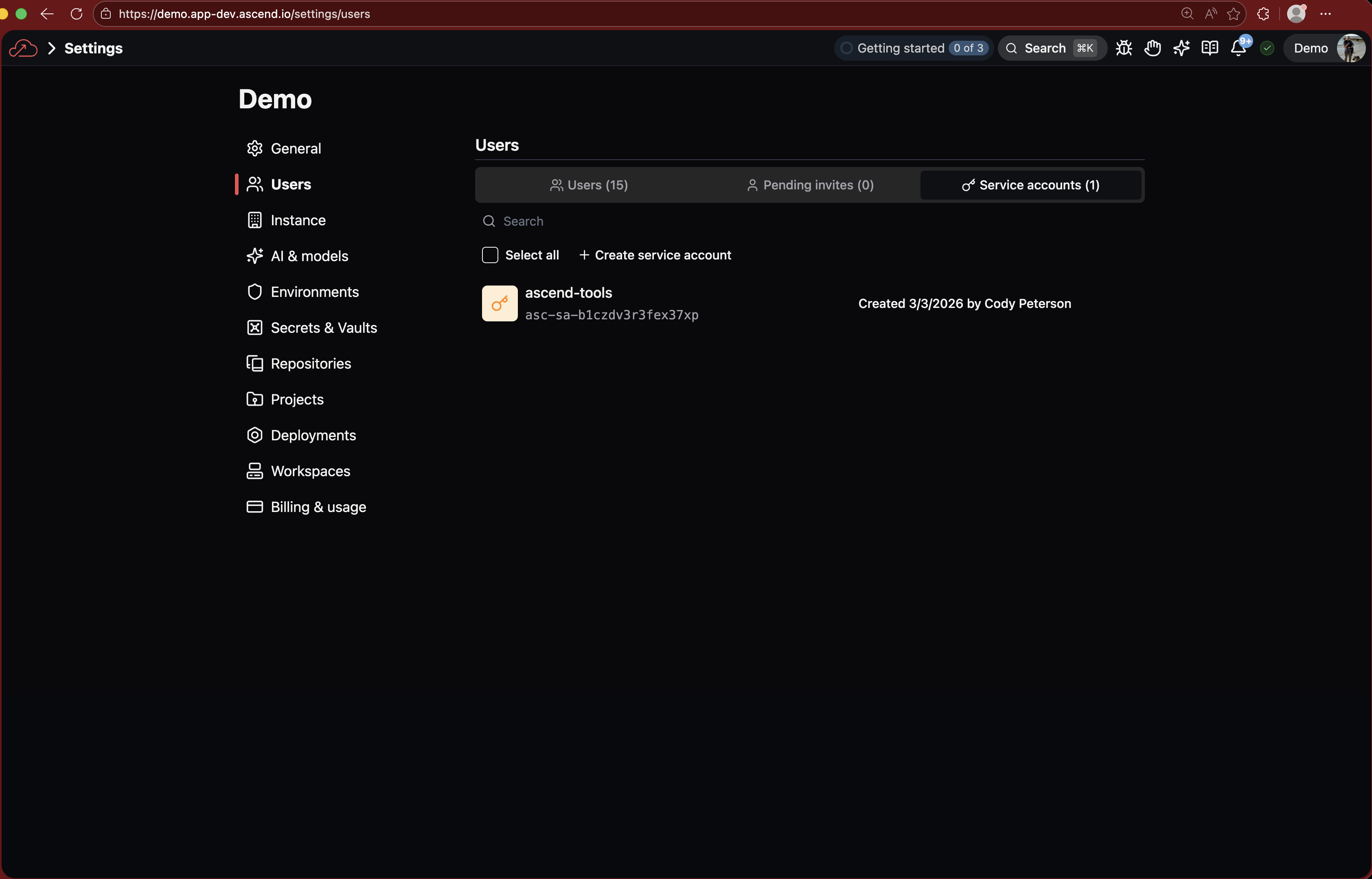
Enter a name (e.g., ascend-tools) and click Create service account.

The confirmation dialog shows three values. Copy each one and store them securely -- the private key is shown only once.

Export the three values from the previous step:
export ASCEND_SERVICE_ACCOUNT_ID="<YOUR_SERVICE_ACCOUNT_ID>"
export ASCEND_SERVICE_ACCOUNT_KEY="<YOUR_SERVICE_ACCOUNT_KEY>"
export ASCEND_INSTANCE_API_URL="<YOUR_INSTANCE_API_URL>"
These are the only credentials you need. The SDK handles JWT signing, token exchange, and caching automatically.
Add these to your shell profile (~/.zshrc or ~/.bashrc) so they persist across sessions.
Install with uv (Python):
curl -LsSf https://astral.sh/uv/install.sh | sh
uv tool install ascend-tools
Or install with npm (Node.js):
npm install -g ascend-toolsSee Installation for other methods (Cargo, pre-built binaries).
ascend-tools workspace listYou should see a table of workspaces in your Instance.
List available flows in a workspace, then trigger a flow run:
ascend-tools flow list --workspace "My Workspace"
ascend-tools flow run "My Flow" --workspace "My Workspace"
From Python:
from ascend_tools import Client

client = Client()
workspaces = client.list_workspaces()
flows = client.list_flows(workspace=workspaces[0]["title"])
result = client.run_flow(flow=flows[0]["name"], workspace=workspaces[0]["title"])
From JavaScript:
import { Client } from "ascend-tools";

const client = new Client();
const workspaces = await client.listWorkspaces();
const flows = await client.listFlows(workspaces[0].title);
const result = await client.runFlow(flows[0].name, workspaces[0].title);- CLI guide: all commands with examples
- Python SDK guide: Client methods, return types, error handling
- JavaScript SDK guide: async Client, streaming, TypeScript types
- Rust SDK guide: typed client with structs and error handling
- MCP server guide: set up AI assistants with Ascend tools
- Installation: all install methods