Home
Your code (your_code.py) can be in it's seperate package and run totally independent of APEER if you use the following structure for __main__.
#### apeer_main.py ####

from apeer_dev_kit import adk
import your_code

if __name__ == '__main__':
    inputs = adk.get_inputs()

    outputs = your_code.run(inputs['input_image_path'], inputs['red'], inputs['green'], inputs['blue'])

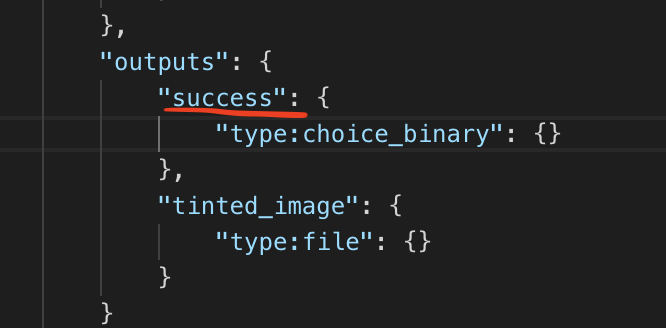
    adk.set_output('success', outputs['success'])
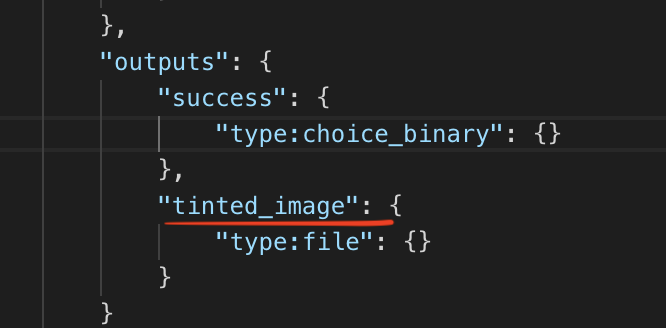
    adk.set_file_output('tinted_image', outputs['tinted_image'])
    adk.finalize()


#### your_code.py #####

def run(input_image_path, red, green, blue):

    # your processing code goes here ...

    # Make sure you return the outputs as a dictionary containing all output
    # values as specified for your APEER module
return {'success': True, 'tinted_image': output_file_path}-
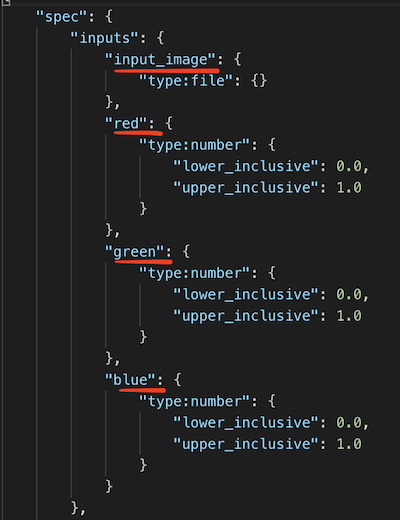
get_inputs(): This methods returns a dictionary containing your inputs. The keys in the dictionary are defined in your module_specification file.
After your done with processing in your code. You want to pass your output to the next module. In order to pass a file output use set_file_output() and to pass every output type except file type, use set_output().
-
set_output(): This method allows you to pass non-file output to the next module. Example:adk.set_output('success', True). The first argument is the key, which you find in module_specification file. The second argument is the value that you have calculated. You can also pass a list as value. -
set_file_output(): This method allows your to pass your file output to next module. Example:adk.set_file_output('tinted_image', 'my_image.jpg'). The first argument is the key, which you will find in your module_specification file. he second argument is the filepath to your file.
If you have a list of files as output, you can simply pass the list of filepath to your files. adk.set_file_output('output_images', ['image1.jpg', 'image2.jpg'])