Share your plugins #12

Replies: 140 comments 427 replies

Window TitleDESCRIPTION: This will display the current window's title in your bar. If the window's title is greater than 50 characters it will truncate it, if there it no title available it will fall back to the application name. This was written by @FelixKratz and Modified by me. NOTE: Assuming you are using yabai, you can quickly check window titles and app names of the current window with Updated Configuration: sketchybarrc# E V E N T S
sketchybar -m --add event window_focus \
--add event title_change
# W I N D O W T I T L E
sketchybar -m --add item title left \
--set title script="$HOME/.config/sketchybar/plugins/window_title.sh" \
--subscribe title window_focus front_app_switched space_change title_changewindow_title.sh#!/bin/bash
# W I N D O W T I T L E
WINDOW_TITLE=$(/opt/homebrew/bin/yabai -m query --windows --window | jq -r '.title')
if [[ $WINDOW_TITLE = "" ]]; then
WINDOW_TITLE=$(/opt/homebrew/bin/yabai -m query --windows --window | jq -r '.app')
fi
if [[ ${#WINDOW_TITLE} -gt 50 ]]; then
WINDOW_TITLE=$(echo "$WINDOW_TITLE" | cut -c 1-50)
sketchybar -m --set title label="│ $WINDOW_TITLE"…
exit 0
fi
sketchybar -m --set title label="│ $WINDOW_TITLE"yabairc # S K E T C H Y B A R E V E N T S
yabai -m signal --add event=window_focused action="sketchybar -m --trigger window_focus &> /dev/null"
yabai -m signal --add event=window_title_changed action="sketchybar -m --trigger title_change &> /dev/null" |

Yep |

OOOOOOOH I didn't think to animate the title change, that looks so sleek! |
I'm not sure if it would be of much help, but I posted a Lua version of this a week or two ago. I encountered the same issue as you with the window title remaining unchanged when switching to a space without any windows. To solve this, I use a shell script to execute the yabai command instead of executing it directly in window_title.sh. The script returns the yabai JSON output if available, otherwise 'empty' to sketchybar. If it's empty, I set the window title to Finder. |
|
Fixed, just subscribed to front_app_switched also. Update: It bugs out with fron_app_switched, with uncontrolled rapid execution of the script for some seconds. So it is not fixed ( |

You can also just query the old title before changing it, instead of storing the old title in a file.
|
24 Hour Change in Bitcoin PriceDESCRIPTION: This will display the 24hr change in price of bitcoin in your bar. sketchybarrcsketchybar -m --add item btc right \
--set btc icon= \
--set btc update_freq=20 \
--set btc script="~/.config/sketchybar/plugins/btc.sh"btc.sh#!/usr/bin/env python3
import requests
import os
response = requests.get('https://api.gemini.com/v1/pricefeed')
jsonResponse = response.json()
for i in jsonResponse:
if i["pair"] == "BTCUSD":
percentChange = str(round((float(i["percentChange24h"]) * 100), 2))
os.system('sketchybar -m --set btc label='+ percentChange + '%')
break |
24 Hour Change in Ethereum PriceDESCRIPTION: This will display the 24hr change in price of Ethereum in your bar. sketchybarrcsketchybarrcsketchybar -m --add item eth right \
--set eth icon=ﲹ \
--set eth update_freq=20 \
--set eth script="~/.config/sketchybar/plugins/eth.sh"eth.sh#!/usr/bin/env python3
import requests
import os
response = requests.get('https://api.gemini.com/v1/pricefeed')
jsonResponse = response.json()
for i in jsonResponse:
if i["pair"] == "BTCUSD":
percentChange = str(round((float(i["percentChange24h"]) * 100), 2))
os.system('sketchybar -m --set eth label='+ percentChange + '%')
break |

|
How to fix the icon "?" |

|
Depending on what ICON font family he was using, you should replace it with one you have access to and make sure you update the icon font IE if you are using fontawesome pick an icon, copy it in place of the [] that shows in the file and update the icon font a la: Essentially just make sure you have access to whatever icon you choose to use |

|
eth.sh or eth.py .. ??! |

|
The shebang (#!/usr/bin/env python3) indicates the path to the interpreter required. |

https://www.nerdfonts.com/cheat-sheet Search for "Eth", copy and paste the icon (not the utf-8). |
Battery StatusDESCRIPTION: This will display your current battery status. NOTE: This could probably be improved on greatly. I am not sure what an appropriate UPDATED: Updated to implement improvements made by ut0mt8 from this comment. sketchybarrcsketchybar -m --add item battery right \
--set battery update_freq=3 \
--set battery script="~/.config/sketchybar/plugins/power.sh" \
--set battery icon=power.sh#!/bin/bash
. ~/.cache/wal/colors.sh
BATT_PERCENT=$(pmset -g batt | grep -Eo "\d+%" | cut -d% -f1)
CHARGING=$(pmset -g batt | grep 'AC Power')
if [[ $CHARGING != "" ]]; then
sketchybar -m --set battery \
icon.color=0xFF5DFE67 \
icon= \
label=$(printf "${BATT_PERCENT}%%")
exit 0
fi
[[ ${BATT_PERCENT} -gt 10 ]] && COLOR=0xFF${color5:1} || COLOR=0xFFFF0000
case ${BATT_PERCENT} in
100) ICON="" ;;
9[0-9]) ICON="" ;;
8[0-9]) ICON="" ;;
7[0-9]) ICON="" ;;
6[0-9]) ICON="" ;;
5[0-9]) ICON="" ;;
4[0-9]) ICON="" ;;
3[0-9]) ICON="" ;;
2[0-9]) ICON="" ;;
1[0-9]) ICON="" ;;
*) ICON=""
esac
sketchybar -m --set battery\
icon.color=$COLOR \
icon=$ICON \
label=$(printf "${BATT_PERCENT}%%") |

|
In case anyone wants more interactive charging indicator: |

|
might be stupid but I don't seem to have the icon showing. It shows a question mark.. |

|
@gverbist It's a nerd font icon. If you have an icon font set in sketchybar to a nerd font then it should work. |

|
I think this could make use of the new |

|
hi @typkrft , I also cannot see the icons, I am quite sure my terminal are using nerd fonts, I cannot see the icons shown properly in the neovim, neither in the sketchybar even I set the |
Music InformationUpdate History:
DESCRIPTION: This will display information about the current track in the Music.app. It will update based on the NSDistributedNotificationCenter Events sent by the Music app. sketchybarrc# Add event
sketchybar -m --add event song_update com.apple.iTunes.playerInfo
# Add Music Item
sketchybar -m --add item music right \
--set music script="~/.config/sketchybar/scripts/music" \
click_script="~/.config/sketchybar/scripts/music_click" \
label.padding_right=10 \
drawing=off \
--subscribe music song_updatemusic#!/usr/bin/env bash
# FIXME: Running an osascript on an application target opens that app
# This sleep is needed to try and ensure that theres enough time to
# quit the app before the next osascript command is called. I assume
# com.apple.iTunes.playerInfo fires off an event when the player quits
# so it imediately runs before the process is killed
sleep 1
APP_STATE=$(pgrep -x Music)
if [[ ! $APP_STATE ]]; then
sketchybar -m --set music drawing=off
exit 0
fi
PLAYER_STATE=$(osascript -e "tell application \"Music\" to set playerState to (get player state) as text")
if [[ $PLAYER_STATE == "stopped" ]]; then
sketchybar --set music drawing=off
exit 0
fi
title=$(osascript -e 'tell application "Music" to get name of current track')
artist=$(osascript -e 'tell application "Music" to get artist of current track')
# ALBUM=$(osascript -e 'tell application "Music" to get album of current track')
loved=$(osascript -l JavaScript -e "Application('Music').currentTrack().loved()")
if [[ $loved ]]; then
icon=""
fi
if [[ $PLAYER_STATE == "paused" ]]; then
icon=""
fi
if [[ $PLAYER_STATE == "playing" ]]; then
icon=""
fi
if [[ ${#title} -gt 25 ]]; then
TITLE=$(printf "$(echo $title | cut -c 1-25)…")
fi
if [[ ${#artist} -gt 25 ]]; then
ARTIST=$(printf "$(echo $artist | cut -c 1-25)…")
fi
# if [[ ${#ALBUM} -gt 25 ]]; then
# ALBUM=$(printf "$(echo $ALBUM | cut -c 1-12)…")
# fi
sketchybar -m --set music icon="$icon" \
--set music label="${title} x ${artist}" \
--set music drawing=on
music_click#!/usr/bin/env osascript
tell application "Music"
if loved of current track is true then
set loved of current track to false
do shell script "sketchybar -m --set music icon="
else
set loved of current track to true
do shell script "sketchybar -m --set music icon="
end if
end tell
delay 1
do shell script "sh $HOME/.config/sketchybar/scripts/music" |

|
I am starting to understand some things :D Thank you so much for the patience! i think for some training maybe i will try to add music controls as next track etc. |

|
@typkrft thank you for this! To all who are embracing the upgrade to macos Sonoma, it looks like they changed the
|

|
Hi, thank you for this great plugin. It works well until I quit the Music app. Then, when I restart the app, the plugin doesn't show up until I reset SketchyBar. Any ideas what might be causing this issue? I'm on Sonoma 14.1. |

|
Same |
VPN StatusDESCRIPTION: Shows the vpn your currently connected to if any in your bar. sketchybarrcsketchybar -m --add item vpn right \
--set vpn icon= \
update_freq=5 \
script="~/.config/sketchybar/plugins/vpn.sh"vpn.sh#!/bin/bash
VPN=$(scutil --nc list | grep Connected | sed -E 's/.*"(.*)".*/\1/')
if [[ $VPN != "" ]]; then
sketchybar -m --set vpn icon= \
label="$VPN" \
drawing=on
else
sketchybar -m --set vpn drawing=off
fi |

|
Thank you! This inspired me to adjust it for Private Internet Access: sketchybarrc --add item pia right \
--set pia script="$PLUGIN_DIR/pia.sh" \
label.drawing=off \
icon= \
update_freq=5 \pia.sh#!/usr/bin/env bash
VPN_STATUS=$(/usr/local/bin/piactl get connectionstate)
if [[ "$VPN_STATUS" == "Connected" ]]; then
sketchybar --set $NAME icon=
else
sketchybar --set $NAME drawing=off
fi |

|
Hi, how do you copy the icon above? I only got a question mark when copy the script |

|
I added some padding to the icon because it was too far to the right. Maybe it was my configuration, but I still put it here in case someone needs it. Thank you very much for the code. |
Mic StatusDESCRIPTION: Check and Mute/Unmute your mic. sketchybarrcsketchybar -m --add item mic right \
sketchybar -m --set mic update_freq=3 \
--set mic script="~/.config/sketchybar/plugins/mic.sh" \
--set mic click_script="~/.config/sketchybar/plugins/mic_click.sh"mic.sh#!/bin/bash
MIC_VOLUME=$(osascript -e 'input volume of (get volume settings)')
if [[ $MIC_VOLUME -eq 0 ]]; then
sketchybar -m --set mic icon=
elif [[ $MIC_VOLUME -gt 0 ]]; then
sketchybar -m --set mic icon=
fi
mic_click.sh#!/bin/bash
MIC_VOLUME=$(osascript -e 'input volume of (get volume settings)')
if [[ $MIC_VOLUME -eq 0 ]]; then
osascript -e 'set volume input volume 25'
sketchybar -m --set mic icon=
elif [[ $MIC_VOLUME -gt 0 ]]; then
osascript -e 'set volume input volume 0'
sketchybar -m --set mic icon=
fi |

|
Modified those slightly to counter the annoying behaviour on my michine where teams and other virtual meeting apps are constantly fiddling with input volume, even if i ask them not to. Changes from the original summed up to:
#!/bin/bash
MIC_VOLUME=$(osascript -e 'input volume of (get volume settings)')
if [[ $MIC_VOLUME -eq 0 ]]; then
sketchybar -m --set mic icon=" $MIC_VOLUME"
elif [[ $MIC_VOLUME -eq 100 ]]; then
sketchybar -m --set mic icon=" $MIC_VOLUME"
else
osascript -e 'set volume input volume 100'
fi #!/bin/bash
MIC_VOLUME=$(osascript -e 'input volume of (get volume settings)')
if [[ $MIC_VOLUME -lt 100 ]]; then
osascript -e 'set volume input volume 100'
sketchybar -m --set mic icon=" $(osascript -e 'input volume of (get volume settings)')"
elif [[ $MIC_VOLUME -gt 0 ]]; then
osascript -e 'set volume input volume 0'
sketchybar -m --set mic icon=" $(osascript -e 'input volume of (get volume settings)')"
fiThank you for this excellent app! |

|
Added microphone name and set color red if muted
brew install switchaudio-osx# Filename: ~/github/dotfiles-latest/sketchybar/felixkratz/sketchybarrc
###############################################################################
# Community plugins
###############################################################################
# https://github.com/FelixKratz/SketchyBar/discussions/12
sketchybar -m --add item mic right \
           --set mic update_freq=3 \
                        script="$PLUGIN_DIR/mic.sh" \
                        click_script="$PLUGIN_DIR/mic_click.sh" \
           --subscribe mic volume_change
################################################################################!/bin/bash
# Filename: ~/github/dotfiles-latest/sketchybar/felixkratz/plugins/mic.sh
source "$CONFIG_DIR/colors.sh"
# Attempt to get the current input device name
MIC_NAME=$(SwitchAudioSource -t input -c)
# I just want the first word, in case it's too long
MIC_NAME=$(echo $MIC_NAME | awk '{print $1}')
# When no microphone is connected, SwitchAudioSource gives me back random
# characters and sketchybar shows "Warning: Malformed UTF-8 string"
# Validate MIC_NAME as UTF-8, replace invalid sequences with a '?', then compare with original
VALIDATED_MIC_NAME=$(echo "$MIC_NAME" | iconv -f UTF-8 -t UTF-8//IGNORE)
# Get the current microphone volume
MIC_VOLUME=$(osascript -e 'input volume of (get volume settings)')
# Check if MIC_NAME is not meaningful
if [[ "$MIC_NAME" != "$VALIDATED_MIC_NAME" || -z "$MIC_NAME" ]]; then
# If the mic name is not valid or empty
sketchybar -m --set mic label="" icon= icon.color=$YELLOW label.color=$YELLOW
else
# Update SketchyBar with the microphone's name and volume
if [[ $MIC_VOLUME -eq 0 ]]; then
sketchybar -m --set mic label="$MIC_NAME $MIC_VOLUME" icon= icon.color=$RED label.color=$RED
elif [[ $MIC_VOLUME -gt 0 && $MIC_VOLUME -lt 100 ]]; then
sketchybar -m --set mic label="$MIC_NAME $MIC_VOLUME" icon= icon.color=$ORANGE label.color=$ORANGE
elif [[ $MIC_VOLUME -eq 100 ]]; then
sketchybar -m --set mic label="$MIC_NAME $MIC_VOLUME" icon= icon.color=$WHITE label.color=$WHITE
fi
fi#!/bin/bash
# Filename: ~/github/dotfiles-latest/sketchybar/felixkratz/plugins/mic_click.sh
source "$CONFIG_DIR/colors.sh"
# Attempt to get the current input device name
MIC_NAME=$(SwitchAudioSource -t input -c)
# I just want the first word, in case it's too long
MIC_NAME=$(echo $MIC_NAME | awk '{print $1}')
# When no microphone is connected, SwitchAudioSource gives me back random
# characters and sketchybar shows "Warning: Malformed UTF-8 string"
# Validate MIC_NAME as UTF-8, replace invalid sequences with a '?', then compare with original
VALIDATED_MIC_NAME=$(echo "$MIC_NAME" | iconv -f UTF-8 -t UTF-8//IGNORE)
# Get the current microphone volume
MIC_VOLUME=$(osascript -e 'input volume of (get volume settings)')
# Check if MIC_NAME is not meaningful
if [[ "$MIC_NAME" != "$VALIDATED_MIC_NAME" || -z "$MIC_NAME" ]]; then
# If the mic name is not valid or empty
sketchybar -m --set mic label="" icon=
else
# Update SketchyBar with the microphone's name and volume
if [[ $MIC_VOLUME -lt 100 ]]; then
osascript -e 'set volume input volume 100'
sketchybar -m --set mic label="$MIC_NAME 100" icon= icon.color=$WHITE label.color=$WHITE
elif [[ $MIC_VOLUME -gt 0 ]]; then
osascript -e 'set volume input volume 0'
sketchybar -m --set mic label="$MIC_NAME 0" icon= icon.color=$RED label.color=$RED
fi
fi |


|
New update, if microphone is right clicked, it allows you to change your microphone, the same way that @FelixKratz configued
mic.sh script: #!/bin/bash
# Filename: ~/github/dotfiles-latest/sketchybar/felixkratz/plugins/mic.sh
# https://github.com/FelixKratz/SketchyBar/discussions/12#discussioncomment-1216899
source "$CONFIG_DIR/colors.sh"
# Attempt to get the current input device name
MIC_NAME=$(SwitchAudioSource -t input -c)
# I just want the first word, in case it's too long
MIC_NAME=$(echo $MIC_NAME | awk '{print $1}')
# When no microphone is connected, SwitchAudioSource gives me back random
# characters and sketchybar shows "Warning: Malformed UTF-8 string"
# Validate MIC_NAME as UTF-8, replace invalid sequences with a '?', then compare with original
VALIDATED_MIC_NAME=$(echo "$MIC_NAME" | iconv -f UTF-8 -t UTF-8//IGNORE)
# Get the current microphone volume
MIC_VOLUME=$(osascript -e 'input volume of (get volume settings)')
# Check if MIC_NAME is not meaningful
if [[ "$MIC_NAME" != "$VALIDATED_MIC_NAME" || -z "$MIC_NAME" ]]; then
# If the mic name is not valid or empty
sketchybar -m --set mic label="" icon= icon.color=$YELLOW label.color=$YELLOW
else
# Update SketchyBar with the microphone's name and volume
if [[ $MIC_VOLUME -eq 0 ]]; then
sketchybar -m --set mic label="$MIC_NAME $MIC_VOLUME" icon= icon.color=$RED label.color=$RED
elif [[ $MIC_VOLUME -gt 0 && $MIC_VOLUME -lt 100 ]]; then
sketchybar -m --set mic label="$MIC_NAME $MIC_VOLUME" icon= icon.color=$ORANGE label.color=$ORANGE
elif [[ $MIC_VOLUME -eq 100 ]]; then
sketchybar -m --set mic label="$MIC_NAME $MIC_VOLUME" icon= icon.color=$WHITE label.color=$WHITE
fi
fimic_click.sh script: #!/bin/bash
# Filename: ~/github/dotfiles-latest/sketchybar/felixkratz/plugins/mic_click.sh
# https://github.com/FelixKratz/SketchyBar/discussions/12#discussioncomment-1216899
source "$CONFIG_DIR/colors.sh"
# This is basically the same as the `toggle_devices()` function in:
# ~/github/dotfiles-latest/sketchybar/felixkratz/plugins/volume_click.sh
toggle_mics() {
which SwitchAudioSource >/dev/null || exit 0
source "$CONFIG_DIR/colors.sh"
args=(--remove '/mic.device\.*/' --set "$NAME" popup.drawing=toggle)
COUNTER=0
CURRENT="$(SwitchAudioSource -t input -c)"
while IFS= read -r device; do
COLOR=$GREY
if [ "${device}" = "$CURRENT" ]; then
COLOR=$WHITE
fi
args+=(--add item mic.device.$COUNTER popup."$NAME"
--set mic.device.$COUNTER label="${device}"
label.color="$COLOR"
click_script="SwitchAudioSource -t input -s \"${device}\" && sketchybar --set /mic.device\.*/ label.color=$GREY --set \$NAME label.color=$WHITE --set $NAME popup.drawing=off")
COUNTER=$((COUNTER + 1))
done <<<"$(SwitchAudioSource -a -t input)"
sketchybar -m "${args[@]}" >/dev/null
}
if [ "$BUTTON" = "left" ]; then
# Attempt to get the current input device name
MIC_NAME=$(SwitchAudioSource -t input -c)
# I just want the first word, in case it's too long
MIC_NAME=$(echo $MIC_NAME | awk '{print $1}')
# When no microphone is connected, SwitchAudioSource gives me back random
# characters and sketchybar shows "Warning: Malformed UTF-8 string"
# Validate MIC_NAME as UTF-8, replace invalid sequences with a '?', then compare with original
VALIDATED_MIC_NAME=$(echo "$MIC_NAME" | iconv -f UTF-8 -t UTF-8//IGNORE)
# Get the current microphone volume
MIC_VOLUME=$(osascript -e 'input volume of (get volume settings)')
# Check if MIC_NAME is not meaningful
if [[ "$MIC_NAME" != "$VALIDATED_MIC_NAME" || -z "$MIC_NAME" ]]; then
# If the mic name is not valid or empty
sketchybar -m --set mic label="" icon=
else
# Update SketchyBar with the microphone's name and volume
if [[ $MIC_VOLUME -lt 100 ]]; then
osascript -e 'set volume input volume 100'
sketchybar -m --set mic label="$MIC_NAME 100" icon= icon.color=$WHITE label.color=$WHITE
elif [[ $MIC_VOLUME -gt 0 ]]; then
osascript -e 'set volume input volume 0'
sketchybar -m --set mic label="$MIC_NAME 0" icon= icon.color=$RED label.color=$RED
fi
fi
# Check for right-click or shift modifier to show the microphone selection popup
elif [ "$BUTTON" = "right" ] || [ "$MODIFIER" = "shift" ]; then
toggle_mics
fi |

|
i used this and i followed the install instructions, debugged and confirmed that the scripts were working well but on my sketchybar it's just empty |
|
i realized the problem was with the color variables, the color variables in the above script didn't match mine..Issue Fixed Thanks |
This comment has been hidden.
This comment has been hidden.

|
Then put everything in a script and add a small switchcase. case "$1" in
"click") clicked
;;
*) init
;;
esacAnd then when you go to recall on one side you don't pass anything on the other side the value. script="~/.config/sketchybar/plugins/caffeinate.sh" \
click_script="~/.config/sketchybar/plugins/caffeinate.sh click" |
RemindersDESCRIPTION: Show your reminders. NOTE: This is just a very basic script, but it could be extended to show the reminder, or use a different app like taskwarrior or taskell instead. sketchybarrcsketchybar -m --add item reminders right \
--set reminders update_freq=20 \
--set reminders script="~/.config/sketchybar/plugins/reminders.sh" \
--set reminders click_script="~/.config/sketchybar/plugins/reminders_click.sh"reminders.sh#!/bin/bash
REMINDERS_COUNT=$(osascript -l JavaScript -e "Application('Reminders').lists.byName('📥 Inbox').reminders.whose({completed: false}).name().length")
if [[ $REMINDERS_COUNT -gt 0 ]]; then
sketchybar -m --set reminders icon="" \
--set reminders label="$REMINDERS_COUNT"
else
sketchybar -m --set reminders icon="" \
--set reminders label=""
fireminders_click.sh#!/bin/bash
open -a Reminders |

|
If anyone want All due date not only for specific "Named List", a.k.a "Today Smart List", all todo in every list in Reminders. REMINDERS_COUNT=$(osascript -e '
set target to (current date) + 1 * days
set time of target to 0
tell application "Reminders"
set dueList to every reminder whose due date < target and completed is false
get length of dueList
end tell
')Complete script using Linkarzu Coolor variable: #!/bin/bash
source "$CONFIG_DIR/colors.sh"
REMINDERS_COUNT=$(osascript -e '
set target to (current date) + 1 * days
set time of target to 0
tell application "Reminders"
	set dueList to every reminder whose due date < target and completed is false
	get length of dueList
end tell
')
if [[ $REMINDERS_COUNT -gt 0 ]]; then
sketchybar -m --set reminders icon="" icon.color="$RED" \
--set reminders label="$REMINDERS_COUNT"
else
sketchybar -m --set reminders icon="" icon.color="$GREEN" \
--set reminders label="0"
fiI know, it will display even 0 reminder (but in green), and this is my preference. Sample: Thanks @Ducky6944. |


Alternatively you could use: REMINDERS_COUNT=$(icalPal --norc tasksDueBefore --to +10 --iep title | wc -l)It's faster and it works even if the Reminders app is not running. Disclaimer: I'm the author of icalPal |
I did not realize, if I quit Reminders app, it will relaunch. And at boot, it will open the Reminders app. I already try using icalPal,.. and it works well, we should also trim any blank spaces or tabs character. REMINDERS_COUNT=$(icalPal --norc tasksDueBefore --to +1 --iep title | wc -l | tr -d "[:blank:]")Thanks @ajrosen, nice app! |

MPDDESCRIPTION: Display current status of sketchybarrcsketchybar -m --add item mpd right \
--set mpd update_freq=2 \
--set mpd script="~/.config/sketchybar/plugins/mpd.sh" \
--set mpd click_script="mpc toggle"mpd.sh# #!/usr/bin/env bash
if [ $(mpc status | wc -l | tr -d ' ') == "1" ]; then
output=""
icon=""
else
artist=$(mpc current -f %artist%)
song=$(mpc current -f %title%)
status=$(mpc current %state%)
if [ $status = "playing" ]; then
icon=""
else
icon=""
fi
output="${artist} • ${song}"
fi
echo $output
sketchybar -m --set mpd icon="${icon}" \
--set mpd label="${output}" |


|
You can make the code slightly more readable with |

|
That is fantastic @rhyses-pieces, thank you! I'll update the original post with this improvement. |
This comment has been hidden.
This comment has been hidden.
|
Recently discovered the free weather.gov API for weather data. 🤘 |
Stack IndicatorDESCRIPTION: Show you Window's Stack Position. NOTE: Occasionally querying yabai can be delayed possibly related to this, which can lead to a number or dot being displayed late and overwriting the actual position in the indicator. sketchybarrc# S T A C K I N D I C A T O R
sketchybar -m --add item stack_sep center \
--add item stack center \
--set stack script="$HOME/.dotfiles/sketchybar/plugins/stack.sh" \
--subscribe stack window_focus front_app_switched space_change title_change \
--set stack_sep drawing=off \
--set stack drawing=off \
--set stack update_freq=0stack.sh#!/bin/bash
# Exit if Not in Stack
CURRENT=$(yabai -m query --windows --window | jq '.["stack-index"]')
if [[ $CURRENT -eq 0 ]]; then
sketchybar -m --set stack label="" \
--set stack_sep drawing=off \
--set stack drawing=off
exit 0
fi
# Use Numbers in place of Dots if the Stack is greater than 10
# Use a larger font for the unicode dots
LAST=$(yabai -m query --windows --window stack.last | jq '.["stack-index"]')
if [[ $LAST -gt 10 ]]; then
sketchybar -m --set stack label.font="Iosevka Nerd Font:Bold:16.0" \
--set stack label=$(printf "[%s/%s]" "$CURRENT" "$LAST") \
--set stack_sep drawing=on \
--set stack drawing=on
exit 0
else
sketchybar -m --set stack label.font="Iosevka Nerd Font:Bold:22.0"
fi
# Create Stack Indicator
declare -a dots=()
for i in $(seq 0 $(expr $LAST - 1))
do
# Theme 1
# if [[ $i -lt $(expr $CURRENT - 1) ]]; then
# dots+="◖"
# elif [[ $i -gt $(expr $CURRENT - 1) ]]; then
# dots+="◗"
# elif [[ $i -eq $(expr $CURRENT - 1) ]]; then
# dots+="●"
# fi
# Theme 2
[[ $( expr $CURRENT - 1) -eq $i ]] && dots+="●" || dots+="○"
done
# Display Indicator
sketchybar -m --set stack label=$(printf "%s" ${dots[@]}) \
--set stack_sep drawing=on \
--set stack drawing=on |
SKHD Modal IndicatorDESCRIPTION: Show the current SKHD Mode NOTES: You can hardcode the sketchybar commands into your skhdrc. I just use a seperate helper script to clean things up. sketchybarrc# M O D A L I N D I C A T O R
sketchybar -m --add item modal left
sketchybar -m --set modal icon=[N]
sketchybar -m --set modal icon_color =0xFF83A1F1skhdrc# M O D E S
:: default : $HOME/.config/bin/helpers -n
:: window @ : $HOME/.config/bin/helpers -w
:: scripts @ : $HOME/.config/bin/helpers -s
# Mode Shortcuts
default, scripts < lcmd - escape ; window
window, scripts < escape ; default
default, window < lctrl - escape ; scriptshelpersfunction normal_mode() {
echo "N O R M A L M O D E";
# C O L O R S
. $HOME/.cache/wal/colors.sh;
# Y A B A I
yabai -m config active_window_border_color 0xff${color5:1};
yabai -m config normal_window_border_color 0xff${color8:1};
yabai -m config insert_feedback_color 0xff${color5:1};
# S K E T C H Y B A R
sketchybar -m --bar color=0xF0${color0:1}
sketchybar -m --default label.color=0xFF${foreground:1}
sketchybar -m --default icon.color=0xFF${color5:1}
sketchybar -m --set modal icon.color=0xFF83A1F1
sketchybar -m --set modal icon="[N]"
}
# W I N D O W M O D E
function window_mode() {
echo "W I N D O W M O D E";
# C O L O R S
. $HOME/.cache/wal/colors.sh;
# Y A B A I
yabai -m config active_window_border_color 0xff${color3:1};
yabai -m config normal_window_border_color 0xff${color3:1};
yabai -m config insert_feedback_color 0xff${color3:1};
# S K E T C H Y B A R
sketchybar -m --bar color=0xF0${color3:1}
sketchybar -m --default label.color=0xFF${foreground:1}
sketchybar -m --default icon.color=0xFF${background:1}
sketchybar -m --set modal icon.color=0xFFA8CD76
sketchybar -m --set modal icon="[W]"
}
# S C R I P T S M O D E
function scripts_mode() {
echo "S C R I P T S M O D E";
# C O L O R S
. $HOME/.cache/wal/colors.sh;
# Y A B A I
yabai -m config active_window_border_color 0xff${color5:1};
yabai -m config normal_window_border_color 0xff${color5:1};
yabai -m config insert_feedback_color 0xff${color5:1};
# S K E T C H Y B A R
sketchybar -m --bar color=0xF0${color5:1}
sketchybar -m --default label.color=0xFF${foreground:1}
sketchybar -m --default icon.color=0xFF${color6:1}
sketchybar -m --set modal icon.color=0xFFF29B9B
sketchybar -m --set modal icon="[S]"
}
|

yabai helperDESCRIPTION: shows the current yabai space, and the mode. Click the menu item to switch between the sketchybarrcsketchybar -m --add item yabai right
sketchybar -m --set yabai update_freq=3
sketchybar -m --set yabai script="~/.config/sketchybar/plugins/yabai.sh"
sketchybar -m --subscribe yabai space_change
sketchybar -m --set yabai click_script="~/.config/sketchybar/plugins/yabai_click.sh"yabai.sh#!/bin/bash
space_number=$(yabai -m query --spaces --display | jq 'map(select(."focused" == 1))[-1].index')
yabai_mode=$(yabai -m query --spaces --display | jq -r 'map(select(."focused" == 1))[-1].type')
sketchybar -m --set yabai label="$space_number:$yabai_mode"yabai_click.sh#!/bin/bash
space_number=$(yabai -m query --spaces --display | jq 'map(select(."focused" == 1))[-1].index')
yabai_mode=$(yabai -m query --spaces --display | jq -r 'map(select(."focused" == 1))[-1].type')
case "$yabai_mode" in
bsp)
yabai -m config layout stack
;;
stack)
yabai -m config layout float
;;
float)
yabai -m config layout bsp
;;
esac
new_yabai_mode=$(yabai -m query --spaces --display | jq -r 'map(select(."focused" == 1))[-1].type')
sketchybar -m --set yabai label="$space_number:$new_yabai_mode" |

|
Made a quick edit to allow for custom icons as labels instead of text
Note: This plugin is the icon on the left. It is displaying that the current space is in BSP mode. The icon on the right is my Yabai Float plugin. sketchybarrc
yabai_mode.sh
yabai_mode_click.sh
|


|
You could make the calls much shorter by using the following (yabai then already only returns the current space... less work for jq): space_number=$(yabai -m query --spaces --space | jq -r .index)
yabai_mode=$(yabai -m query --spaces --space | jq -r .type) |
|
Here is my adaptation. It is very close to the @SxC97 version with an optimized query syntax. sketchybarrcsketchybar -m --add item yabai_mode left \
--set yabai_mode update_freq=3 \
--set yabai_mode script="~/.config/sketchybar/plugins/yabai_mode.sh" \
--set yabai_mode click_script="~/.config/sketchybar/plugins/yabai_mode_click.sh" \
--subscribe yabai_mode space_changeyabai_mode.sh#!/bin/bash
space_number=$(yabai -m query --spaces --space | jq -r .index)
yabai_mode=$(yabai -m query --spaces --space | jq -r .type)
case "$yabai_mode" in
bsp)
sketchybar -m --set yabai_mode label=""
;;
stack)
sketchybar -m --set yabai_mode label=""
;;
float)
sketchybar -m --set yabai_mode label=""
;;
esacyabai_mode_click.sh#!/bin/bash
space_number=$(yabai -m query --spaces --space | jq -r .index)
yabai_mode=$(yabai -m query --spaces --space | jq -r .type)
case "$yabai_mode" in
bsp)
yabai -m space --layout stack && sketchybar -m --set yabai_mode label=""
;;
stack)
yabai -m space --layout float && sketchybar -m --set yabai_mode label=""
;;
float)
yabai -m space --layout bsp && sketchybar -m --set yabai_mode label=""
;;
esac |
This comment has been hidden.
This comment has been hidden.

|
Interesting. I'm running yabai v3.3.10 and As far as the malformed UTF-8 string goes, does only the I've also made a minor update to my yabai_spaces.sh file. It cleans it up a little bit and also fixes a bug where the space would not have a number if it exceeded 15 (the number of static names included). With this update, if more than 15 spaces are found, space 16 and forward will use Arabic numerals to represent the space. NOTE: You'll have to make the yabai query change again if you take this version. yabai_spaces.sh#!/usr/bin/env bash
STATIC_NAMES=("" "I" "II" "III" "IV" "V" "VI" "VII" "VIII" "IX" "X" "XI" "XII" "XIII" "XIV" "XV") #0 to 15
args=()
QUERY="$(yabai -m query --spaces | jq -r '.[] | [.index, .windows[0], .label, .display, .visible] | @sh')"
NAMES=""
COUNT=0
# Read the current spaces from the yabai query
while read -r index window yabai_name display visible
do
COUNT=$((COUNT+1))
label="${STATIC_NAMES[${index}]}"
if [ "${label}" = "" ]; then
# We are out of index for Roman numerals, fall back to Arabic
label="${index}"
fi
# Add the indicator for window presence in space
if [ "${window}" != "null" ]; then
label="${label}°"
fi
# Populate the names for sketchybar items
NAME="$(echo "${yabai_name}" | tr -d "'")"
if [ "$NAME" = "" ] || [ "$NAME" = " " ]; then
NAME="${index}"
fi
NAMES="$NAMES $NAME"
args+=(--clone "$NAME" space_template after \
--set "$NAME" label="${label}" \
label.highlight_color="0xff6ed6e6" \
associated_display=${display} \
label.highlight=${visible} \
drawing=on)
done <<< "$QUERY"
# Reorder items and stick each item onto sketchybar
args+=(--reorder $NAMES)
sketchybar -m ${args[@]} &> /dev/null
# Get the current space count
CURRENT_SPACE_COUNT=$(sketchybar -m --query bar | jq '.items | map(try tonumber catch 0) | max')
# If our current space count is greater than the count found by the yabai query,
# go through and remove the destroyed spaces
while [ $CURRENT_SPACE_COUNT -gt $COUNT ]
do
sketchybar -m --remove "${CURRENT_SPACE_COUNT}"
CURRENT_SPACE_COUNT=$((CURRENT_SPACE_COUNT-1))
done |

|
I updated yabai_spaces.sh file and I don't have any issues now, everything works. Even the character problem. Thanks for the support! |

|
I came up with this solution (WIP) sketchybarrcsource "$ITEM_DIR/spaces.sh"items/spaces.sh#!/usr/bin/env bash
sketchybar --clone space_label_template label_template label_template \
--add space space_template left \
--set space_template icon.highlight_color=0xff9dd274 \
label.drawing=off \
drawing=off \
updates=on \
associated_display=1 \
label.font="$FONT:Black:13.0" \
icon.font="$FONT:Bold:17.0" \
script=$PLUGIN_DIR/space.sh \
click_script="$SPACE_CLICK_SCRIPT" \
--add item yabai_spaces left \
--set yabai_spaces drawing=off \
updates=on \
script=$PLUGIN_DIR/yabai_spaces.sh \
--add event display_number_changed \
--add event space_number_changed \
--subscribe yabai_spaces display_number_changed space_number_changed
plugins/yabai_spaces.sh#!/usr/bin/env bash
STATIC_NAMES=("" "I" "II" "III" "IV" "V" "VI" "VII" "VIII" "IX" "X" "XI" "XII" "XIII" "XIV" "XV") #0 to 15
args=()
DISPLAYS="$(yabai -m query --displays | jq -rc '.[] | .index | @sh')"
NAMES=""
COUNT=0
icon() {
case $1 in
web)
echo ""
;;
code)
echo ""
;;
productivity)
echo ""
;;
communication)
echo ""
;;
reference)
echo ""
;;
utility)
echo ""
;;
media)
echo ""
;;
misc)
echo ""
;;
*)
echo ""
;;
esac
}
for display in $DISPLAYS; do
SPACES="$(yabai -m query --spaces --display $display | jq -rc '.[] | [.index, .windows[0], .label] | @sh')"
args+=(--clone spaces_${display}.label space_label_template after
--set spaces_${display}.label label=spc
label.width=52
label.align=center
associated_display=${display}
position=left
drawing=on)
# Read the current spaces from the yabai query
while read -r index window yabai_name visible; do
COUNT=$((COUNT + 1))
NAME="$(echo "${yabai_name}" | tr -d "'")"
ICON=$(icon $NAME)
if [ "${window}" = "null" ]; then
label="${ICON}"
else
label="${ICON}°"
fi
if [ "$NAME" = "" ] || [ "$NAME" = " " ]; then
NAME="${index}"
fi
NAMES="$NAMES $NAME"
args+=(--clone "$NAME" space_template before
--set "$NAME" label="${NAME}"
icon="${ICON}"
icon.highlight_color=0xff72cce8 associated_space=${COUNT}
associated_display=${display}
drawing=on)
done <<<"$SPACES"
args+=(--add bracket spaces_${display} spaces_${display}.label $NAMES)
# Reorder them and stick them onto sketchybar
args+=(--reorder $NAMES)
sketchybar -m ${args[@]} &>/dev/null
done
# Get the current space count
CURRENT_SPACE_COUNT=$(sketchybar -m --query bar | jq '.items | map(try tonumber catch 0) | max')
# If our current space count is greater than the count found by the yabai query,
# go through and remove the destroyed spaces
while [ $CURRENT_SPACE_COUNT -gt $COUNT ]; do
sketchybar -m --remove "${CURRENT_SPACE_COUNT}"
CURRENT_SPACE_COUNT=$((CURRENT_SPACE_COUNT - 1))
done
|

|
From all examples of spaces indicator I made this script, this use icon background to indicate which space is active on display.
sketchybarrc
sketchybar --add space          space_template left                             \
           --set space_template                                                 \
                                icon.width=24                                   \
                                icon.align=center                               \
                                icon.color=$COLOR_DEFAULT_ICON                  \
                                icon.highlight_color=$COLOR_DEFAULT_ICON        \
                                background.color=$COLOR_BACKGROUND_HIGHLIGHTED  \
                                background.height=24                            \
                                                                                \
                                label.drawing=off                               \
                                drawing=off                                     \
                                updates=on                                      \
                                icon.font="SF Pro:Bold:14.0"                    \
                                script="$PLUGIN_DIR/space.list.sh"              \
                                click_script="yabai -m space --focus \$SID"     \
                                                                                \
           --add event          space_changed                                   \
                                                                                \
           --add item           yabai_spaces left                               \
           --set yabai_spaces   drawing=off                                     \
                                updates=on                                      \
                                script="$PLUGIN_DIR/space.list.update.sh"       \
           --add event          display_number_changed                          \
           --add event          space_number_changed                            \
           --subscribe yabai_spaces display_number_changed space_number_changed
space.list.sh
#!/usr/bin/env bash

update() {
    args=()

    if [ "$NAME" == "space_template" ]; then
        exit 0
    fi

    active_spaces=$(yabai -m query --spaces | jq -r 'map(select(."is-visible" == true)) | .[] | .index | @sh')
    space=$(echo $NAME | cut -d. -f2)
    if [[ "${active_spaces[*]}" =~ "$space" ]]; then
        SELECTED=on
    fi

    args+=(--set $NAME label=$NAME icon.highlight=$SELECTED background.drawing=$SELECTED)

    echo "$NAME"
    sketchybar -m "${args[@]}"
}

case "$SENDER" in
    "mouse.entered") sketchybar --set $NAME background.drawing=on #Inactive
    ;;
    "mouse.exited") sketchybar --set $NAME background.drawing=off #Inactive
    ;;
    *) update
    ;;
esac
space.list.update.sh
#!/usr/bin/env bash

args=()
DISPLAYS="$(yabai -m query --displays | jq -rc '.[] | .index | @sh')"
NAMES=""
COUNT=0

for display in $DISPLAYS; do
    SPACES="$(yabai -m query --spaces --display $display | jq -rc '.[] | [.index, .windows[0], .label] | @sh')"

    # Read the current spaces from the yabai query
    while read -r index window yabai_name visible; do
        COUNT=$((COUNT + 1))

        NAMES="$NAMES space.${index}"
        args+=(--clone "space.${index}" space_template before
               --set   "space.${index}" label="${index}"
                                        icon="${index}"
                                        associated_space=${COUNT}
                                        background.drawing=off
                                        associated_display=${display}
                                        drawing=on
               --subscribe "space.${index}" space_changed)
    done <<<"$SPACES"

    # Reorder them and stick them onto sketchybar
    args+=(--reorder $NAMES)
    sketchybar -m ${args[@]} &>/dev/null
done

# Get the current space count
CURRENT_SPACE_COUNT=$(sketchybar -m --query bar | jq -r '.items | map(select(contains("space."))) | map(sub("space.";"")) | map(tonumber) | max')

if [ "$CURRENT_SPACE_COUNT" == "" ]; then
    CURRENT_SPACE_COUNT=0
fi

# If our current space count is greater than the count found by the yabai query,
# go through and remove the destroyed spaces
while [ $CURRENT_SPACE_COUNT -gt $COUNT ]; do
    sketchybar -m --remove "space.${CURRENT_SPACE_COUNT}"
    CURRENT_SPACE_COUNT=$((CURRENT_SPACE_COUNT - 1))
done

sketchybar -m --trigger space_changed |

|
In the new version this is very easy to achieve, see for example the default config: https://github.com/FelixKratz/SketchyBar/blob/master/sketchybarrc |

Check for SecureInput being EnabledDisplays a warning alert if SecureInput is Enabled, which disables/overtakes global hotkey use. Main use would be for AeroSpace users, as if this is enabled, many hotkeys won't work (to move windows, spaces, or change focus). The alert displays the PID as well so that you can determine what app is causing it and you can decide if you want to close that app right away or deal with it until you are done with that app. sketchybarrcsecure_input.sh |

|
Cider Now Playing info Requires enabling WebSockets in Cider, and generating a token (or disabling token requirement). |

|
I made several plugins for myself I didn't see solutions for and I think some of it is fairly novel. Hopefully y'all can use / get inspiration from it: repo here Some visuals:
|


|
Not sure why, but the clickable front app didn't work on my machine, I would click and nothing came up, and then a while later it would open. |

|
@dibstern Hmm. I don't think I changed anything with that one. Possibly a permissions thing? I forget if that one requires it, but I could see a scenario where you even granted perms and then it doesn't work until it reloads/re-renders/etc.. |

|
Just a fun little plugin that displays the battery status in a "N64 Zelda" style. the heart containers have 5 states: 0/4, 1/4, 2/4, 3/4 and 4/4, And if the battery is charging, the borders switch from black to white ( like when you have "Enhanced Defense" in-game ). Clicking the bar or hearts displays a little popup menu with actual % and estimated time to fully charged or depleted. Right now im using 3 hearts for the display, but the code Should be able to handle N amounts, but i haven't spent any real time testing it. The code is rough, and im sure there are better solutions out there, especially regarding the images themselves, so any input is welcome:) Battery powered Running on battery 3/4 heart example 1/4 heart example popup menu Requires: SbarLua Pngs for the hearts: Mine CodeCode local colors = require("colors")
local num_hearts = 3
local states_per_heart = 4
local asset_dir = "assets/battery/"
local total_states = num_hearts * states_per_heart
local current_charge = {
percentage = "N/A",
time_remaining = "No estimate",
}
local hearts = {}
local heart_names = {}
for i = num_hearts, 1, -1 do
local name = "battery." .. i
local padding_opts = {}
if i == 1 then
padding_opts.padding_left = 10
elseif i == num_hearts then
padding_opts.padding_right = 10
end
hearts[i] = sbar.add("item", name, {
position = "right",
background = {
color = colors.transparent,
border_color = colors.transparent,
},
padding_left = padding_opts.padding_left,
padding_right = padding_opts.padding_right,
})
table.insert(heart_names, name)
end
local bracket = sbar.add("bracket", heart_names, {
update_freq = 30,
background = {
color = colors.bg1,
border_color = colors.black0,
border_width = 2,
},
})
local popup_item = sbar.add("item", {
position = "popup." .. bracket.name,
icon = {
align = "left",
padding_left = 14,
},
label = {
string = "00:00h",
align = "right",
padding_right = 14,
},
})
local function calculate_heart_states(percentage)
local states = {}
local remaining_health = math.floor(percentage / 100 * total_states)
for i = 1, num_hearts do
local health = math.min(remaining_health, states_per_heart)
states[i] = health
remaining_health = remaining_health - health
end
return states
end
local function update_battery()
sbar.exec("pmset -g batt", function(batt_info)
local charge_str = batt_info:match("(%d+)%%")
if not charge_str then
return
end
local charge = tonumber(charge_str)
current_charge.percentage = charge_str
local _, _, remaining = batt_info:find(" (%d+:%d+) remaining")
current_charge.time_remaining = remaining and (remaining .. "h") or "No estimate"
local heart_states = calculate_heart_states(charge)
local charging_prefix = batt_info:match("AC Power") and "charge_" or ""
for i = 1, num_hearts do
local icon_path = asset_dir .. charging_prefix .. "heart_" .. heart_states[i] .. ".png"
hearts[i]:set({ background = { image = icon_path } })
end
end)
end
local function toggle_popup()
local is_drawing = bracket:query().popup.drawing == "on"
bracket:set({ popup = { drawing = not is_drawing } })
if not is_drawing then
popup_item:set({
icon = current_charge.percentage .. "% | ",
label = "Time remaining: " .. current_charge.time_remaining,
})
end
end
bracket:subscribe({ "routine", "power_source_change", "system_woke" }, update_battery)
bracket:subscribe("mouse.clicked", toggle_popup)
for i = 1, #hearts do
hearts[i]:subscribe("mouse.clicked", toggle_popup)
end
update_battery()
|


Trash indicator
Just a simple script to monitor trash_monitor.cUpdated January 11, 2026 #include <CoreServices/CoreServices.h>
#include <dirent.h>
#include <dispatch/dispatch.h>
#include <errno.h>
#include <fcntl.h>
#include <signal.h>
#include <stdarg.h>
#include <stdio.h>
#include <stdlib.h>
#include <string.h>
#include <sys/file.h>
#include <unistd.h>
// --- Global State ---
static bool g_is_foreground = false;
static FSEventStreamRef g_stream =
NULL; // Global reference to the stream for cleanup
static int g_last_trash_count = -1; // Stores the last known count
static int g_lock_fd = -1; // Lock file descriptor
static const char *LOCK_FILE = "/tmp/trash_monitor.lock";
// --- Single Instance Lock ---
static bool acquire_lock(void) {
g_lock_fd = open(LOCK_FILE, O_CREAT | O_RDWR, 0644);
if (g_lock_fd < 0)
return false;
if (flock(g_lock_fd, LOCK_EX | LOCK_NB) < 0) {
close(g_lock_fd);
g_lock_fd = -1;
return false;
}
ftruncate(g_lock_fd, 0);
dprintf(g_lock_fd, "%d\n", getpid());
return true;
}
static void release_lock(void) {
if (g_lock_fd >= 0) {
flock(g_lock_fd, LOCK_UN);
close(g_lock_fd);
unlink(LOCK_FILE);
g_lock_fd = -1;
}
}
// --- Conditional Logging ---
void log_to_terminal(const char *format, ...) {
if (!g_is_foreground)
return;
va_list args;
va_start(args, format);
vprintf(format, args);
va_end(args);
fflush(stdout);
}
int get_trash_count() {
int count = 0;
const char *home_path = getenv("HOME");
if (!home_path)
return 0;
char trash_path[1024];
snprintf(trash_path, sizeof(trash_path), "%s/.Trash", home_path);
DIR *dir = opendir(trash_path);
if (dir == NULL)
return 0;
struct dirent *entry;
while ((entry = readdir(dir)) != NULL) {
if (strcmp(entry->d_name, ".") != 0 && strcmp(entry->d_name, "..") != 0 &&
strcmp(entry->d_name, ".DS_Store") != 0) {
count++;
}
}
closedir(dir);
return count;
}
void update_sketchybar_trash() {
int count = get_trash_count();
// Only update if the count has changed
if (count == g_last_trash_count) {
log_to_terminal("Trash count unchanged (%d), skipping update.\n", count);
return;
}
g_last_trash_count = count; // Update the last known count
char command[512];
const char *sketchybar_path = "/opt/homebrew/bin/sketchybar";
snprintf(command, sizeof(command),
"'%s' --trigger trash_change TRASH_COUNT=%d", sketchybar_path,
count);
log_to_terminal("Executing command: %s\n", command);
int result = system(command);
if (result != 0) {
log_to_terminal("Command may have failed with exit code %d\n", result);
} else {
log_to_terminal("Command executed.\n");
}
}
void fsevents_callback(ConstFSEventStreamRef streamRef,
void *clientCallBackInfo, size_t numEvents,
void *eventPaths,
const FSEventStreamEventFlags eventFlags[],
const FSEventStreamEventId eventIds[]) {
(void)streamRef;
(void)clientCallBackInfo;
(void)numEvents;
(void)eventPaths;
(void)eventFlags;
(void)eventIds;
log_to_terminal(
"FSEvents callback triggered. Checking for trash changes...\n");
update_sketchybar_trash();
}
void signal_handler(int signum) {
log_to_terminal("\nSignal %d received, shutting down...\n", signum);
if (g_stream) {
FSEventStreamStop(g_stream);
FSEventStreamInvalidate(g_stream);
FSEventStreamRelease(g_stream);
}
release_lock();
exit(0);
}
int main(int argc, char **argv) {
// If called with '--count', it prints the number of items and exits.
if (argc > 1 && strcmp(argv[1], "--count") == 0) {
printf("%d", get_trash_count());
return 0;
}
if (!acquire_lock()) {
return 0;
}
g_is_foreground = isatty(STDOUT_FILENO);
signal(SIGINT, signal_handler); // Catch CTRL+C
signal(SIGTERM, signal_handler); // Catch kill command
log_to_terminal("Trash monitor starting up...\n");
const char *home_path = getenv("HOME");
if (!home_path) {
log_to_terminal("FATAL: HOME environment variable not set.\n");
return 1;
}
char trash_path[1024];
snprintf(trash_path, sizeof(trash_path), "%s/.Trash", home_path);
CFStringRef path_to_watch = CFStringCreateWithCString(
kCFAllocatorDefault, trash_path, kCFStringEncodingUTF8);
if (!path_to_watch) {
log_to_terminal("FATAL: Could not create CFString for path.\n");
return 1;
}
CFArrayRef pathsToWatch = CFArrayCreate(NULL, (const void **)&path_to_watch,
1, &kCFTypeArrayCallBacks);
CFRelease(path_to_watch);
if (!pathsToWatch) {
log_to_terminal("FATAL: Could not create CFArray for paths.\n");
return 1;
}
FSEventStreamContext context = {0, NULL, NULL, NULL, NULL};
g_stream = FSEventStreamCreate( // Assign to global stream
kCFAllocatorDefault, fsevents_callback, &context, pathsToWatch,
kFSEventStreamEventIdSinceNow, 1.0, kFSEventStreamCreateFlagFileEvents);
CFRelease(pathsToWatch);
if (!g_stream) {
log_to_terminal("FATAL: Failed to create FSEventStream.\n");
return 1;
}
FSEventStreamSetDispatchQueue(g_stream, dispatch_get_main_queue());
if (!FSEventStreamStart(g_stream)) {
log_to_terminal("FATAL: Failed to start FSEventStream.\n");
FSEventStreamInvalidate(g_stream);
FSEventStreamRelease(g_stream);
return 1;
}
log_to_terminal("Monitoring trash directory: %s\n", trash_path);
update_sketchybar_trash();
dispatch_main();
// Unreachable
return 0;
}
Compile with: clang -Wall -Wextra -O2 -framework CoreServices trash/trash_monitor.c -o trash/trash_monitorHow I use it: trash.lualocal colors = require 'colors'
local settings = require 'settings'
-- Execute the trash_monitor binary which provides the count of items in the trash
sbar.exec '$CONFIG_DIR/trash/trash_monitor &'
local ICON_TRASH_EMPTY = ''
local ICON_TRASH_FULL = ''
local trash = sbar.add('item', 'trash', {
position = 'right',
icon = {
font = {
family = settings.font.numbers,
},
padding_right = 0,
},
label = {
font = {
family = settings.font.text,
},
drawing = false,
},
})
local function update_trash(env)
-- Read the count from the TRASH_COUNT variable sent by trash_monitor
local count = tonumber(env.TRASH_COUNT)
if count == 0 then
-- Trash is empty
trash:set {
icon = {
string = ICON_TRASH_EMPTY,
color = colors.overlay0,
},
label = { drawing = false },
}
else
trash:set {
icon = {
string = ICON_TRASH_FULL,
color = colors.red,
},
label = {
string = tostring(count),
color = colors.red,
drawing = true,
},
}
end
end
trash:subscribe('trash_change', update_trash)
-- Add a click event to open the trash folder
trash:subscribe('mouse.clicked', function()
sbar.exec 'open ~/.Trash'
end)
-- Get the initial state on load/reload
local function get_initial_state()
sbar.exec('$CONFIG_DIR/trash/trash_monitor --count', function(count)
if count then
update_trash { TRASH_COUNT = count }
end
end)
end
get_initial_state() |

|
I've used yours as the inspiration to come up with my own. This doesn't give a real time feedback on the trash items, but it does not required external dependencies.

|
(cursed) Hide MacOS Menu Bar and DockIn the past, I've been happy using "auto-hide" for the Apple menu bar and dock. Lately, the liquid glass updates in Tahoe have caused me to try and hide as much of the default MacOS look-and-feel as possible. That includes when my mouse gets too close to the edge of the screen and the menu bar or dock appear when I don't want them. I used to use This hack relies on a heavily modified Warning This hack seems a bit cursed, so use at your own risk menus.cUpdated Jan 11, 2026 #include <Carbon/Carbon.h>
#include <errno.h>
#include <fcntl.h>
#include <signal.h>
#include <stdbool.h>
#include <stdio.h>
#include <stdlib.h>
#include <string.h>
#include <sys/file.h>
#include <sys/stat.h>
#include <unistd.h>
// --- Constants ---
#define STATE_FILE_MENU "/tmp/menubar_state"
#define STATE_FILE_DOCK "/tmp/dock_state"
#define LOCK_FILE "/tmp/uiviz.lock"
#define DAEMON_LOCK_FILE "/tmp/uiviz_daemon.lock"
#define MENU_BAR_LAYER 0x19
#define MAX_BUFFER_SIZE 1024
#define MEDIUM_DELAY_US 100000
#define LONG_DELAY_US 1000000
// --- Global State ---
static bool g_menu_hidden = false;
static bool g_dock_hidden = false;
static volatile sig_atomic_t g_should_exit = 0;
static int g_lock_fd = -1;
static int g_daemon_lock_fd = -1;
// --- Private APIs ---
extern int SLSMainConnectionID();
extern void SLSSetMenuBarVisibilityOverrideOnDisplay(int cid, int did,
bool enabled);
extern void SLSSetMenuBarInsetAndAlpha(int cid, double u1, double u2,
float alpha);
extern void _SLPSGetFrontProcess(ProcessSerialNumber *psn);
extern void SLSGetConnectionIDForPSN(int cid, ProcessSerialNumber *psn,
int *cid_out);
extern void SLSConnectionGetPID(int cid, pid_t *pid_out);
// --- State Management ---
bool read_state(const char *path) {
FILE *file = fopen(path, "r");
if (!file)
return false;
int state = 0;
fscanf(file, "%d", &state);
fclose(file);
return (state == 1);
}
bool write_state(const char *path, bool is_hidden) {
char temp_path[MAX_BUFFER_SIZE];
snprintf(temp_path, sizeof(temp_path), "%s.tmp", path);
FILE *file = fopen(temp_path, "w");
if (!file) {
perror("Cannot write to state file");
return false;
}
fprintf(file, "%d\n", is_hidden ? 1 : 0);
fclose(file);
if (rename(temp_path, path) != 0) {
perror("Cannot update state file");
unlink(temp_path);
return false;
}
return true;
}
// --- File Locking ---
bool acquire_lock(void) {
g_lock_fd = open(LOCK_FILE, O_CREAT | O_RDWR, 0644);
if (g_lock_fd < 0) {
perror("Error opening lock file");
return false;
}
if (flock(g_lock_fd, LOCK_EX | LOCK_NB) < 0) {
if (errno == EWOULDBLOCK) {
fprintf(stderr,
"Error: Lock held by another process. Operation in progress.\n");
} else {
perror("Error acquiring lock");
}
close(g_lock_fd);
g_lock_fd = -1;
return false;
}
return true;
}
void release_lock(void) {
if (g_lock_fd >= 0) {
flock(g_lock_fd, LOCK_UN);
close(g_lock_fd);
g_lock_fd = -1;
}
}
// --- Core Visibility Functions ---
void set_menu_visibility(bool hide) {
g_menu_hidden = hide;
int cid = SLSMainConnectionID();
if (hide) {
// Try the exact approach from working version
SLSSetMenuBarVisibilityOverrideOnDisplay(cid, 0, true);
SLSSetMenuBarInsetAndAlpha(cid, 0, 1, 0.0f);
} else {
SLSSetMenuBarVisibilityOverrideOnDisplay(cid, 0, false);
SLSSetMenuBarInsetAndAlpha(cid, 0, 1, 1.0f);
}
write_state(STATE_FILE_MENU, hide);
}
void set_dock_visibility(bool hide) {
g_dock_hidden = hide;
if (hide) {
// Make dock invisible with very long delay but keep autohide enabled
system("defaults write com.apple.dock autohide -bool true");
system("defaults write com.apple.dock autohide-delay -float 1000");
system("defaults write com.apple.dock autohide-time-modifier -float 0");
system("killall Dock");
} else {
// Instant autohide behavior - immediate response
system("defaults write com.apple.dock autohide -bool true");
system("defaults write com.apple.dock autohide-delay -float 0.0");
system("defaults write com.apple.dock autohide-time-modifier -float 0.1");
system("killall Dock");
usleep(500000); // Give dock time to restart properly
}
write_state(STATE_FILE_DOCK, hide);
}
// --- Accessibility (AX) API Functions ---
void ax_init() {
const void *keys[] = {kAXTrustedCheckOptionPrompt};
const void *values[] = {kCFBooleanTrue};
CFDictionaryRef options = CFDictionaryCreate(
kCFAllocatorDefault, keys, values, 1,
&kCFCopyStringDictionaryKeyCallBacks, &kCFTypeDictionaryValueCallBacks);
if (!AXIsProcessTrustedWithOptions(options)) {
fprintf(stderr, "Accessibility permissions required. Please grant them in "
"System Settings.\n");
CFRelease(options);
exit(1);
}
CFRelease(options);
}
AXUIElementRef ax_get_front_app() {
ProcessSerialNumber psn;
_SLPSGetFrontProcess(&psn);
// Use modern API instead of deprecated GetProcessPID
int cid = SLSMainConnectionID();
int target_cid;
SLSGetConnectionIDForPSN(cid, &psn, &target_cid);
pid_t pid;
SLSConnectionGetPID(target_cid, &pid);
return AXUIElementCreateApplication(pid);
}
void ax_perform_click(AXUIElementRef element) {
if (!element)
return;
// Temporarily show menu bar to perform the click
bool menu_was_hidden = read_state(STATE_FILE_MENU);
if (menu_was_hidden) {
set_menu_visibility(false);
usleep(MEDIUM_DELAY_US * 2); // Give UI time to update
}
AXUIElementPerformAction(element, kAXPressAction);
usleep(LONG_DELAY_US); // Wait for menu to open and actions to complete
// Restore original menu bar state
if (menu_was_hidden) {
set_menu_visibility(true);
}
}
CFStringRef ax_get_title(AXUIElementRef element) {
CFTypeRef title = NULL;
if (AXUIElementCopyAttributeValue(element, kAXTitleAttribute, &title) ==
kAXErrorSuccess) {
return (CFStringRef)title;
}
return NULL;
}
void ax_print_menu_options(AXUIElementRef app) {
AXUIElementRef menubar_ref = NULL;
AXUIElementCopyAttributeValue(app, kAXMenuBarAttribute,
(CFTypeRef *)&menubar_ref);
if (!menubar_ref) {
fprintf(stderr, "Failed to get menu bar.\n");
return;
}
CFArrayRef children_ref = NULL;
AXUIElementCopyAttributeValue(menubar_ref, kAXChildrenAttribute,
(CFTypeRef *)&children_ref);
if (!children_ref) {
fprintf(stderr, "Failed to get menu children.\n");
CFRelease(menubar_ref);
return;
}
CFIndex count = CFArrayGetCount(children_ref);
printf("Available menu options:\n");
for (CFIndex i = 0; i < count; ++i) {
AXUIElementRef item =
(AXUIElementRef)CFArrayGetValueAtIndex(children_ref, i);
CFStringRef title = ax_get_title(item);
if (title) {
char buffer[MAX_BUFFER_SIZE];
CFStringGetCString(title, buffer, sizeof(buffer), kCFStringEncodingUTF8);
printf(" [%ld] %s\n", i, buffer);
CFRelease(title);
}
}
CFRelease(children_ref);
CFRelease(menubar_ref);
}
void ax_select_menu_option(AXUIElementRef app, int index) {
AXUIElementRef menubar_ref = NULL;
AXUIElementCopyAttributeValue(app, kAXMenuBarAttribute,
(CFTypeRef *)&menubar_ref);
if (!menubar_ref) {
fprintf(stderr, "Failed to get menu bar for selection.\n");
return;
}
CFArrayRef children_ref = NULL;
AXUIElementCopyAttributeValue(menubar_ref, kAXChildrenAttribute,
(CFTypeRef *)&children_ref);
if (!children_ref) {
fprintf(stderr, "Failed to get menu children for selection.\n");
CFRelease(menubar_ref);
return;
}
if (index >= 0 && index < CFArrayGetCount(children_ref)) {
AXUIElementRef item =
(AXUIElementRef)CFArrayGetValueAtIndex(children_ref, index);
ax_perform_click(item);
} else {
fprintf(stderr, "Error: Menu index %d is out of bounds.\n", index);
}
CFRelease(children_ref);
CFRelease(menubar_ref);
}
// --- Signal Handling & Cleanup ---
void cleanup_and_exit(int sig) {
(void)sig;
g_should_exit = 1;
int cid = SLSMainConnectionID();
printf("\nRestoring UI and exiting...\n");
SLSSetMenuBarVisibilityOverrideOnDisplay(cid, 0, false);
SLSSetMenuBarInsetAndAlpha(cid, 0, 1, 1.0);
system("defaults delete com.apple.dock autohide-delay 2>/dev/null");
system("defaults write com.apple.dock autohide -bool true");
system("killall Dock");
unlink(STATE_FILE_MENU);
unlink(STATE_FILE_DOCK);
if (g_daemon_lock_fd >= 0) {
flock(g_daemon_lock_fd, LOCK_UN);
close(g_daemon_lock_fd);
}
_exit(0);
}
// --- Toggle Functions ---
void toggle_menu() {
if (!acquire_lock())
return;
bool is_currently_hidden = read_state(STATE_FILE_MENU);
set_menu_visibility(!is_currently_hidden);
printf("Menu bar visibility set to: %s\n",
!is_currently_hidden ? "Hidden" : "Visible");
release_lock();
}
void toggle_dock() {
if (!acquire_lock())
return;
bool is_currently_hidden = read_state(STATE_FILE_DOCK);
set_dock_visibility(!is_currently_hidden);
printf("Dock auto-hide set to: %s\n",
!is_currently_hidden ? "Invisible" : "Normal");
release_lock();
}
// --- Daemon ---
static bool acquire_daemon_lock(void) {
g_daemon_lock_fd = open(DAEMON_LOCK_FILE, O_CREAT | O_RDWR, 0644);
if (g_daemon_lock_fd < 0)
return false;
if (flock(g_daemon_lock_fd, LOCK_EX | LOCK_NB) < 0) {
close(g_daemon_lock_fd);
g_daemon_lock_fd = -1;
return false;
}
ftruncate(g_daemon_lock_fd, 0);
dprintf(g_daemon_lock_fd, "%d\n", getpid());
return true;
}
void run_daemon() {
if (!acquire_daemon_lock()) {
return;
}
printf("Starting UI visibility daemon...\n");
printf("Press Ctrl+C to stop and restore UI.\n");
signal(SIGINT, cleanup_and_exit);
signal(SIGTERM, cleanup_and_exit);
// Always start with dock and menu hidden by default
g_menu_hidden = true;
g_dock_hidden = true;
write_state(STATE_FILE_MENU, true);
write_state(STATE_FILE_DOCK, true);
set_menu_visibility(g_menu_hidden);
set_dock_visibility(g_dock_hidden);
while (!g_should_exit) {
sleep(2);
bool menu_state_in_file = read_state(STATE_FILE_MENU);
if (menu_state_in_file != g_menu_hidden)
set_menu_visibility(menu_state_in_file);
bool dock_state_in_file = read_state(STATE_FILE_DOCK);
if (dock_state_in_file != g_dock_hidden)
set_dock_visibility(dock_state_in_file);
int cid = SLSMainConnectionID();
if (g_menu_hidden)
SLSSetMenuBarVisibilityOverrideOnDisplay(cid, 0, true);
}
}
// --- Main Function ---
int main(int argc, char **argv) {
if (argc < 2) {
fprintf(stderr, "Usage: %s [flag] [argument]\n", argv[0]);
fprintf(stderr, "\n--- Visibility Control ---\n");
fprintf(stderr, " -d Run as a daemon to maintain UI state.\n");
fprintf(stderr, " -t, -tb Toggle BOTH menu bar and Dock.\n");
fprintf(stderr, " -tm Toggle menu bar ONLY.\n");
fprintf(stderr, " -td Toggle Dock ONLY.\n");
fprintf(stderr, "\n--- Menu Interaction ---\n");
fprintf(stderr, " -l List menu options for the frontmost app.\n");
fprintf(stderr, " -s [index] Select a menu option by its index.\n");
return 1;
}
const char *flag = argv[1];
if (strcmp(flag, "-d") == 0) {
run_daemon();
} else if (strcmp(flag, "-t") == 0 || strcmp(flag, "-tb") == 0) {
if (!acquire_lock())
return 1;
bool menu_hidden = read_state(STATE_FILE_MENU);
bool dock_hidden = read_state(STATE_FILE_DOCK);
set_menu_visibility(!menu_hidden);
set_dock_visibility(!dock_hidden);
printf("Menu bar visibility set to: %s\n",
!menu_hidden ? "Hidden" : "Visible");
printf("Dock auto-hide set to: %s\n",
!dock_hidden ? "Invisible" : "Normal");
release_lock();
} else if (strcmp(flag, "-tm") == 0) {
toggle_menu();
} else if (strcmp(flag, "-td") == 0) {
toggle_dock();
} else if (strcmp(flag, "-l") == 0) {
ax_init();
AXUIElementRef app = ax_get_front_app();
if (app) {
ax_print_menu_options(app);
CFRelease(app);
}
} else if (strcmp(flag, "-s") == 0) {
if (argc < 3) {
fprintf(stderr, "Error: -s flag requires an index argument.\n");
return 1;
}
ax_init();
int index = atoi(argv[2]);
AXUIElementRef app = ax_get_front_app();
if (app) {
ax_select_menu_option(app, index);
CFRelease(app);
}
} else {
fprintf(stderr, "Error: Invalid flag '%s'\n", flag);
return 1;
}
return 0;
}Usage: menus -d # Daemon mode; runs in background
menus -t # Toggle both menu bar and Dock
menus -tm # Toggle menu bar only
menus -td # Toggle Dock only
menus -l # List menu options for frontmost app (original functionality)
menus -s [index] # Click menu option by indexCompile with: clang -std=c99 -Wall -Wextra -O2 -F/System/Library/PrivateFrameworks/ -framework Carbon -framework SkyLight menus.c -o menusHow I use it:Within Sketchybar:I start the script in daemon mode with: sbar.exec 'PATH_TO_MENUS/menus -d &'I have a Within Aerospace:I have a "service mode" set of keybinds that includes keys to toggle visibility of the menu bar or dock: [mode.main.binding]
alt-shift-semicolon = [
'exec-and-forget sketchybar --bar color=0x22f9e2af',
'mode service'
]
[mode.service.binding]
m = [
'exec-and-forget PATH_TO_MENUS/menus -tm',
'exec-and-forget sketchybar --bar color=0x00000000',
'mode main',
]
d = [
'exec-and-forget PATH_TO_MENUS/menus -td',
'exec-and-forget sketchybar --bar color=0x00000000',
'mode main',
] |

Apple Music DisplayI don't know why I can't get the information of the song being played after updating my mac mini m4 with macOS Tahoe (26.0.1) using other plugins, so I wrote my own version with the help of ai and tested it to work smoothly on my computer. Feel free to share my plugin or modify it based on mine, good luck! sketchybarrcmusicmusic_clickmusic_monitor_file.swiftCompile in the file directory with: |


|
Thank you very much! I’ve tested it and it works. I made a few modifications to fit my needs. Thanks a lot for sharing! |

|
Thanks! Super helpful! |

Aerospace with App Icon using pure shell script
Based on @bin101 lua script. As I don't want to install lua extension, I rewrite the plugin in shell script. Kudos to the original author's idea. CustomizationNerd fontIf the icons don't appear, change the font to the nerd font you use in the file App iconYou can add more icons to Codesketchybarrcsource "$ITEM_DIR/space_with_app_icon.sh"icons.sh#!/usr/bin/env sh
ICON_CMD=
ICON_COG= # system settings, system information, tinkertool
ICON_CHART= # activity monitor, btop
ICON_LOCK=
ICONS_SPACE=( )
ICON_APP= # fallback app
ICON_TERM= # fallback terminal app, terminal, warp, iterm2
ICON_PACKAGE= # brew
ICON_DEV= # nvim, xcode, vscode
ICON_FILE= # ranger, finder
ICON_GIT= # lazygit
ICON_LIST= # taskwarrior, taskwarrior-tui, reminders, onenote
ICON_SCREENSAVOR= # unimatrix, pipe.sh
ICON_WEATHER= # weather
ICON_MAIL= # mail, outlook
ICON_CALC= # calculator, numi
ICON_MAP= # maps, find my
ICON_MICROPHONE= # voice memos
ICON_CHAT= # messages, slack, teams, discord, telegram
ICON_VIDEOCHAT= # facetime, zoom, webex
ICON_NOTE= # notes, textedit, stickies, word, bat
ICON_CAMERA= # photo booth
ICON_WEB= # safari, beam, duckduckgo, arc, edge, chrome, firefox
ICON_HOMEAUTOMATION= # home
ICON_MUSIC= # music, spotify
ICON_PODCAST= # podcasts
ICON_PLAY= # tv, quicktime, vlc
ICON_BOOK= # books
ICON_BOOKINFO= # font book, dictionary
ICON_PREVIEW= # screenshot, preview
ICON_PASSKEY= # 1password
ICON_DOWNLOAD= # progressive downloader, transmission
ICON_CAST= # airflow
ICON_TABLE= # excel
ICON_PRESENT= # powerpoint
ICON_CLOUD= # onedrive
ICON_PEN= # curve
ICON_REMOTEDESKTOP= # vmware, utm
ICON_CLOCK= # clock, timewarrior, tty-clock
ICON_CALENDAR= # calendar
ICON_WIFI=
ICON_WIFI_OFF=
ICON_VPN= # vpn, nordvpn
ICONS_VOLUME=( )
ICONS_BATTERY=( )
ICONS_BATTERY_CHARGING=( )
ICON_SWAP=
ICON_RAM=
ICON_DISK= # disk utility
ICON_CPU=
get_app_icon() {
local app="$1"
case "$app" in
"Arc" | "Safari" | "Google Chrome" | "Firefox" | "Brave Browser") echo "$ICON_WEB" ;;
"Code" | "Visual Studio Code" | "VSCodium" | "Xcode" | "Zed") echo "$ICON_DEV" ;;
"Ghostty" | "iTerm2" | "Terminal" | "Warp" | "Alacritty") echo "$ICON_TERM" ;;
"Finder" | "访达") echo "$ICON_FILE" ;;
"Discord" | "Slack" | "Telegram" | "Messages") echo "$ICON_CHAT" ;;
"Spotify" | "Music" | "音乐") echo "$ICON_MUSIC" ;;
"Notes" | "备忘录" | "TextEdit" | "Stickies" | "Microsoft Word") echo "$ICON_NOTE" ;;
"System Settings" | "设置" | "System Information") echo "$ICON_COG" ;;
"Activity Monitor" | "活动监视器") echo "$ICON_CHART" ;;
"Mail" | "邮件" | "Microsoft Outlook") echo "$ICON_MAIL" ;;
"Calendar" | "日历") echo "$ICON_CALENDAR" ;;
"1Password") echo "$ICON_PASSKEY" ;;
*) echo "$ICON_APP" ;; # Fallback
esac
}colors.sh#!/usr/bin/env sh
# Color Palette
BLACK=0xff181926
WHITE=0xffcad3f5
RED=0xffed8796
GREEN=0xffa6da95
BLUE=0xff8aadf4
YELLOW=0xffeed49f
ORANGE=0xfff5a97f
MAGENTA=0xffc6a0f6
GREY=0xff939ab7
TRANSPARENT=0x00000000
BG_INACTIVE=0x603c3e4f
BG_ACTIVE=0x903c3e4f
# General bar colors
BAR_COLOR=0xcc24273a #$GREY # Grey bar
ICON_COLOR=$WHITE # Color of all icons
LABEL_COLOR=$WHITE # Color of all labels
POPUP_BACKGROUND_COLOR=$BLACK
POPUP_BORDER_COLOR=$WHITE
SHADOW_COLOR=$BLACK
# Item specific special colors
SPOTIFY_GREEN=$GREENplugins/update_icons.sh#!/usr/bin/env bash
source "$CONFIG_DIR/icons.sh"
update_icons() {
local workspace_id="$1"
# Fetch window list, extract app name (column 2), and trim whitespace
local windows=$(aerospace list-windows --workspace "$workspace_id" | awk -F '|' '{print $2}' | sed 's/^[ \t]*//;s/[ \t]*$//')
local icon_line=""
if [ -z "$windows" ]; then
icon_line=" —"
else
local unique_apps=$(echo "$windows" | sort -u)
while read -r app; do
[ -z "$app" ] && continue
local icon=$(get_app_icon "$app")
icon_line+="$icon " # Spacing between icons
done <<< "$unique_apps"
fi
sketchybar --animate tanh 10 --set "space.$workspace_id" label="$icon_line"
}plugins/space_event_handler.sh#!/usr/bin/env bash
source "$CONFIG_DIR/colors.sh"
source "$CONFIG_DIR/plugins/update_icons.sh"
CURRENT_WORKSPACE="$1"
# Ensure we know which workspace is focused
if [ -z "$FOCUSED_WORKSPACE" ]; then
FOCUSED_WORKSPACE=$(aerospace list-workspaces --focused)
fi
if [ $CURRENT_WORKSPACE = "$FOCUSED_WORKSPACE" ]; then
sketchybar --set $NAME \
icon.highlight=on \
label.highlight=on \
background.border_color="$YELLOW" \
background.color="$BG_ACTIVE" \
background.border_width=2 \
--set "space.${CURRENT_WORKSPACE}.bracket" \
background.border_color="$YELLOW"
else
sketchybar --set $NAME \
icon.highlight=off \
label.highlight=off \
background.border_color="$GREY" \
background.color="$BG_INACTIVE" \
background.border_width=1 \
--set "space.${CURRENT_WORKSPACE}.bracket" \
background.border_color="$TRANSPARENT"
fi
update_icons "$CURRENT_WORKSPACE"items/space_with_app_icon.sh#!/bin/bash
# 1. Source files for colors
source "$CONFIG_DIR/colors.sh"
source "$CONFIG_DIR/plugins/update_icons.sh"
sketchybar --add event aerospace_workspace_change
monitors=$(aerospace list-monitors | awk -F ' | ' '{print $1}' | sort -n)
for monitor_id in $monitors; do
workspaces=$(aerospace list-workspaces --monitor "$monitor_id" | sort -n)
for workspace_id in $workspaces; do
# Add Space Item
sketchybar --add space "space.$workspace_id" left \
--set "space.$workspace_id" \
space="$monitor_id" \
icon.string="$workspace_id" \
icon.color="$WHITE" \
icon.highlight_color="$YELLOW" \
label.color="$GREY" \
label.highlight_color="$WHITE" \
label.font="UbuntuSans Nerd Font:Regular:16.0" \
label.padding_right=12 \
background.color="$BG_INACTIVE" \
background.border_width=1 \
background.border_color="$GREY" \
background.height=26 \
background.corner_radius=6 \
script="$CONFIG_DIR/plugins/space_event_handler.sh $workspace_id" \
click_script="aerospace workspace $workspace_id" \
--subscribe "space.$workspace_id" aerospace_workspace_change \
--subscribe "space.$workspace_id" space_windows_change
# Add Bracket
sketchybar --add bracket "space.$workspace_id.bracket" "space.$workspace_id" \
--set "space.$workspace_id.bracket" background.border_width=2
# Add Padding
sketchybar --add space "space.padding.$workspace_id" left \
--set "space.padding.$workspace_id" width=10
update_icons "$workspace_id"
done
done
sketchybar --trigger aerospace_workspace_change FOCUSED_WORKSPACE=$(aerospace list-workspaces --focused).aerospace.toml# Notify Sketchybar about workspace change
exec-on-workspace-change = ['/bin/bash', '-c',
'sketchybar --trigger aerospace_workspace_change FOCUSED_WORKSPACE=$AEROSPACE_FOCUSED_WORKSPACE'
] |

|
I would recommend taking a look into my dotfile repo. Aerospace recently support removing empty spaces dynamically so I rewrote my handler |

|
@bin101 Thank you. I've read your latest script and will update when I have time. |

|
Just discovered this project and I am really enjoying it. I'm Muslim and so keeping up to date on my prayers (5 times a day) is important to me. So I created this little plugin to help tell me when the next one starts. https://github.com/heyitsaamir/SketchySalatTime 
|

macOS Menu Bar Items
A combination of Choose from one of the setup:
Icon SupportIcons are populated with a customizable Limitations
CodeCheck out the latest code:
|

|
Here's a quick weather plugin Get your coordinates from somewhere like google maps (right click the location you want to target and click the lat/long coordinates. Replace line 3 with your coordinates: POINTS_URL="https://api.weather.gov/points/LAT,LON"on first run, it calls the Fetches the hourly forecast, reads Maps #!/bin/bash
POINTS_URL="https://api.weather.gov/points/18.4581,-67.1639"
URL_CACHE="/tmp/sketchybar_wx_forecast_url"
if [ ! -f "$URL_CACHE" ] || [ -z "$(cat "$URL_CACHE")" ]; then
FORECAST_URL=$(curl -sf --max-time 8 "$POINTS_URL" | jq -r '.properties.forecast')
echo "$FORECAST_URL" > "$URL_CACHE"
else
FORECAST_URL=$(cat "$URL_CACHE")
fi
PERIOD=$(curl -sf --max-time 8 "${FORECAST_URL}/hourly" | jq -r '.properties.periods[0]')
if [ -z "$PERIOD" ] || [ "$PERIOD" = "null" ]; then
sketchybar --set weather label="--"
exit 0
fi
TEMP=$(echo "$PERIOD" | jq -r '.temperature')
UNIT=$(echo "$PERIOD" | jq -r '.temperatureUnit')
SHORT=$(echo "$PERIOD" | jq -r '.shortForecast')
s=$(echo "$SHORT" | tr '[:upper:]' '[:lower:]')
if echo "$s" | grep -q "thunder"; then ICON=""
elif echo "$s" | grep -q "snow\|blizzard\|sleet"; then ICON=""
elif echo "$s" | grep -q "rain\|shower\|drizzle"; then ICON=""
elif echo "$s" | grep -q "fog\|mist\|haze"; then ICON=""
elif echo "$s" | grep -q "mostly clear\|mostly sunny"; then ICON=""
elif echo "$s" | grep -q "partly cloudy\|partly sunny"; then ICON=""
elif echo "$s" | grep -q "mostly cloudy"; then ICON=""
elif echo "$s" | grep -q "cloudy\|overcast"; then ICON=""
else ICON=""
fi
sketchybar --set weather icon="$ICON" label="${TEMP}°${UNIT} ${SHORT}"note: these icons won't show in Github's comments in sketchybar --add item weather right \
--set weather icon="" \
icon.font.size=24.0 \
icon.color=0xff${WAVE_AQUA:2} \
label.color=0xff${FG_PRIMARY:2} \
label.font="Hack Nerd Font Mono:Regular:13.0" \
background.color=0x00000000 \
background.corner_radius=0 \
background.border_width=0 \
background.shadow.drawing=off \
update_freq=600 \
script="$PLUGIN_DIR/weather.sh" and append it to wherever you like, I do: sketchybar --add bracket right_group \
'/clock/' '/weather/' '/battery/' '/volume/' '/spotify\..*/' \
--set right_group \
background.color=0x00000000 \
background.corner_radius=0 \
background.height=34 \
background.border_width=0 \
background.border_color=0x00000000 \
background.shadow.drawing=off \
blur_radius=0 |


|

SketchyBar item for showing Cursor usage in the barIt displays a compact percentage, e.g. The item reads the signed-in Cursor desktop session from local app state, so it does not require copying browser cookies or storing tokens in config. It only caches derived display data. LayoutIn sketchybarrc
Optional config: Dependencies: jq, curl, sqlite3, Cursor desktop app signed in, and a Nerd Font for the icon. Code is herehttps://github.com/phonglk/dotfiles/tree/master/sketchybar/.config/sketchybar |


|
showy-quota — always-on AI coding-plan quotas (Codex, Claude, Copilot, Gemini…) with reset countdowns, as a SketchyBar item.
Owns no credentials — CodexBar does all auth/parsing; SketchyBar just renders the cache. Setup:
|
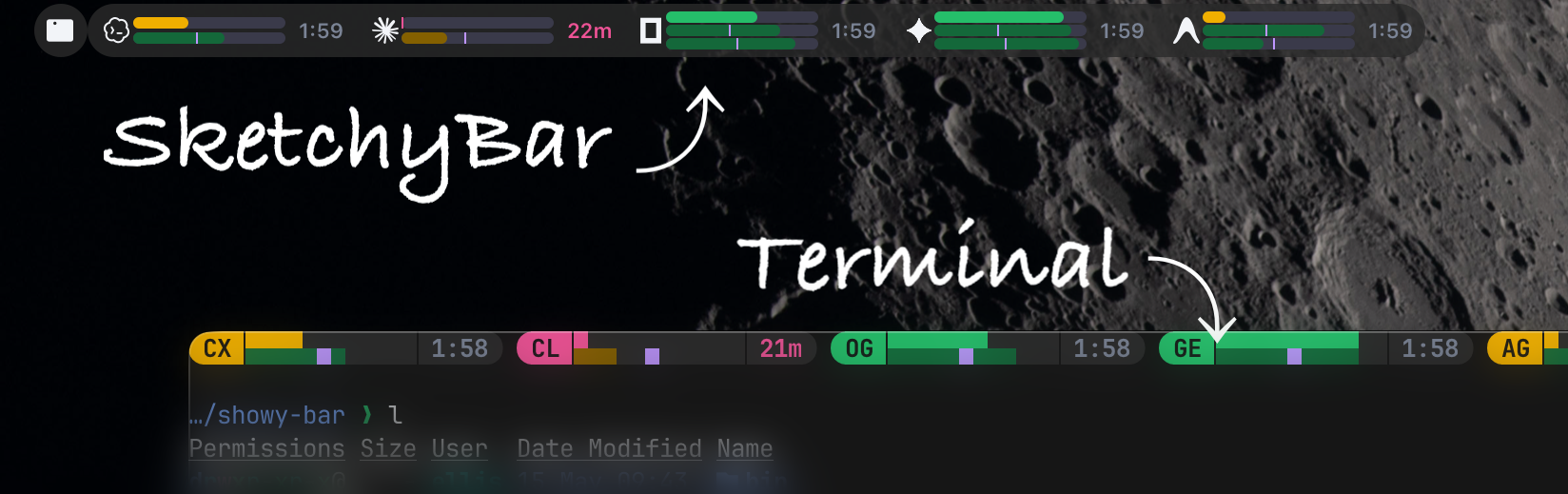

Prayer Times / Ezan VaktiSmall SbarLua plugin showing countdown to next prayer time in SketchyBar. It scrapes times from Diyanet prayer time pages, then displays Turkish countdown text like:
Click item to refresh manually. Requires Python python3 -m pip install requests
require("items.prayer")
Change {
"prayer_url": "https://namazvakitleri.diyanet.gov.tr/en-US/13976/amsterdam-prayer-times",
"prayer_timezone": "Europe/Amsterdam"
}
local prayer = SBAR.add("item", "prayer", {
	position = "left",
	update_freq = 60,
	mouse_events = true,
	icon = { drawing = false },
	label = {
		padding_left = 12,
		padding_right = 12,
	},
})

SBAR.add("bracket", "prayer.bracket", { prayer.name }, {
	background = { drawing = true },
})

local function prayer_update()
	local config_dir = os.getenv("CONFIG_DIR") or (os.getenv("HOME") .. "/.config/sketchybar")
	SBAR.exec("python3 " .. config_dir .. "/items/prayer.py", function(result)
		prayer:set({
			label = { string = result:gsub("\n", "") },
		})
	end)
end

prayer:subscribe("routine", prayer_update)
prayer:subscribe("forced", prayer_update)
prayer:subscribe("mouse.clicked", function(env)
	prayer:set({ label = { string = "Yenileniyor..." } })
	prayer_update()
end)

prayer_update()
#!/usr/bin/env python3
import re
import requests
import json
import os
from datetime import datetime, timedelta
from zoneinfo import ZoneInfo

CONFIG_DIR = os.getenv("CONFIG_DIR", os.path.expanduser("~/.config/sketchybar"))
SETTINGS_PATH = os.path.join(CONFIG_DIR, "settings.json")

try:
    with open(SETTINGS_PATH, "r") as f:
        settings = json.load(f)
except Exception:
    settings = {
        "prayer_url": "https://namazvakitleri.diyanet.gov.tr/en-US/13976/amsterdam-prayer-times",
        "prayer_timezone": "Europe/Amsterdam"
    }

URL = settings.get("prayer_url")
TZ = ZoneInfo(settings.get("prayer_timezone", "Europe/Amsterdam"))

names = ["İmsaka", "Güneşe", "Öğleye", "İkindiye", "Akşama", "Yatsıya"]

try:
    html = requests.get(URL, timeout=10).text
    found = re.findall(r"\b\d{2}:\d{2}\b", html)
    raw_times = found[3:9]

    now = datetime.now(TZ)
    today = now.date()

    for name, time_str in zip(names, raw_times):
        h, m = map(int, time_str.split(":"))
        t = datetime(today.year, today.month, today.day, h, m, tzinfo=TZ)

        if t > now:
            diff = t - now
            mins = int(diff.total_seconds() // 60)
            print(f"{name} {mins // 60}s {mins % 60}dk")
            break
    else:
        h, m = map(int, raw_times[0].split(":"))
        tomorrow = today + timedelta(days=1)
        t = datetime(tomorrow.year, tomorrow.month, tomorrow.day, h, m, tzinfo=TZ)
        diff = t - now
        mins = int(diff.total_seconds() // 60)
        print(f"İmsaka {mins // 60}s {mins % 60}dk")
except Exception:
print("Error") |

TickTick Pomodoro Timer Integration

With MacOS 26, apps can no longer be identified via their name in the mission control. Instead, they get a generic name and a number that changes. This breaks the This plugin allows to observe the timer of TickTick directly when it runs and displays it in SketchyBar. Tested on MacOS CodeThe sh script (
|


 and others
Uh oh!
There was an error while loading. Please reload this page.
This is a thread to share the plugins you've created with the community.
All reactions