
UNIVERSITY OF WEST ATTICA
SCHOOL OF ENGINEERING
DEPARTMENT OF COMPUTER ENGINEERING AND INFORMATICS
University of West Attica · Department of Computer Engineering and Informatics
Databases II
Vasileios Evangelos Athanasiou
Student ID: 19390005
Supervision
Supervisor: Periklis Andritsos, Associate Professor
Co-supervisor: Rania Garofalaki, Laboratory Teaching Staff
Athens, January 2024
This repository contains a personnel database project with views developed for the Databases II course at the University of West Attica (UNIWA).
It demonstrates table creation, data types, constraints, data manipulation, and advanced use of SQL views on a sample personnel database.
Before using this project, ensure you have the following installed:
- MySQL 8.0 (recommended)
- Compatible alternatives:
- MariaDB
- PostgreSQL (minor syntax adjustments may be required)
A tool to execute .sql scripts and manage databases:
- MySQL Workbench (recommended)
- phpMyAdmin
- DBeaver
- Command-line MySQL client
- SQL basics:
CREATE DATABASE,CREATE TABLE,INSERT,SELECT,UPDATE - Understanding of primary keys, foreign keys, default values, and auto-increment
- Familiarity with views: creating, querying, and updating
- Understanding of joins, filters, and aggregation
Open a terminal or command prompt and run:
git clone https://github.com/Data-Bases-2/Views.git- Open the repository URL in your browser
- Click Code → Download ZIP
- Extract the ZIP file to a local directory
- Launch your preferred SQL client (e.g., MySQL Workbench)
- Connect to your local or remote MySQL server
- Execute the following SQL command if the database does not exist:
CREATE DATABASE IF NOT EXISTS personnel;
USE personnel;Run the provided SQL script src/personnel.sql. This script includes:
DEPTTableJOBTableEMPTable- Column data types, primary keys, foreign keys, default values, and auto-increment where required Example:
CREATE TABLE DEPT (
    DEPTNO NUMERIC(2) PRIMARY KEY,
    DNAME VARCHAR(24),
    LOC CHAR(23)
);

CREATE TABLE JOB (
    JOBCODE NUMERIC(3) PRIMARY KEY,
    JOB_DESCR VARCHAR(24),
    SAL NUMERIC(10,2)
);

CREATE TABLE EMP (
    EMPNO NUMERIC(4) PRIMARY KEY,
    NAME VARCHAR(255),
    JOBNO NUMERIC(3),
    DEPTNO NUMERIC(2),
    COMM NUMERIC(10,2),
    FOREIGN KEY (DEPTNO) REFERENCES DEPT(DEPTNO),
    FOREIGN KEY (JOBNO) REFERENCES JOB(JOBCODE)
);
Tip: Execute the full
personnel.sqlfile in one step to ensure all constraints and sample data are applied.
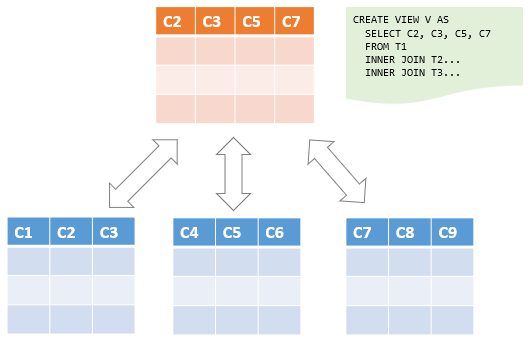
The script also includes multiple views such as:
EMP_VIEWEMP_ON_SALES- Advanced multi-step or nested views
Execute these after the tables have been created to enable exercises and queries involving views.
Check tables and views:
SHOW TABLES;
SHOW FULL TABLES WHERE TABLE_TYPE = 'VIEW';

SELECT * FROM DEPT;
SELECT * FROM JOB;
SELECT * FROM EMP;

SELECT * FROM EMP_VIEW;
SELECT * FROM EMP_ON_SALES;- Navigate to the
docs/directory - Open the report corresponding to your preferred language:
- English:
Views.pdf - Greek:
Όψεις.pdf
- English: